Hardware Manual
29
How to Connect DI/DO Devices
Depending on your surveillance needs, you may connect one digital input and one digital
output device to your camera.
Digital Input (DI) devices can be used to notify the camera about an activity in the camera site.
DI can be triggers of events. For example, you can connect a “panic button” to the camera; as
such when the panic button is pressed, the alarm signal will be sent through the camera. Other
common DI device applications are emergency button, smoke detector, passive infrared
sensor, etc.
Digital Output (DO) devices are external devices that are activated by the camera upon an
event inside the camera. For example, you can connect an “alarm horn” to the camera; as
such when an event occurs inside the camera (e.g. detected intruder), the alarm horn will
sound. Other common DO device applications are motion-triggered lights, electric fence,
magnetic door locks, etc.
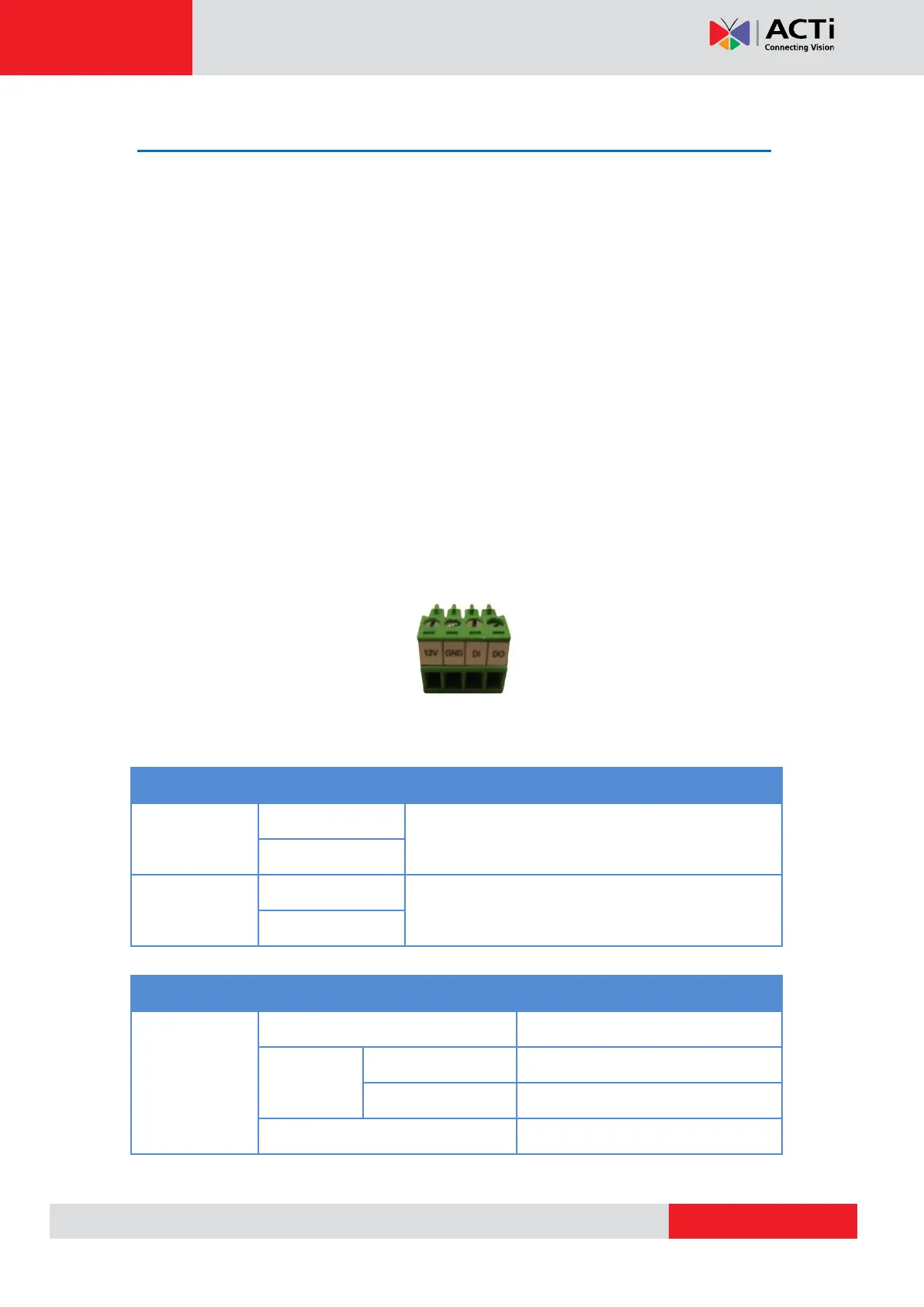
Loosen the screw and insert the wire through the pin slot, then tighten the screw to secure the
wire.
To connect digital input / output devices (DI/DO), map the pins to one of the pin combinations
below:
Connect the wires of the output device to 12V and
DO.
Connect the wires of the input device to GND
and DI.
The table below shows the DI/DO connection specifications:
TTL - compatible logic levels
Logic level 1: 3.1V ~ 30V



 To Next Page