Hardware Manual
34
How to Open the Back Cover
Opening the back cover is necessary when inserting a memory card or resetting the camera.
Procedures vary depending on camera model.
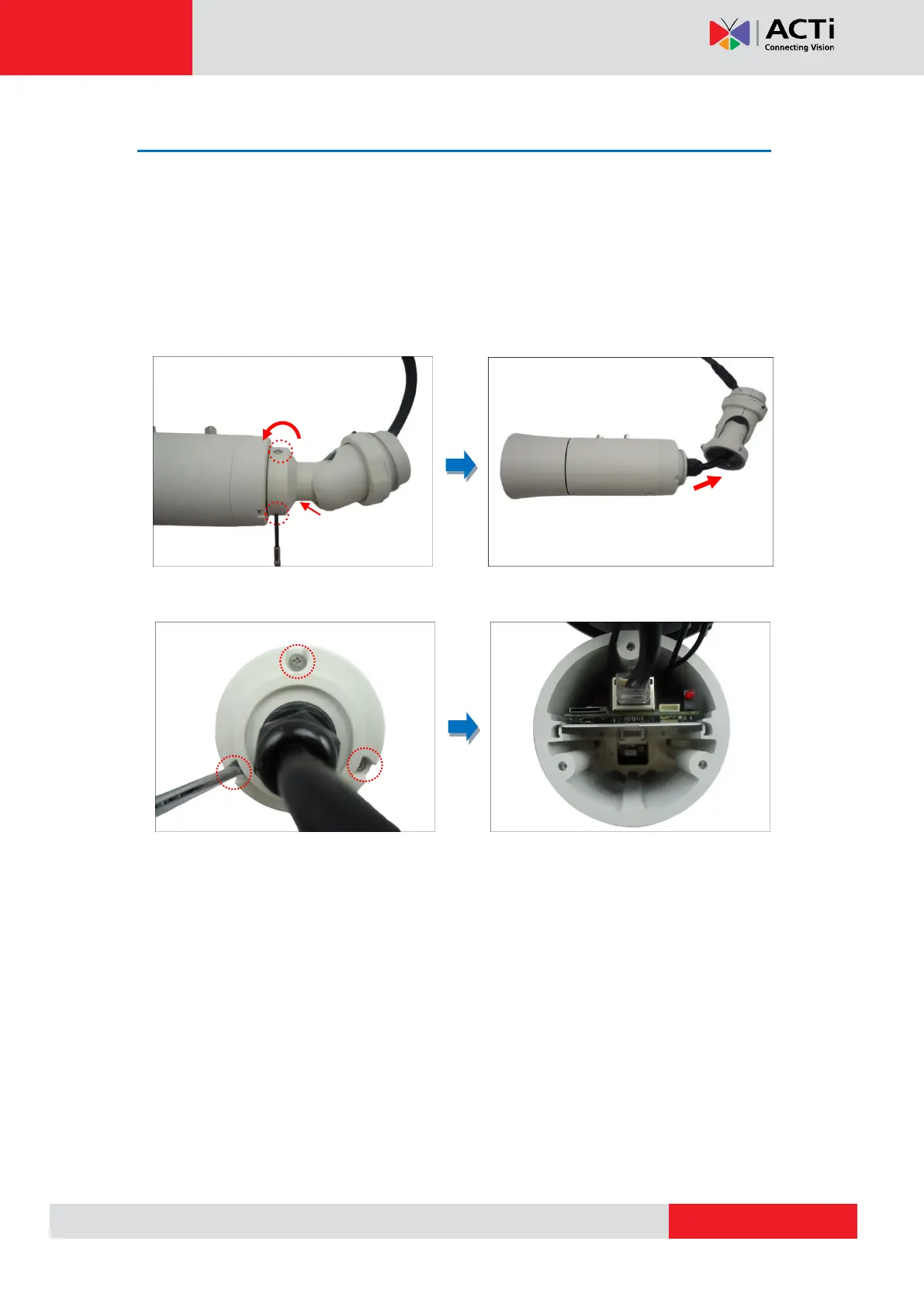
Opening the Back Cover of E48, E416
1. Remove the three (3) screws securing the integrated bracket from the camera back cover
and then detach the bracket.
2. Loosen the three (3) screws securing the back cover and open the back cover.
NOTE: Cables are connected inside the camera, do not abruptly pull the back cover.



 To Next Page