• • • • • • • • • • • • • • • • • • • • • • • • • • • • • • • • • • • • • • • • • • • • • • • • • • • • • • • • 4 – 15
Global OBD II Diagnostics
4
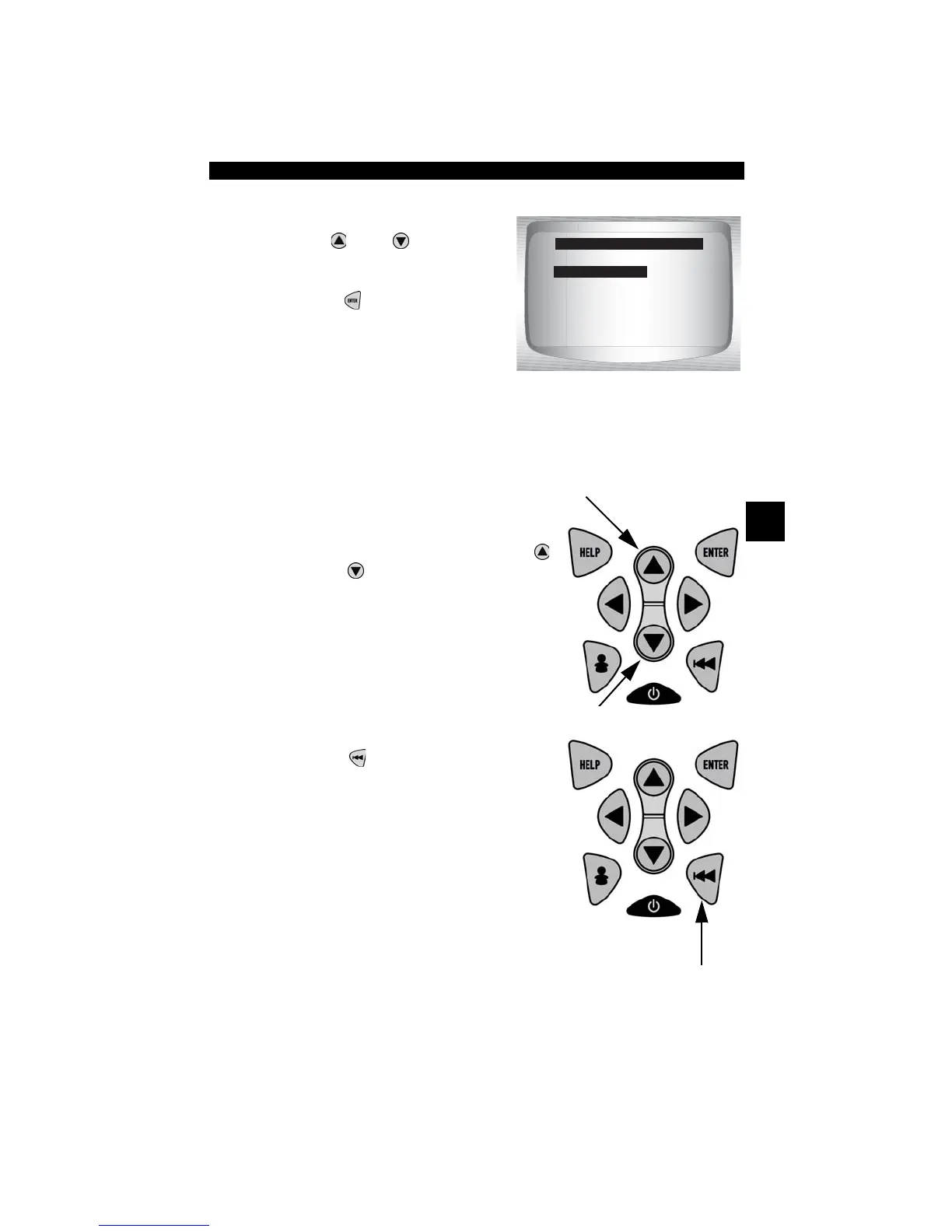
From the Diagnostic Codes Menu:
1. Select
Pending Codes
•Use
UP
or
DOWN
arrow
key until Pending Codes is
highlighted
•Press
ENTER
.
✓ If no Pending Codes are present a message stating System Pass:
No Faults Detected is displayed. (Do not mistake this message. It
refers only to Pending Codes and is not a warning of DTCs.)
2. If Pending Codes are Present.
•View and write down codes using
UP
or
DOWN
arrow key.
✓ See “Read Codes” on page 4-12 for
details of how DTCs are shown.
3. Return to Diagnostic Codes Menu.
• Press
BACK
.
Read Codes
Pending Codes
Erase Codes
View Fre eze Data
Review Data
Print Data
Code Lookup
Diagnostic Codes Menu
Pending Codes



 To Next Page