• • • • • • • • • • • • • • • • • • • • • • • • • • • • • • • • • • • • • • • • • • • • • • • • • • • • • • • • 4 – 29
Global OBD II Diagnostics
4
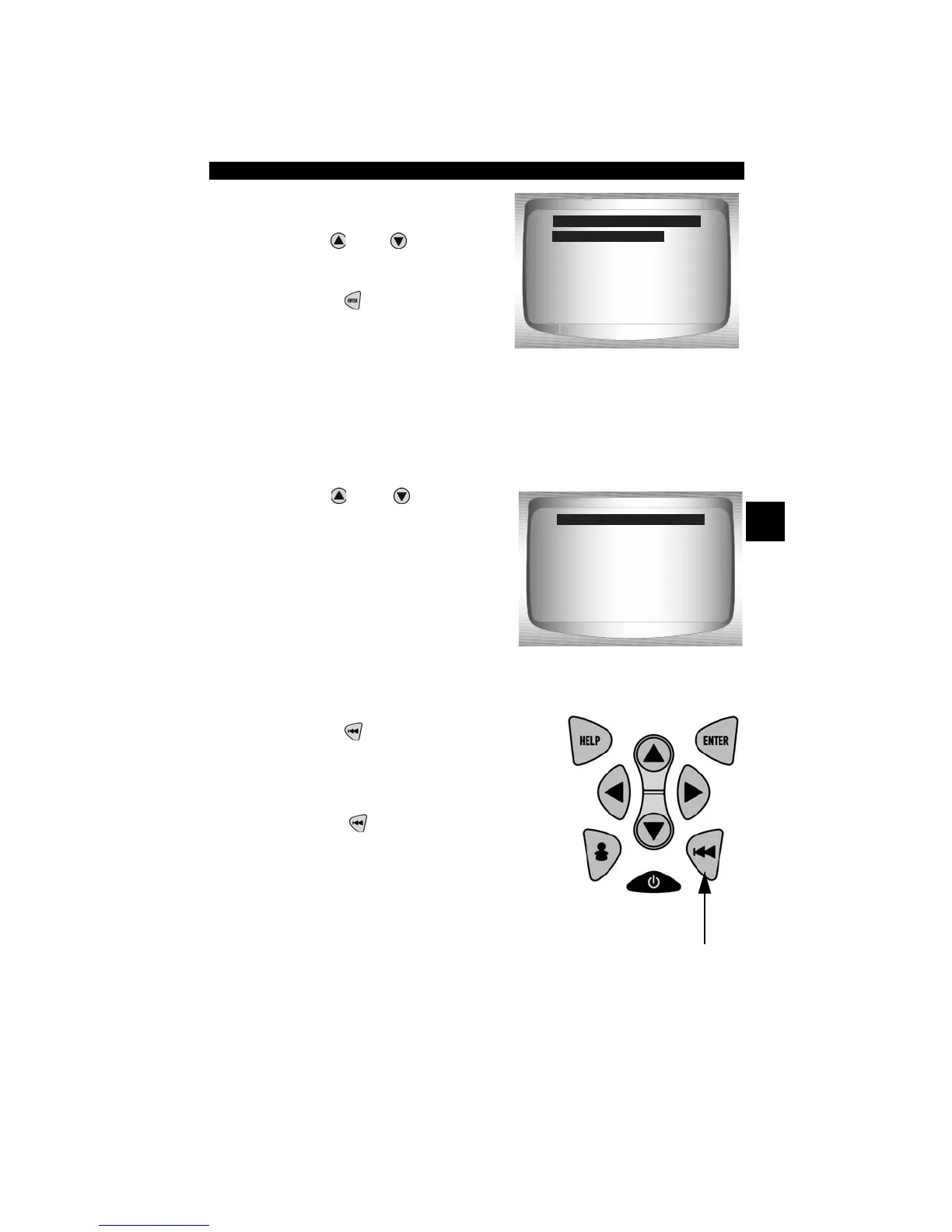
2. Select O2 Sensor.
•Use
UP
or
DOWN
arrow
key until desired O2 Sensor is
highlighted.
•Press
ENTER
.
✓ The O2 sensors located
upstream (before catalyst) may perform differently than ones located
downstream (after catalyst).
✓ Test IDs are shown for unknown O2 sensor tests.
3. View Results of Selection.
•Use
UP
or
DOWN
arrow
key.
4. Return to O2 Sensor Tests menu.
•Press
BACK
.
5. Return to Special Tests Menu.
•Press
BACK
.
O2 Bank1 Sensor1
O2 Bank1 Sensor2
O2 Bank2 Sensor1
O2 Bank2 Sensor2
Select O2 Sensor
O2 Bank1 Sensor1
RICH-LN Thresh
MAX: -----(V)
MEAS: 0.555(V)
MIN: -----(V)
MOD: $10
O2 Bank1 Sensor1



 To Next Page