Installation and Commissioning Guide
Split Ducted Units
PRELIMINARY DATA ONLY Ver. 3.03 220620
THIS LABEL TO BE REMOVED ON SIGN-OFF
26
Installation and Commissioning Guide - Split Ducted Indoor Unit
Doc. No.0525-084 Ver. 3 22xxxx
Data Cable Shielding Instructions
2 Core Twisted (ActronAir Part Number: AEDC2)
NOTES
• Maintain the twist of the core wires up to the Green Terminal Plug.
• Maximum strip length of outer insulation to the Green Terminal Plug is 50mm.
• Make sure the cable colors used for the Data Terminal in Outdoor Unit match the Data Terminal in Indoor unit.
Outdoor Unit Data Terminal (Green Plug)
“Terminal A” - White Wire
“Terminal B” - Black Wire
“Terminal G” - Shield Wire
Indoor Unit Data Terminal (Green Plug)
“Terminal A (+)” - White Wire
“Terminal B (-)” - Black Wire
“Terminal G” - Shield Wire
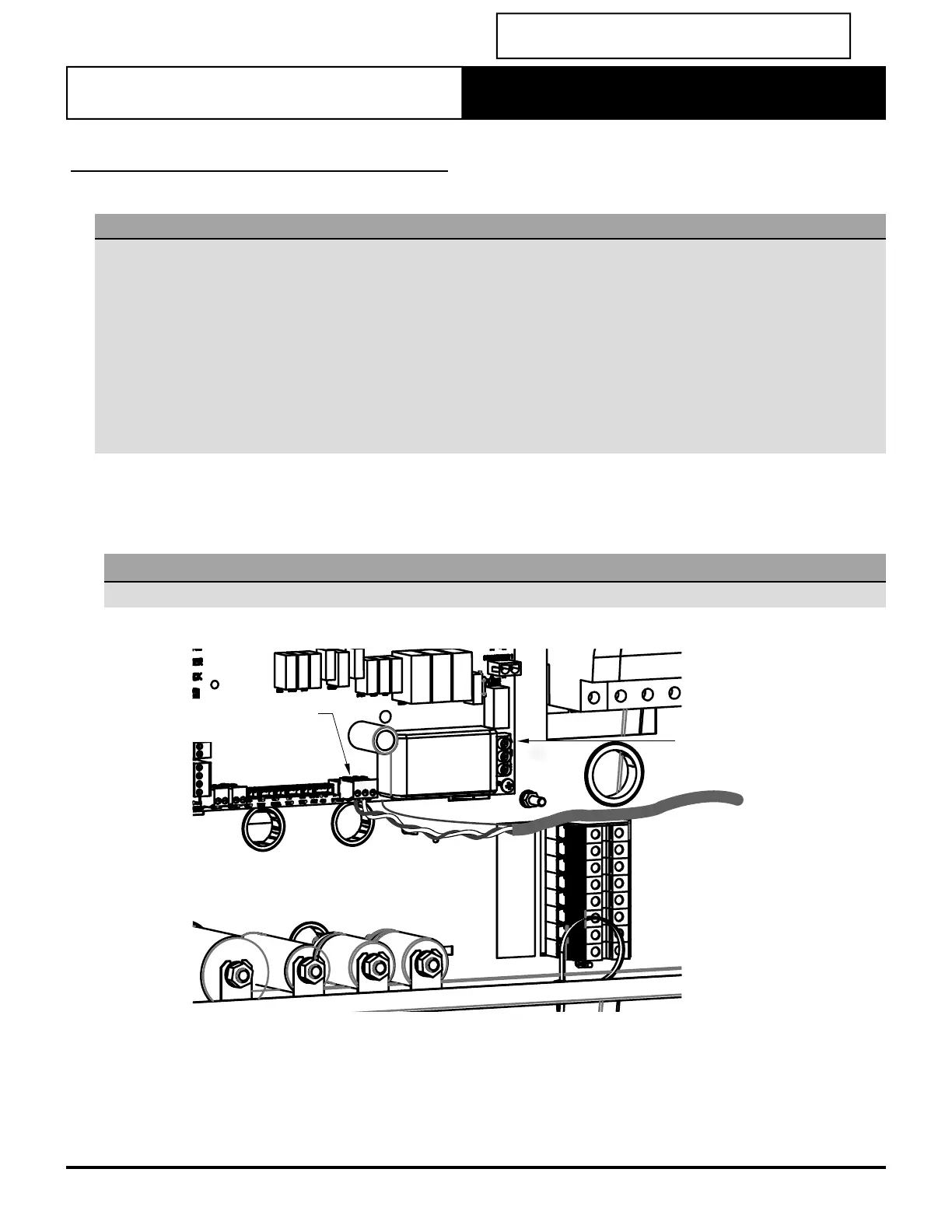
Insert data cable through the lower snap bushing and fi rst cable tie on the right hand side of the electrical panel.
Connect core wires and shield wire into the Outdoor Board green terminal plug marked “INDOOR A, B and G”.
(Refer to unit wiring diagram for complete wiring connection details).
NOTE
All drawings are for illustration purposes only. Actual unit may vary depending on the model.
OUTDOOR
BOARD
OUTDOOR BOARD
TERMINAL PLUG



 To Next Page