12
Chapter 1 - Welcome
GFR-700HD Owner’s Manual
Display Overview
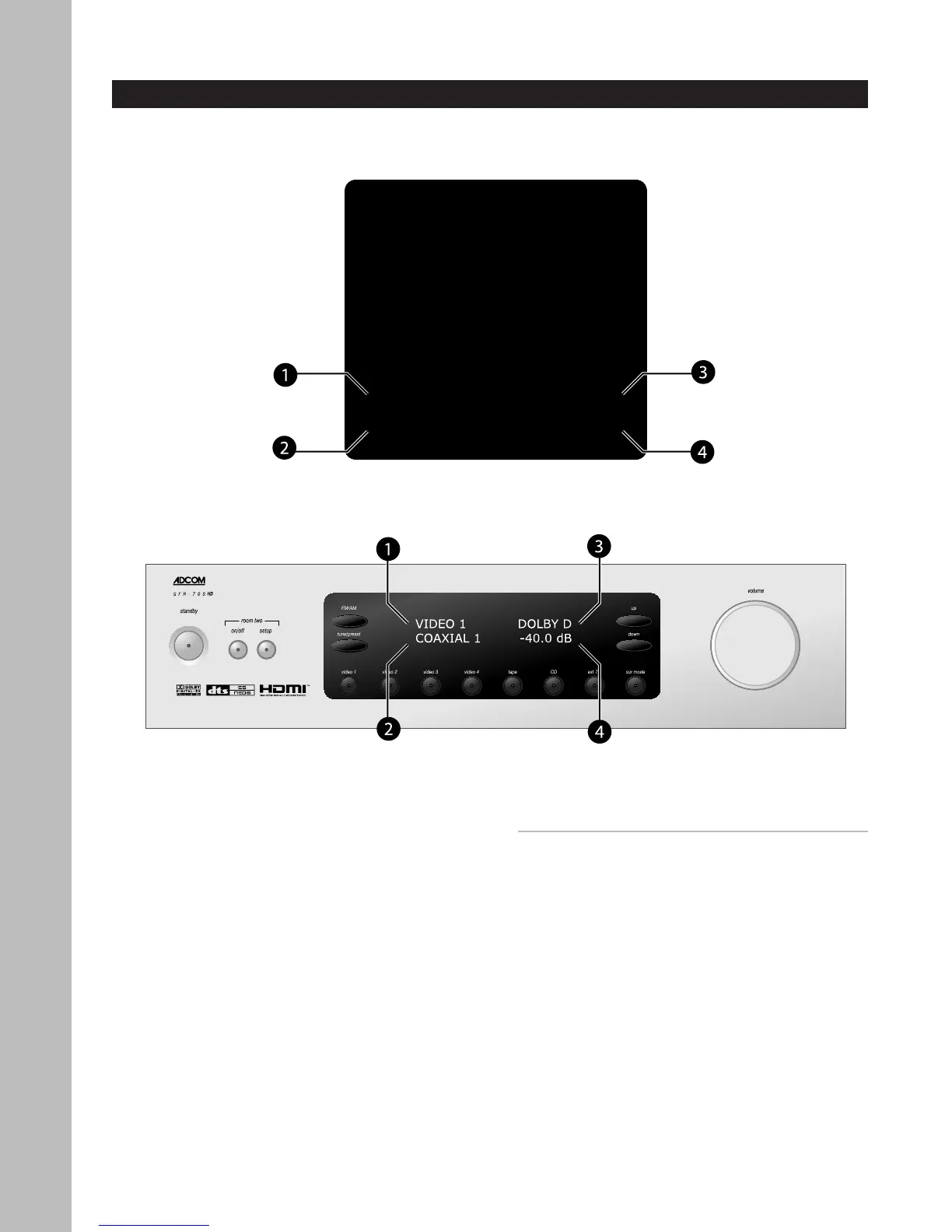
The following is an overview of the GFR-700HD on-screen and front panel displays.
1 Video source
Displays the selected video source.
2 Audio source
Displays the selected audio source.
• In Tuner mode, displays the selected tuner
frequency.
3 Surround mode
Displays the selected Surround mode.
• To step through Surround modes, press the
Sur Mode button on the front panel or the
Mode button on the remote control.
4 Volume level
Displays the selected volume level.
Notes:
• The on-screen display and front panel display
show the same information; however, in setup
menus only one menu item is shown at a time on
the front panel display.
• The on-screen display times out after ~5 seconds.
• The front panel display remains visible at all
times.
• To dim the front panel display, press the Dim but
-
ton on the remote control.
VIDEO 1 DOLBY D
COAXIAL 1 -40.0 dB
On-Screen Display
Front Panel Display



 To Next Page