15
Chatper 2 - Connections
www.adcom.com
GFR-700HD Owner’s Manual
Notes:
• If you plan to use a VCR as an
input device, it MUST have an
integral Time Base Corrector!
• To select the source compo
-
nent you connected, press the
corresponding Video 1~4 but
-
ton on the remote control or
front panel.
• To configure your video source,
see page 33.
• For basic audio/video playback
operations, see page 56.
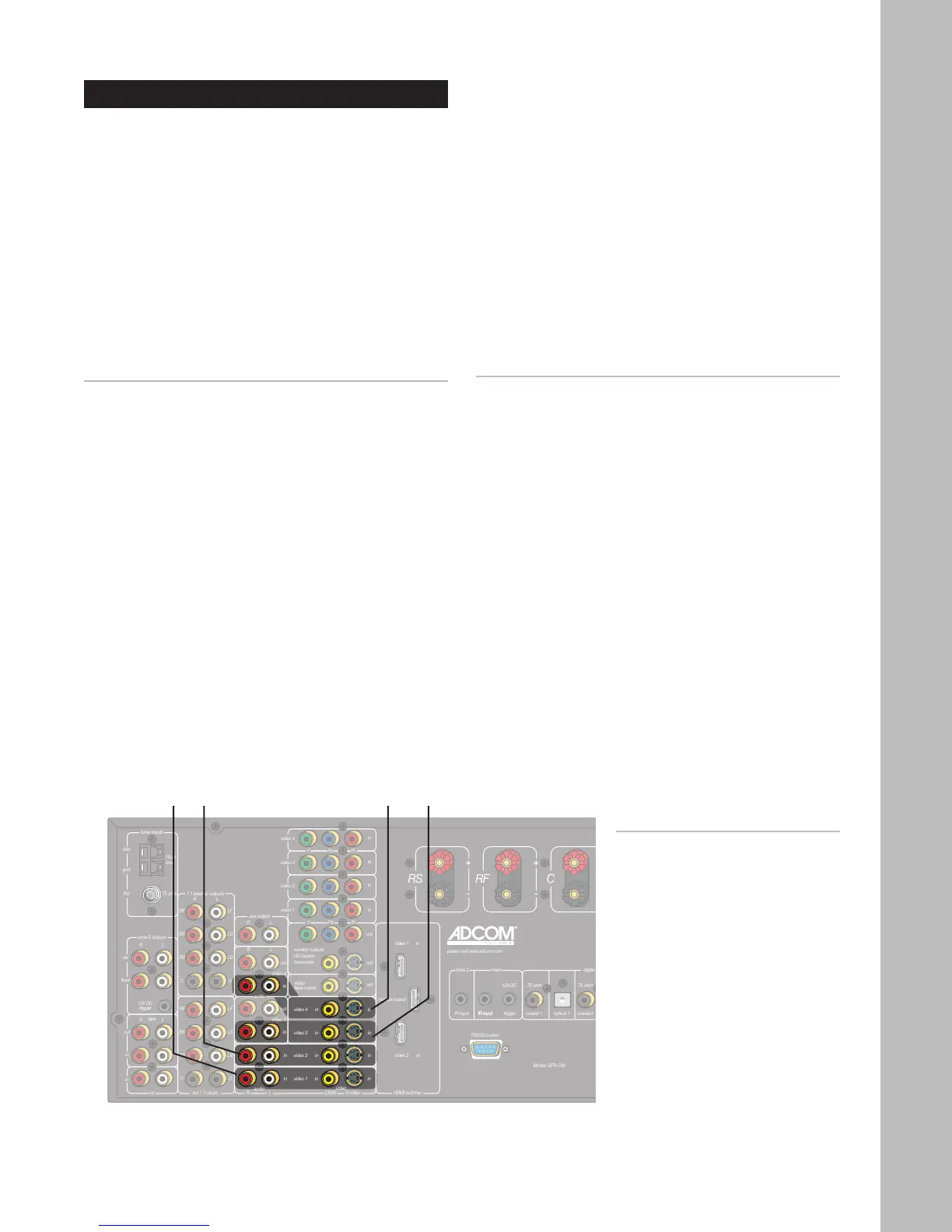
Video 1
Input
Video 2
Input
Video 4
Input
Video 3
Input
Basic Audio/Video Connections
This section provides a general connection method
that is suitable for virtually any audio/video source
component, including:
• DVD players
• Laser disc players
• CableTV boxes
• Satellite receivers
• HDTV set-top boxes
• VCRs (see notes below)
• PVRs
• Media PCs
• iPod docking stations
Connecting Audio/Video Components
1 Choose a Video input (1~4) for your component.
A typical scenario might be:
• Video 1 - DVD or Laser disc player.
• Video 2 - Digital set-top box (CableTV, satel
-
lite receiver, or HDTV tuner).
• Video 3 & 4 - Device with dual playback/re-
cording capability (e.g., VCR, DVD Recorder,
PVR, etc.).
2 Connect video.
• Using a composite video cable, connect the
video output on your source component to
the video input on the GFR-700HD.
• For higher quality video, use an S-video cable
to connect the S-video output on the source
component to the S-video input on the GFR-
700HD.
3 Connect audio.
• Using RCA cables, connect the audio outputs
on your source component to the audio in-
puts on the GFR-700HD.
4 Configure your input settings.
• See page 33.
For Advanced Connections:
Depending on the capabilities of your components,
follow these links to add some sizzle to these basic
connections:
• For upgraded DVD connections, see page 16.
• For Component/Progressive Scan video connec
-
tions, see page 17.
• For digital audio connections, see page 18.
• For HDMI connections, see page 19.
• For recording connections, see pages 26 and 27.



 To Next Page