18
Chatper 2 - Connections
GFR-700HD Owner’s Manual
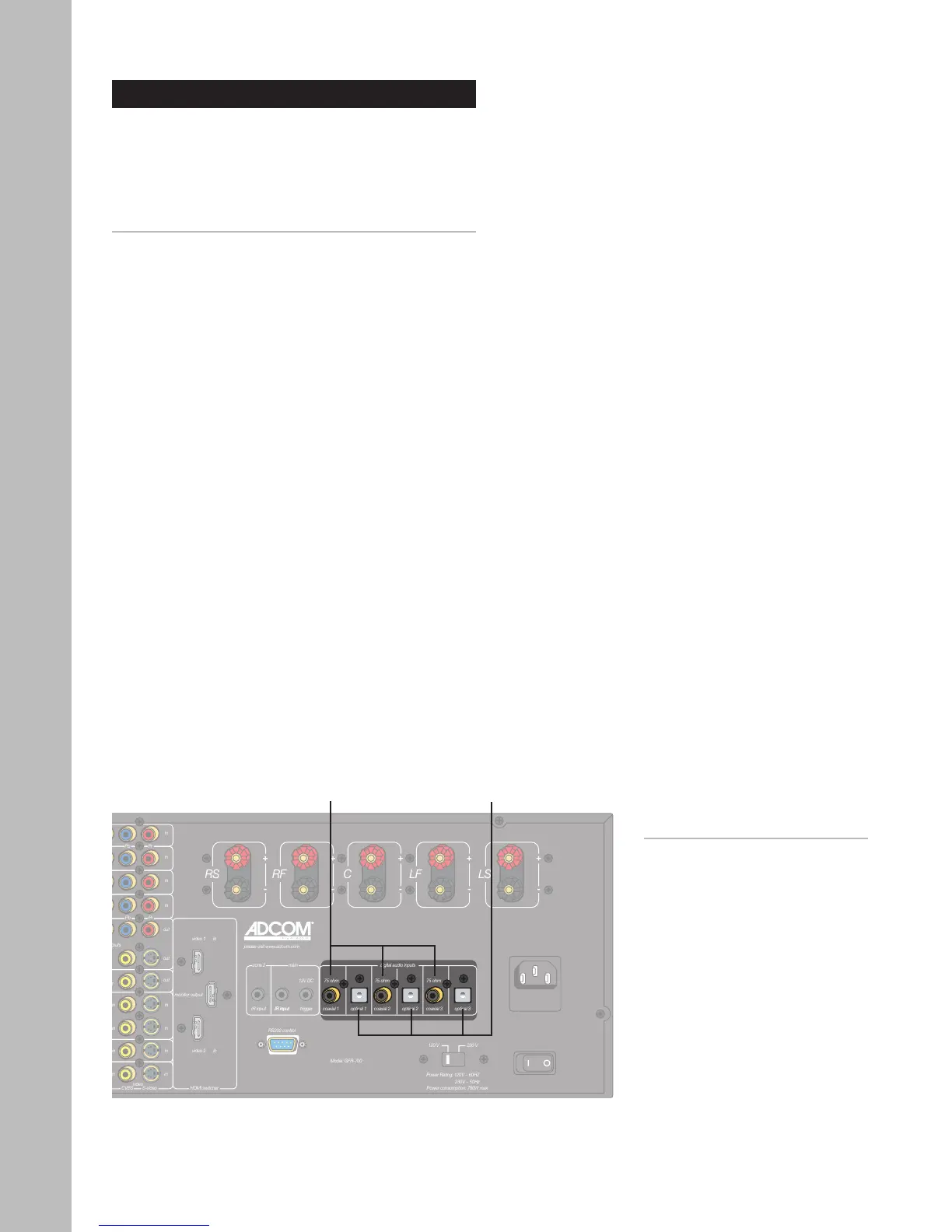
Digital Audio Connections
The GFR-700HD features six digital audio inputs—
three coaxial and three optical—to receive multi-
channel bitstreams from your DVD player or other
digital audio source component.
Connecting Digital Audio Components
1 Choose an available digital audio input.
2 Connect digital audio cable(s).
• Using a digital coaxial audio cable, connect
the coaxial output on your source device to
the corresponding coaxial input on the GFR-
700HD.
• Alternatively, use an optical (Toslink) cable
to connect the optical output on your source
device to the corresponding optical input on
the GFR-700HD.
3 Associate the digital audio input with a Video in
-
put.
• See page 33 to associate the digital audio
input with the Video 1-4 or CD input.
Notes:
• The digital audio inputs are
assignable to the Video 1-4 or
CD inputs; see page 33.
Coaxial
Digital Audio
Inputs 1~3
Optical
Digital Audio
Inputs 1~3



 To Next Page