35
Chapter 3 - Setup
www.adcom.com
GFR-700HD Owner’s Manual
Picture Controls
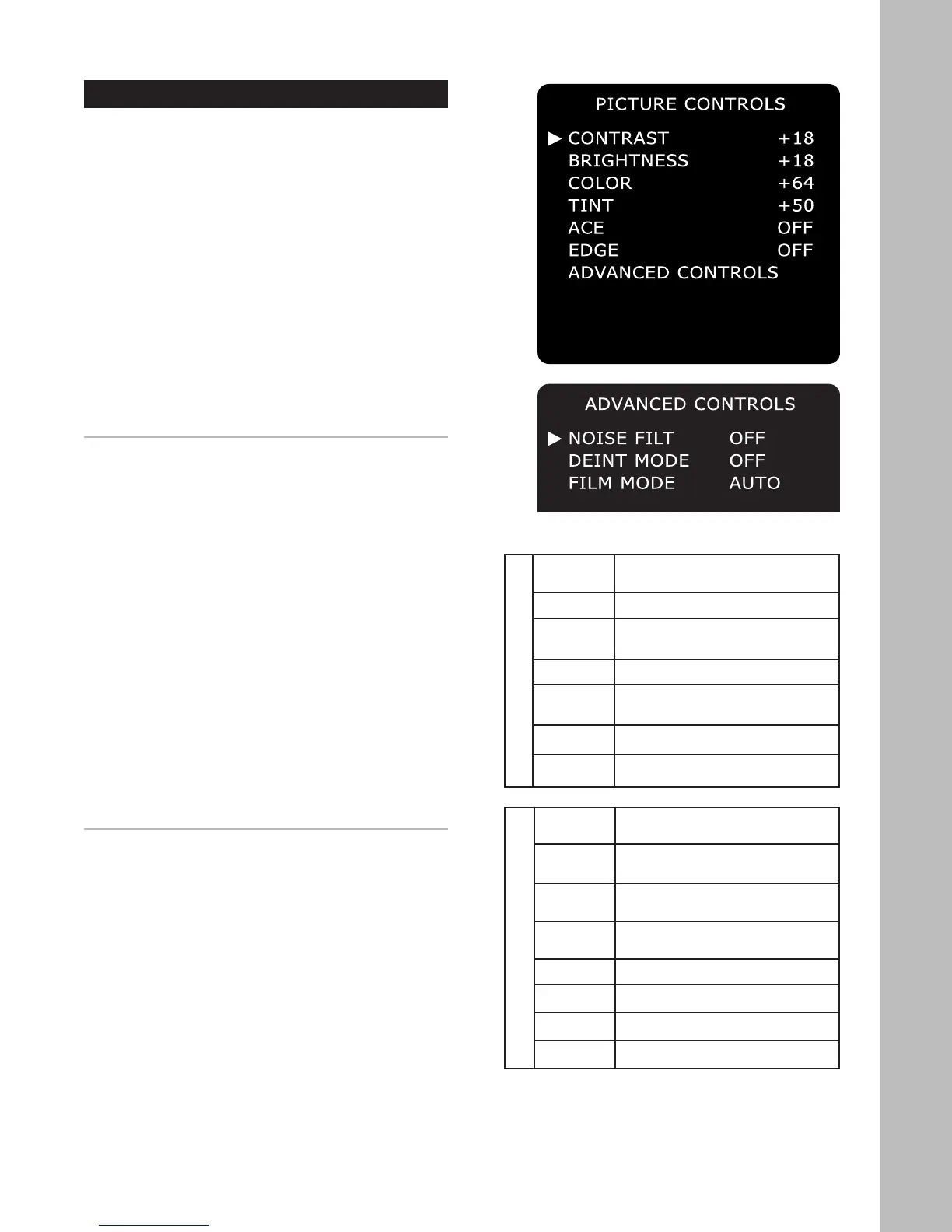
The HD Scaler includes basic and advanced controls
to help you achieve optimal picture quality for each
input source.
To access the Picture Controls menu:
1 Press the Main button on the remote control.
2 Press the Setup button.
3 Use the
/ buttons to select INPUT CONFIG,
then press the Select button.
4 Use the / buttons to select HD SCALER, then
press the Select button.
5 Use the / buttons to select PICTURE CON-
TROLS, then press the Select button.
6 Use the / buttons to choose from the follow-
ing menu items:
BASIC CONTROLS
Provides basic tools to adjust the picture for each
input source. Use the
/ buttons to choose:
• Contrast - Adjusts the difference in brightness
between the lightest and darkest areas of the
picture. Choose from 0-20 (default = 10).
• Brightness - Adjusts the overall brightness of the
picture. Choose from 0-100 (default = 50).
• Color - Adjusts the color intensity and satura-
tion of the picture. Choose from 0-128 (default =
64).
• Tint - Adjusts red and green levels to accurately
reproduce skin tones. Choose from 0-100 (de-
fault = 50).
• ACE (Adaptive Color Enhancement) - Enhances
an image by improving its contrast. Choose from
High, Mid, Low, or Off (default).
• Edge - Adjusts edge enhancement, ranging from
soft to crisp picture detail. Choose from High,
Mid, Low, or Off (default).
ADVANCED CONTROLS
Provides advanced tools to fine-tune the picture for
each input source. Use the
/ buttons to choose:
• Noise Filter - Provides a variety of specialized fil-
ters to reduce picture noise (see table at right).
• Deinterlace Mode - Digitally enhances the pic-
ture quality of interlaced source material (see
table at right).
• Film Mode - Automatically detects if source ma-
terial was originally shot on film and transferred
to video, e.g. DVDs, VHS tapes, and many TV
programs. Choose from Auto or Off.
Noise Reduction Filters
• 3D A-FTD Multiple Frame Adaptive Filter with
Flesh Tone Detection
• 3D A Multiple Frame Adaptive Filter
• 3D F-FTD Multiple Frame Fixed Filter with Flesh
Tone Detection
• 3D FIXED Multiple Frame Fixed Filter
• 2D C-FTD Single Frame Cascade Filter with
Flesh Tone Detection
• 2D C Single Frame Cascade Filter
• OFF No Noise Reduction
Deinterlace Modes
• 3D MA V1 Multiple Frame/Motion Adaptive/
Vector Interpolation
• 3D MA V2 Multiple Frame/Motion Adaptive/No
Vector Interpolation
• 3D MA LN Multiple Frame/Motion Adaptive/
Linear
• 3D Multiple Frame/No Vector Interpola
-
tion
• 2D VX1 Single Frame/Vector Interpolation
• 2D VX2 Single Frame/No Vector Interpolation
• 2D LN Single Frame/Linear
• OFF No Deinterlacing
ADVANCED CONTROLS
NOISE FILT OFF
DEINT MODE OFF
FILM MODE AUTO
RETURN



 To Next Page