28
5-9-1 Selecting and Storing the C,SQ code
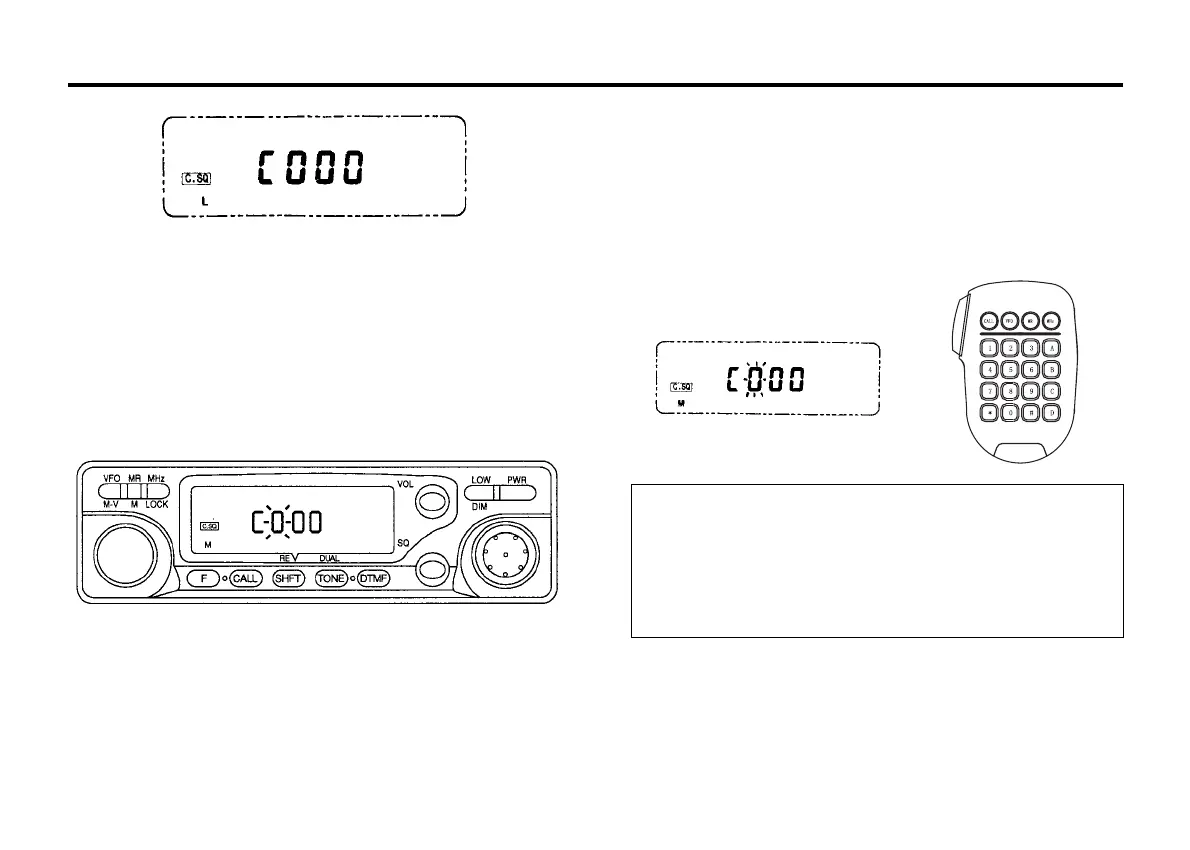
C.SQ code from 000 through 999 can be selected from the VFO mode
and stored in memory channel.
5-9-2 C.SQ Code Selection
When DTMF unit DTF147 [option] is installed, the initial setting is 000.
● Selecting and Storing the C.SQ code with the VFO
1. Press the DTMF key twice to light the C,SQ indicator.
2. Press the F key, then press the DTMF key while the F indicator is
on in 10 seconds. The first digit of the C.SQ code will flash.
3. Select the first digit by rotating the Tuning control.
4. Press the DTMF key. The first digit is registered and the second
digit begins to flash.
5. Select the second digit by rotating the tuning control.
6. Press the DTMF key.The second digit is registered and the third
digit begins to flash.
7. Select the third digit by rotating the Tuning control.
8. Press the F key and the complete C.SQ code is registered. The
mode returns to the previous one.
● Selecting and Storing a code with the DTMF KEY PAD (MIC
147 D)
1. Press the DTMF key twice to light the C,SQ indicator.
2. Press the F key, then press the DTMF key while the F indicator is
on in 10 seconds. The C.SQ code setting mode will be entered
and the first digit of the code will flash.
3. Then enter a three-digit number on the key pad.
Notes
1. If a key other than the DTMF key on the front panel is pressed
during operation, code selection mode is canceled.
2. If no action is taken for longer than 10 seconds, code selection
mode is automatically canceled.
3. If the optional DTF 147 is not installed, a Bu-sound will be
generated each time you press the DTMF key.
5-9-3 Using PAG/C.SQ Function
1. Adjust the SQL control to the threshold point.
2. Press the DTMF key. The C.SQ indicator will light. Each time the
DTMF key is pressed, the PAG and C.SQ functions will be selected:



 To Next Page