586
Advanced Diagnostics USA Manual for MVP & TCODE PRO – Copyright 2014 Advanced Diagnostics USA INC.
continued...
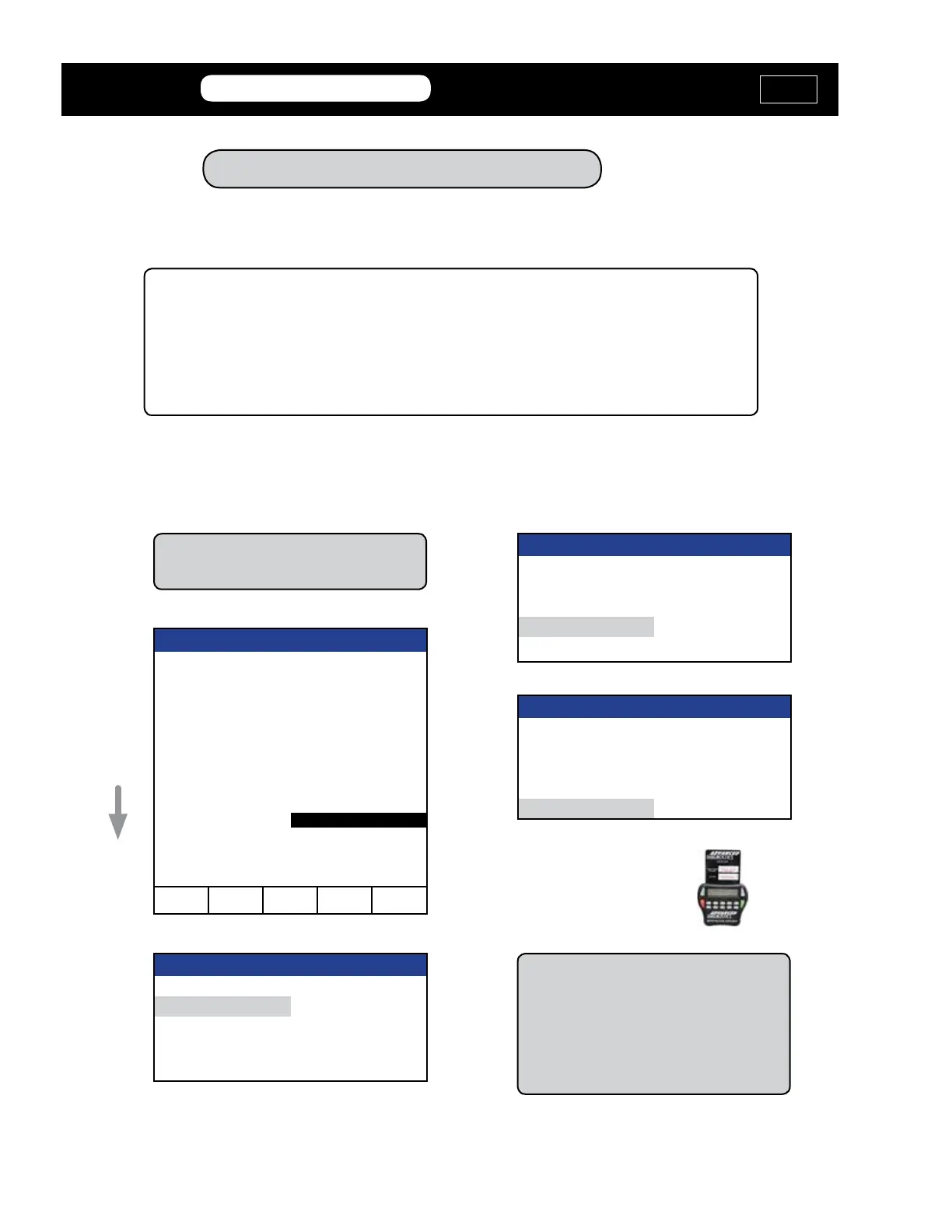
Program RKE / PROX - Type 5
VEHICLE SELECTION
TYPE 1
TYPE 2
TYPE 3
TYPE 4
TYPE 5
VEHICLE SELECTION
+ Immobilizer
+ REMOTE
+ PROXIMITY
PRESS ENTER KEY
VEHICLE SELECTION
+ AUDI + LANDROVER
+ BMW + LEXUS
+ CADILLAC + MAZDA
+ CHEVROLET + MERCEDES
+ CHRYSLER + MITSUBISHI
+ DAEWOO USA + NISSAN
+ DODGE + PONTIAC
+ FORD + ROVER
+ GM (USA) + SAAB
+ HONDA/ACURA + SATURN
+ HYUNDAI + SUBARU
+ INFINITI + TOYOTA
+ ISUZU + V.W. /AUDI GROUP
+ JAGUAR + VOLKSWAGEN
+ JEEP VERSION
+ KIA
t p
?
q u
You MUST connect to the OBD2 port
with Orange Dongle “M”
VEHICLE SELECTION
+ USA
PRESS ENTER KEY
Use your
Smart Card and
avoid the Web
Security Access.
Make sure that the vehicle is turned “ON”
See trick on Page TOYOTA 48. to turn
the car ON without the Fob trapped in the
slot.
You want the car ON and both Fobs old
and new in your hands.
Now that the immobilzer has been programmed, proceed to programming the wireless &
or RKE functions of the Prox remote or remotes you want to program. This can be done
with the tool or using the On-Board procedure detailed later in this section.
MVP &
TCODE
TOYOTA
ADVANCED DIAGNOSTICS USA
powered
by



 To Next Page