17 EKI-1511X/1512X User Manual
Chapter 3 Configuration
3.2 Discovering Your Serial Device Server
3.2.1 Auto Searching
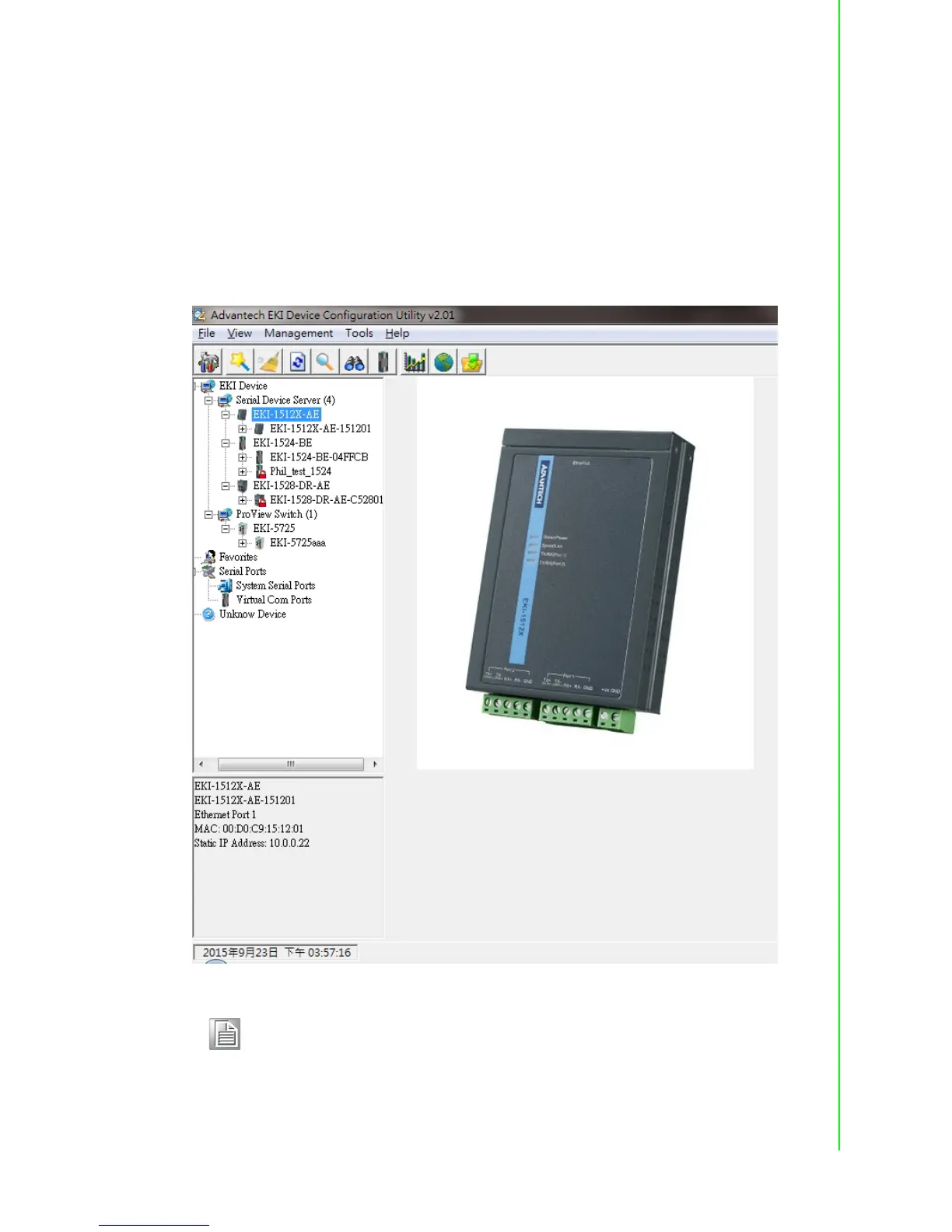
Advantech’s EKI Device Configuration Utility will automatically search all the sup-
ported devices periodically, and show on the Device List Area of the utility. The utility
provides an auto-search function to show your devices by simply executing the con-
figuration utility program from the Start Menu.
From here all device on the same network domain will be searched and display on
Device List Area.
Note! When you check a device for the first time with factory default setting,
the default device name is “MAC ID”. In this case, the device name “EKI-
1512X-AE-151201” means the latest 3 “MAC ID” of device is “15 12 01”.
You can change the default device name in System Tab of Device Prop-
erties.


 To Next Page