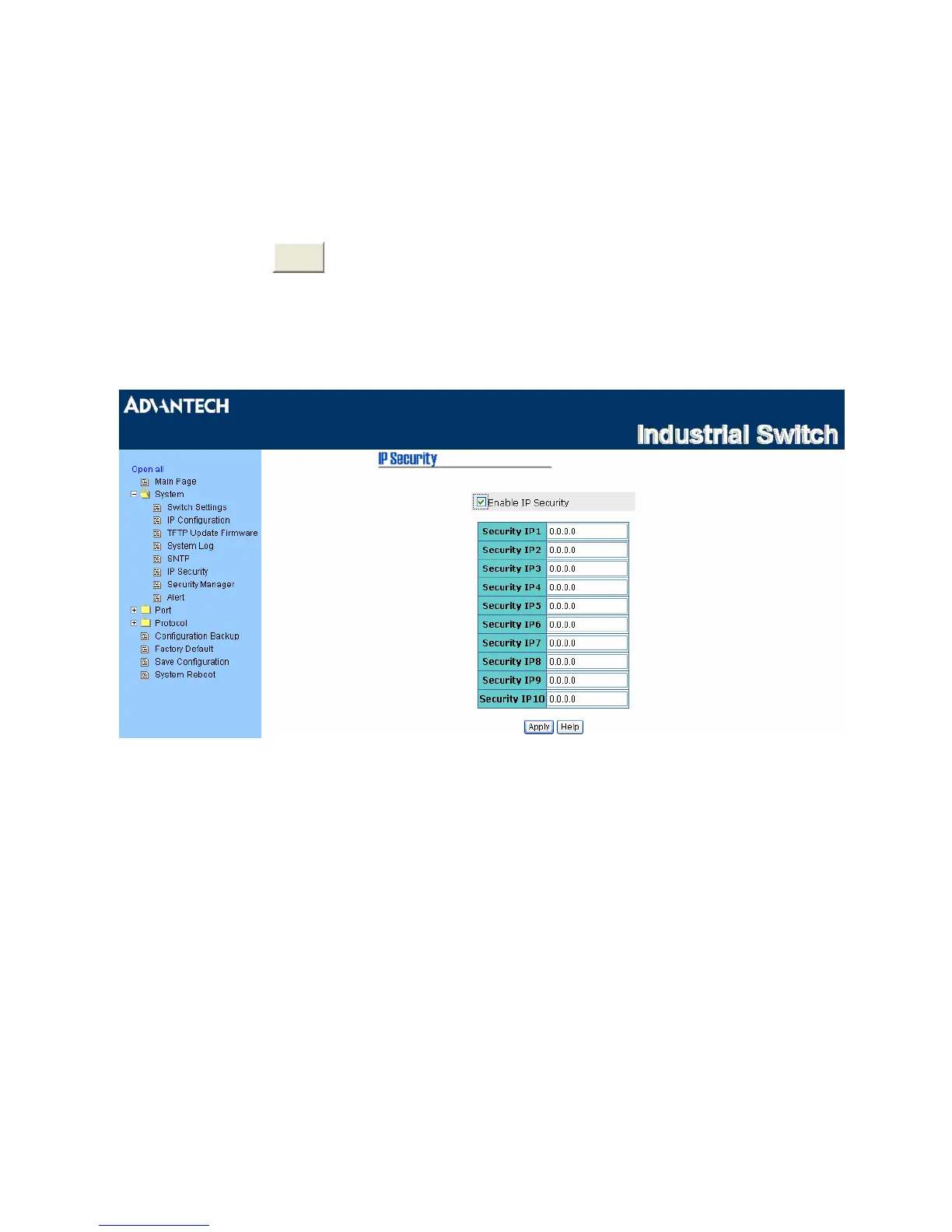
IP Security
The IP security function allows the user to assign 10 specific IP addresses that have permission to
access the switch through the web browser for securing switch management.
• IP Security Mode: Tick this check box to enable IP security.
• Security IP 1 ~ 10: The system allows the user to assign up to 10 specific IP addresses for access
security. Only these 10 IP addresses can access and manage the switch through the HTTP service.
•
And then, click
pply
to have the configuration take effect.
Note Remember to click the Save button of the Save Configuration page, otherwise the
new configuration will lose when switch powers off.
Figure 3.1-10 IP Security
31 Chapter3



 To Next Page