3.1.4 Configuration Backup
This interface allows users to back up the current configuration on the switch to the TFTP server. Also,
users can restore the industrial switch to the backup configuration from the TFTP server.
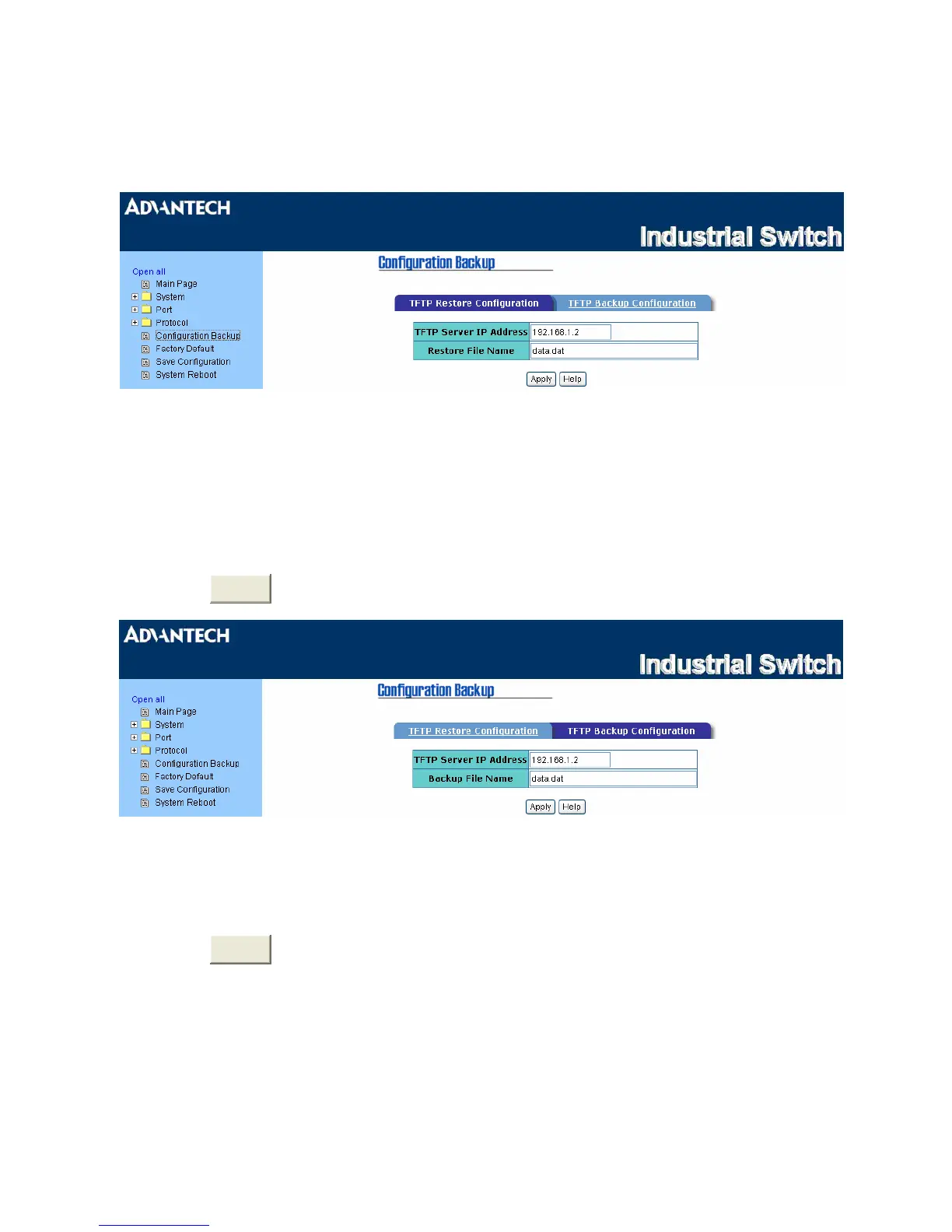
Figure 3.1-34 TFTP Restore Configuration
TFTP Restore Configuration
•
TFTP Server IP Address:
Enter the IP address of the TFTP server.
•
Restore File Name:
Enter the file name to be restored.
•
Click
Apply
.
Figure 3.1-35 TFTP Backup Configuration
•
TFTP Server IP Address:
Enter the IP address of the TFTP server.
•
Backup File Name:
Enter the file name for the backup configuration.
•
Click
Apply
.
EKI-2548I_Manual_ed2 58



 To Next Page