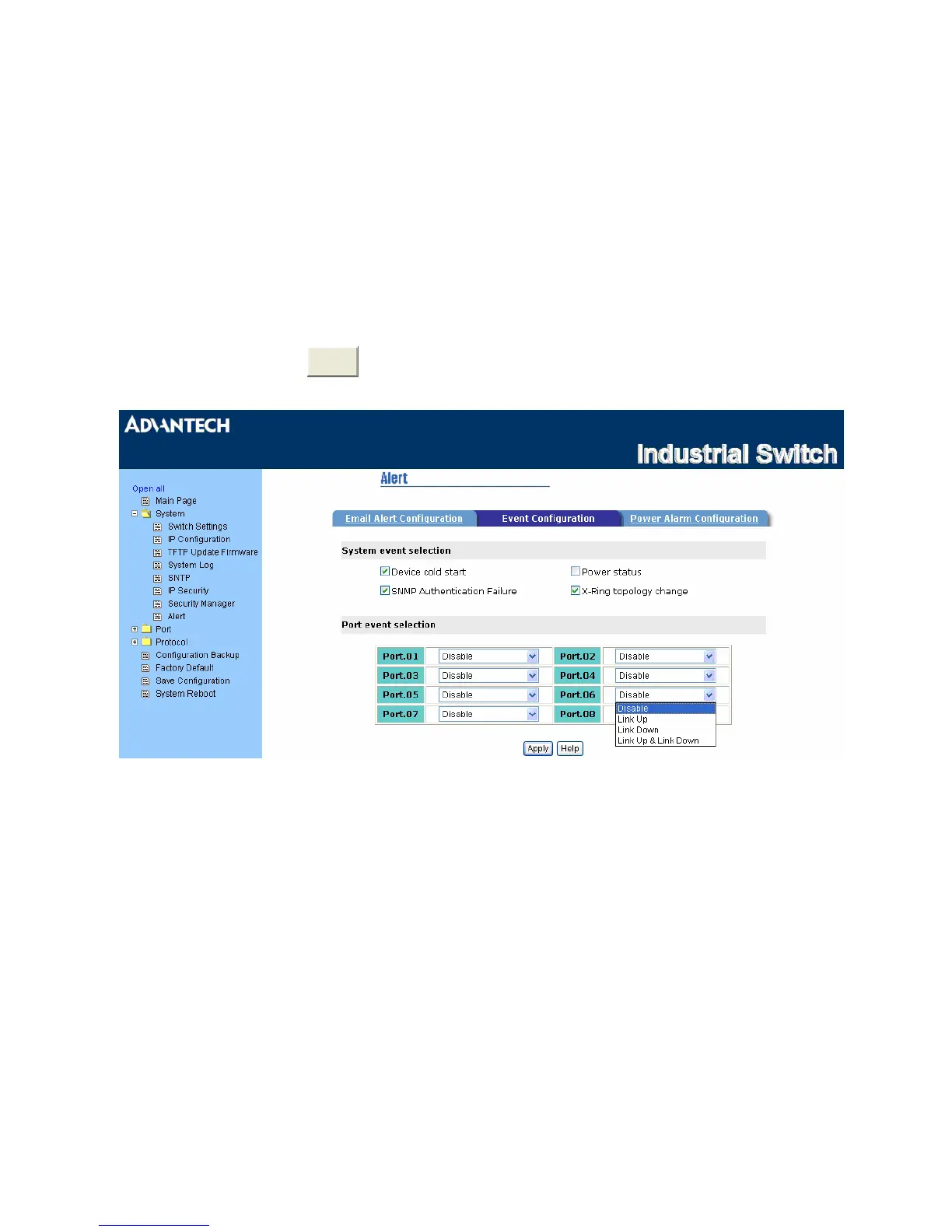
Alert – Event Configuration
The selected events that occur will cause the system to send out alerts to the assigned SMTP server.
Also, users can select port events for alerting.
• System event selection: 4 selections – Device cold start, Power status, SNMP Authentication Failure,
and X-Ring topology changes. Tick the check box to select the event. When selected events occur, the
system will sent out the alert.
• Port event selection: Select the port events for each port that has 3 selections – Link UP, Link Down,
and Link UP & Link Down. Disable means no event is selected.
¾ Link UP: The system will send out an alert when port connection is up.
¾ Link Down: The system will send out an alert message when port connection is down.
¾ Link UP & Link Down: The system will send out an alert message when port connection is up
and down.
•
After selecting, click



 To Next Page