Rate Control
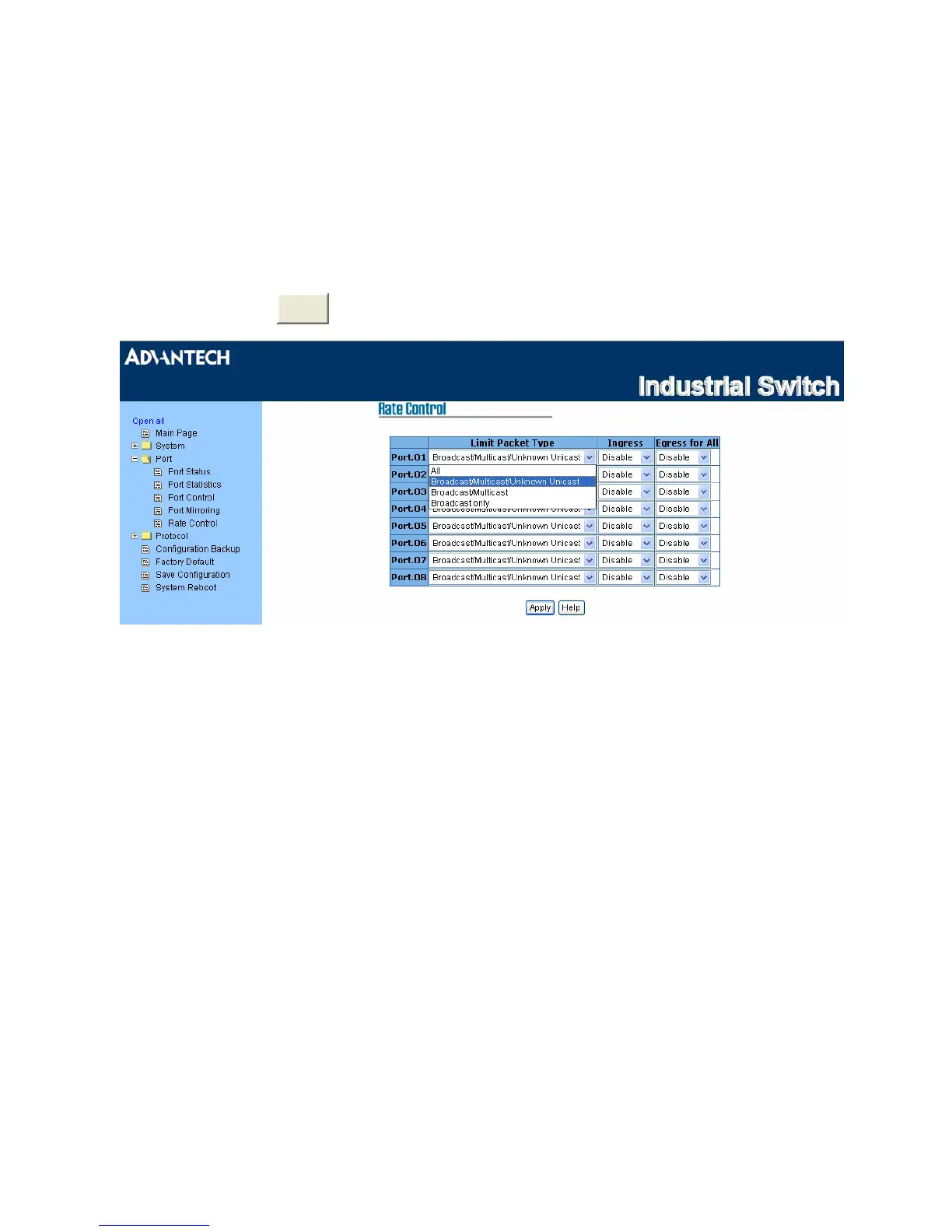
Here you can set up every port’s packet limitation type and bandwidth rate.
• Limit Packet Type: Select the packet type you want to filter. The packet types have 4 options for
selecting: All, Broadcast/Multicast/Unknown Unicast, Broadcast/Multicast, and Broadcast only.
The four packet type options are for ingress frames limitation. The egress rate only supports ‘All’ type.
• Ingress: Click the pull-down menu to select the port effective ingress rate (The default value is
“Disable”)
• Egress for All: Click the pull-down menu to select the port effective egress rate (The default value is
“Disable”)
•
And then, click



 To Next Page