SIMB-M21 User Manual 42
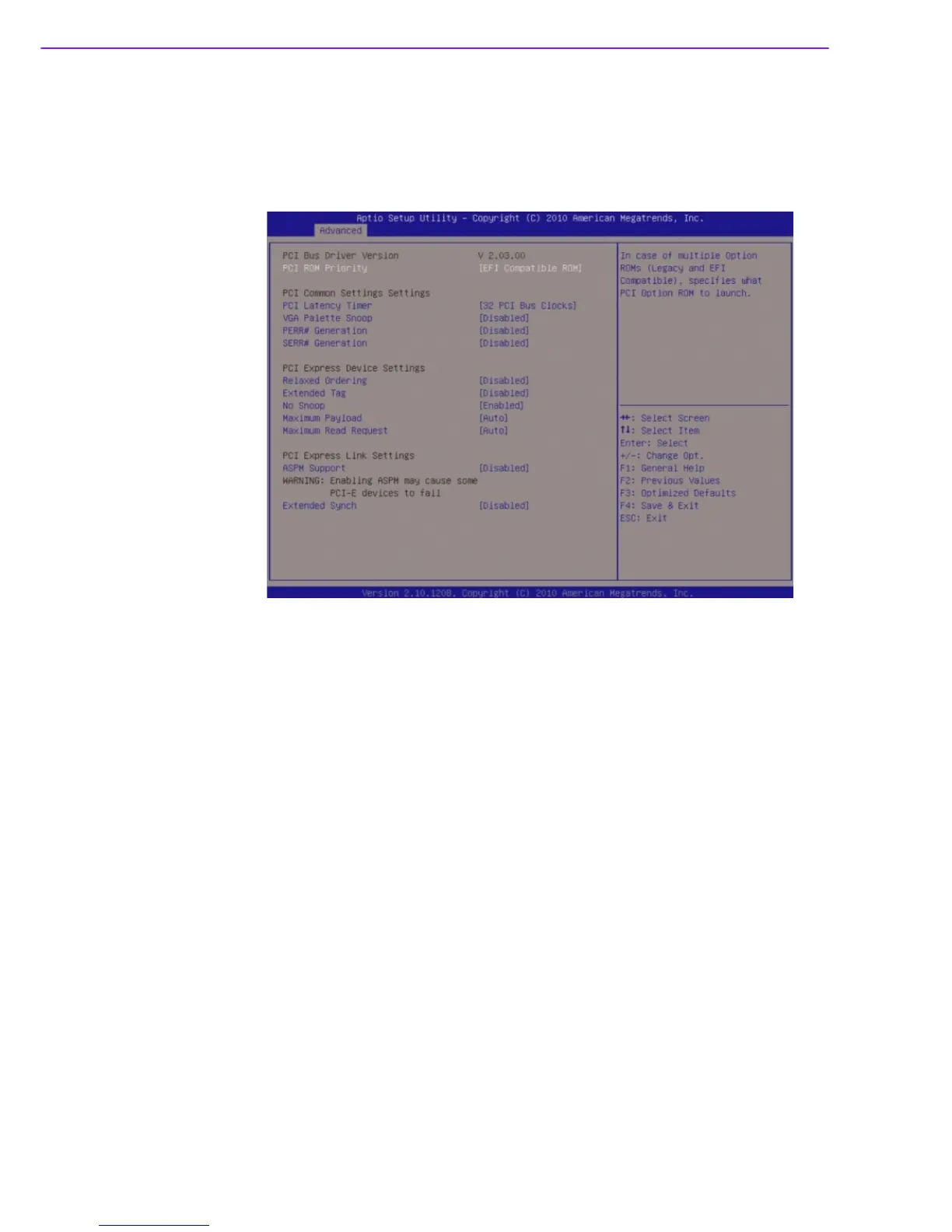
3.4.1 PCI Subsystem Setting
The PCI PnP menu items allow you to change the advanced settings for PCI/PnP
devices. The menu includes setting IRQ and DMA channel resources for either PCI/
PnP or legacy ISA devices, and setting the memory size block for legacy ISA
devices.
PCI Bus Driver Version
Displays the information of PCI Bus Driver Version.
PCI ROM Priority [EFI compatible ROM]
In case of multiple option ROMs ( Legacy and EFI compatible), specifies what
PCI option ROM to launch.
PCI Common Settings
PCI Latency Timer [32 PCI Bus Clocks]
Allows the PCI Latency Timer to be adjusted. This option sets the latency of all
PCI devices on the PCI bus.
Configuration options: [32 PCI Bus Clocks] [64 PCI Bus Clocks] [96 PCI Bus
Clocks] [128 PCI Bus Clocks] [160 PCI Bus Clocks] [192 PCI Bus Clocks] [224
PCI Bus Clocks] [248 PCI Bus Clocks]
VGA Palette Snoop [Disable]
Enables or disables VGA palette registers snooping.
Configuration options: [Disabled] [Enabled].\
PERR# Generation [Disable]
Enables or disables PCI devices to Generate PERR#.
Configuration options: [Disabled] [Enabled].
SPERR# Generation [Disable]
Enables or disables PCI devices to Generate SPERR#.
Configuration options: [Disabled] [Enabled].








 To Next Page