(1) When the counter is set to Remote, the RMT lamp to the left of the
front panel readout goes on.
(2) While the RMT lamp is on, the following switches are disabled:
FUNCTION selector switch
GATE TIME selector switch
RESET switch
HOLD switch
MASK switch
BURST switch
All switches on the TR1644 Calculation Unit (accessory)
* The sliding switches and controls at the input section remain valid in
the Remote State.
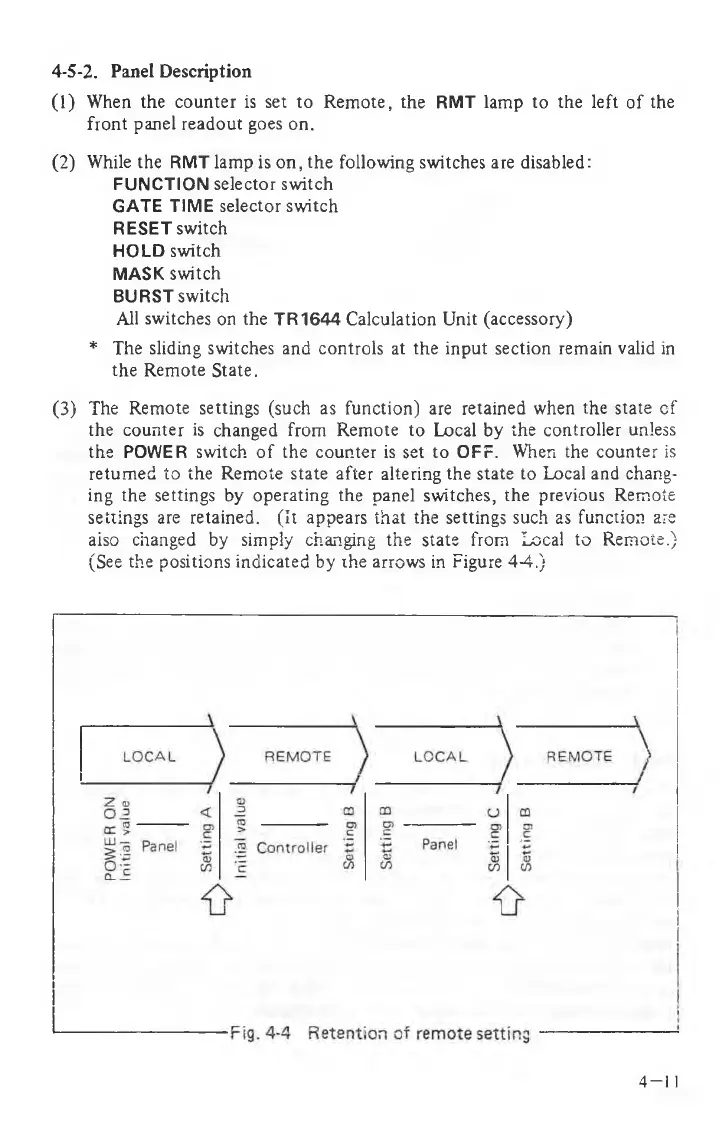
(3) The Remote settings (such as function) are retained when the state of
the counter is changed from Remote to Local by the controller unless
the POWER switch of the counter is set to OFF. When the counter is
returned to the Remote state after altering the state to Local and chang
ing the settings by operating the panel switches, the previous Remote
settings are retained. (It appears that the settings such as function are
also changed by simply changing the state from Local to Remote.)
(See the positions indicated by the arrows in Figure 4-4.)
4-5-2. Panel Description
4 - 1 1



 To Next Page