EN
11_11. 6755532_02
over device
connect the device contact to the
clamps 3 and 5 of the 13 POLE terminal board.
24.3.2.
To prepare an ON/OFF remote switch-over
device
connect the device contact to clamps 4 and 5
of the 13 POLE terminal board.
24.3.3.
If the necessity occurs to display the machine
block in a remote point
anomaly,
this is possible using
clamps 6 and 7 of
the 13 POLE terminal
board,
or visual alarm signal
device.
24.3.4.
To prepare a summer/winter switch-over
device, connect the device contact to clamps 8
and 9 of the 13 POLE terminal board.
24.3.5. CONTACT FOR THERMOSTATION
device, connect to clamps 10 and 11 of the 13
POLE terminal board.
24.3.6. CONTACT FOR BOILER CONTROL
To prepare a boiler control, connect to clamps
12 and 13 of the 13 POLE terminal board.
24.3.7.
If you should have the PR3 accessory, always
connect it to the 13 POLE terminal board as
shown below. Remember that the maximum
distance accepted is 150 mt. REMEMBER
THAT THE PR3 AS WELL AS BEING CONNECTED
Please note that, on request by the Aermec cus-
units in this series can be started up by the AERMEC
for the system. Prior to the work to be carried out by
the AERMEC service personnel, all other works (elec-
trical and hydraulic hook-ups, priming and bleeding
1.
2.
surface
3. The minimum technical spaces have been
respected;
4.
5. The hydraulic plant has been loaded and
bled.
6. The hydraulic circuit cocks are open
7.
correctly
8. The voltage is within the tolerance of 10% of
the unit nominal value
9. Earthing is correctly made. All electric
Close the electric control board hatch.
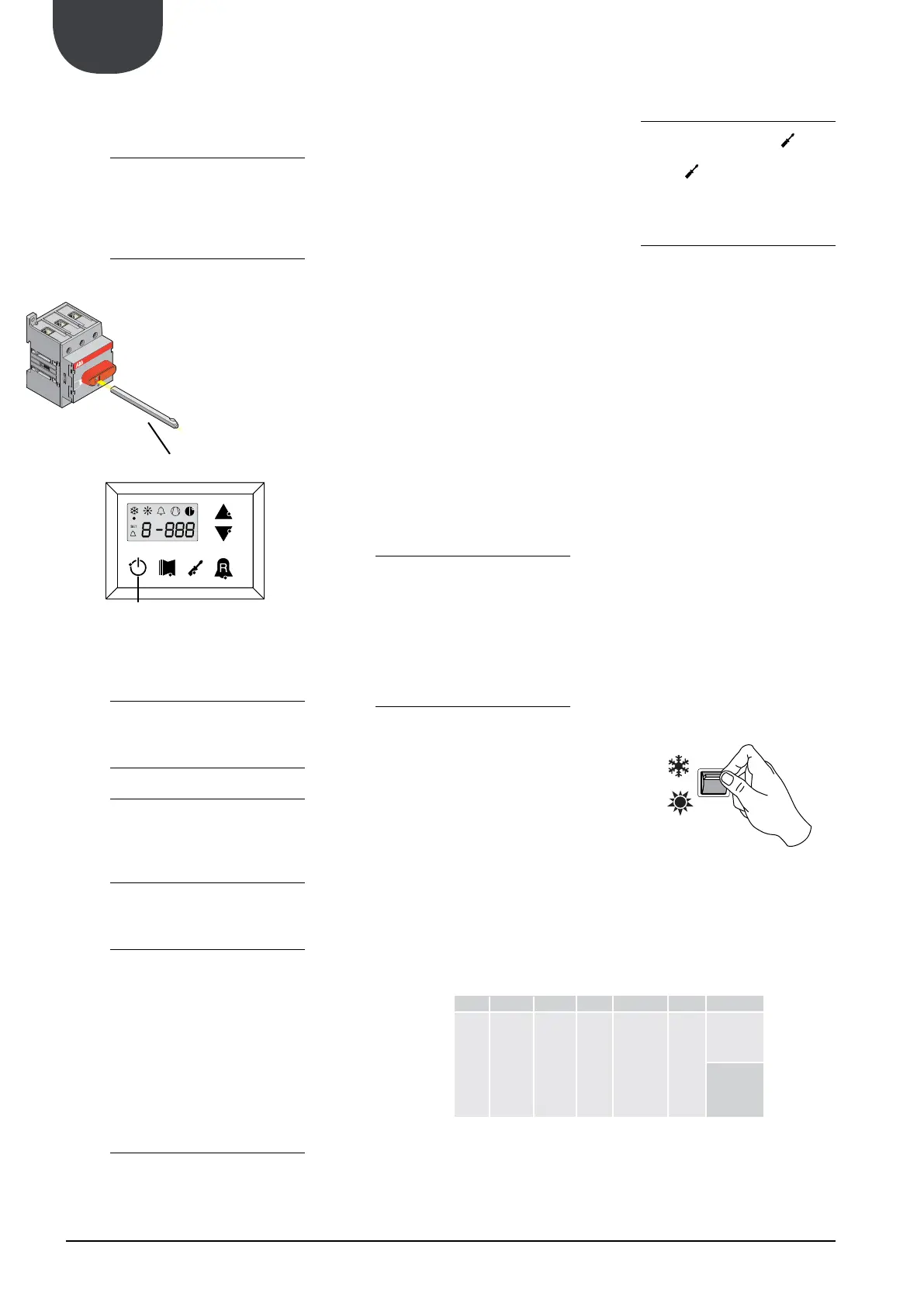
Press the ON key for 3 sec to switch the ma-
chine on.
- For every season change, check that the function-
ing limits lie within the limits.
- Check that the compressor input current is lower
than the maximum indicated in the technical data
table.
- Check, that in models with three-phase power
supply, that the compressor noise level is not
abnormal. If this is the case, invert a phase.
- Make sure that the voltage value lies within the
pre-fixed limits and that unbalance between the
above 3%.
25.3.1. SEASON CHANGEOVER FROM PANEL ON
MACHINE
Access the USER SET list by touching the insert
password key 000 (already displayed; just confirm by
re-pressing the key .
The parameter affected is the 0.
For further information refer to the USER MANUAL
25.3.2. SEASON CHANGEOVER FROM PR3
Just act directly on the switch
and switches back-on with the selected
advance based on the
system. Prior to the work to be carried out by
the AERMEC service personnel, all other works
(electrical and hydraulic hook-ups, priming and
been completed.
ON/OFF
N CODE NAME
Sta Season
0 0 1
-
ing in cool-
ing mode
-
ing in heat-
ing mode


 To Next Page