Subject to Export Control, see Cover Page for details. 2-13
2-2-3. USER INTERFACE (UI) COMPONENTS
A. Launch Bar
The Digital Radio Test System UI is a touch screen control panel that provides a flexible working
environment for all users. The UI is designed to allow users to open and close, drag and drop, and
maximize/minimize screen components to create custom display configurations.
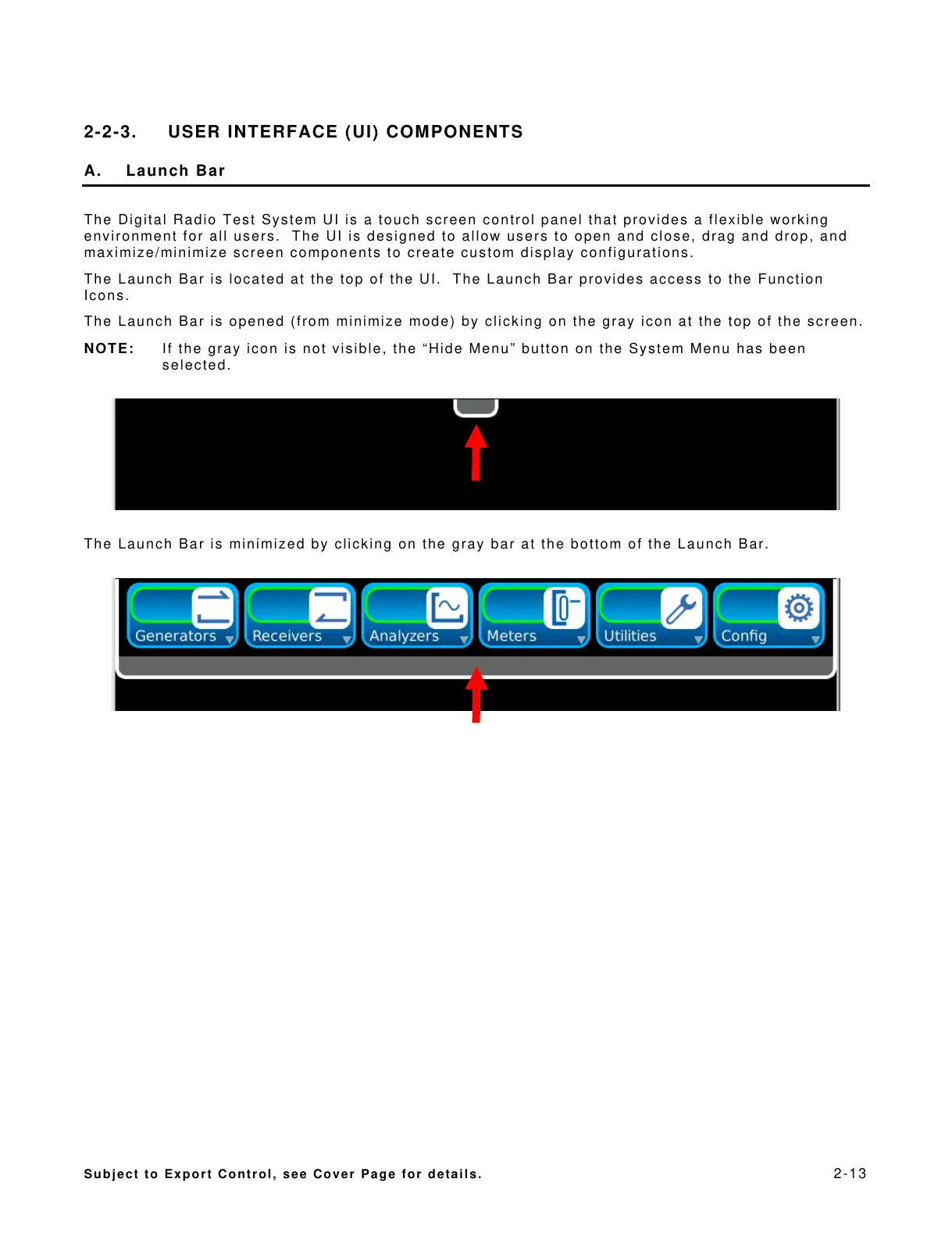
The Launch Bar is located at the top of the UI. The Launch Bar provides access to the Function
Icons.
The Launch Bar is opened (from minimize mode) by clicking on the gray icon at the top of the screen.
NOTE: If the gray icon is not visible, the “Hide Menu” button on the System Menu has been
selected.
The Launch Bar is minimized by clicking on the gray bar at the bottom of the Launch Bar.













 To Next Page