Subject to Export Control, see Cover Page for details. 2-39
2-4-5. SNAPSHOT
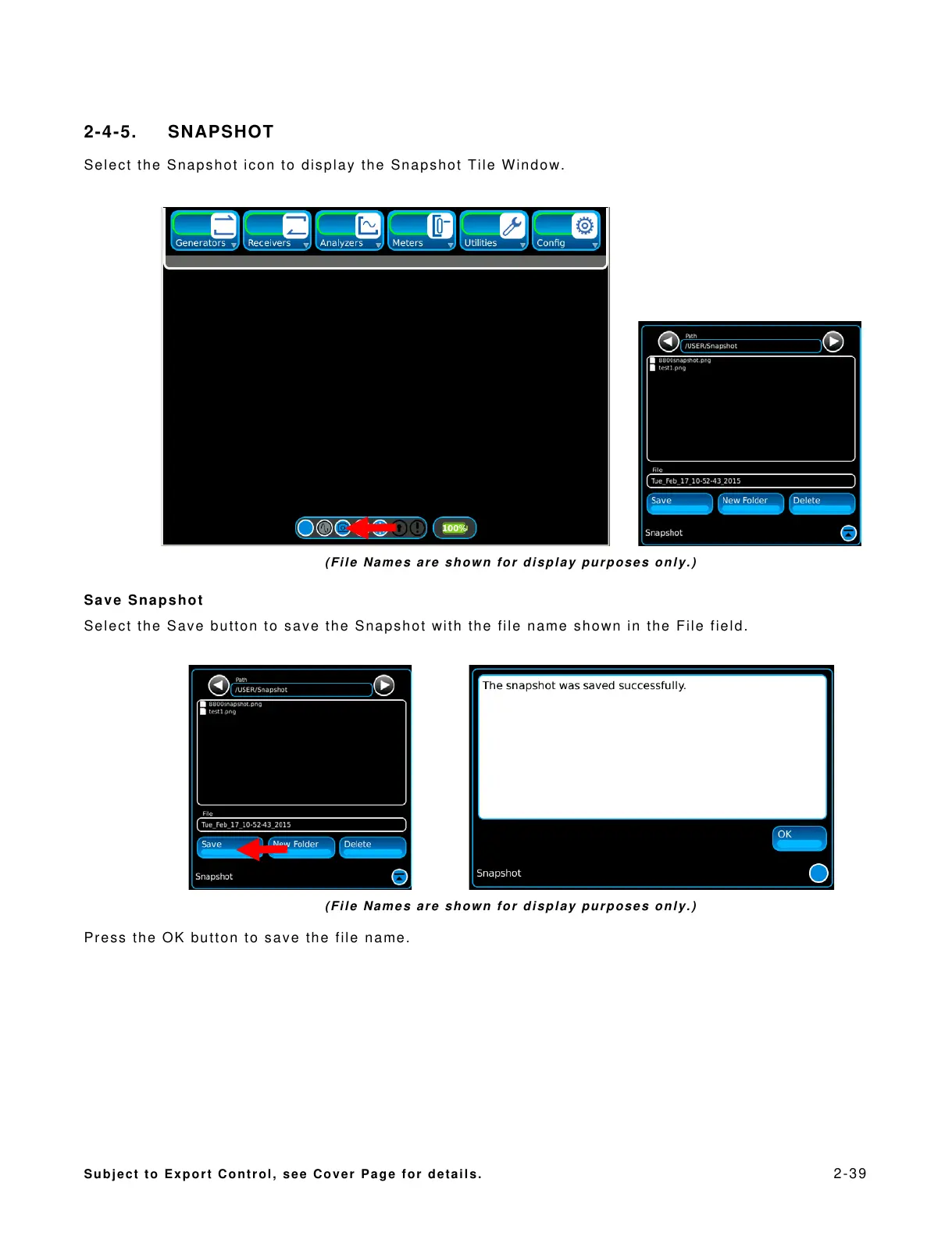
Select the Snapshot icon to display the Snapshot Tile Window.
(File Names are shown for display purposes only.)
Save Snapshot
Select the Save button to save the Snapshot with the file name shown in the File field.
(File Names are shown for display purposes only.)
Press the OK button to save the file name.













 To Next Page