2-14 Subject to Export Control, see Cover Page for details.
2-2-3. USER INTERFACE (UI) COMPONENTS (cont)
B. Function Icons
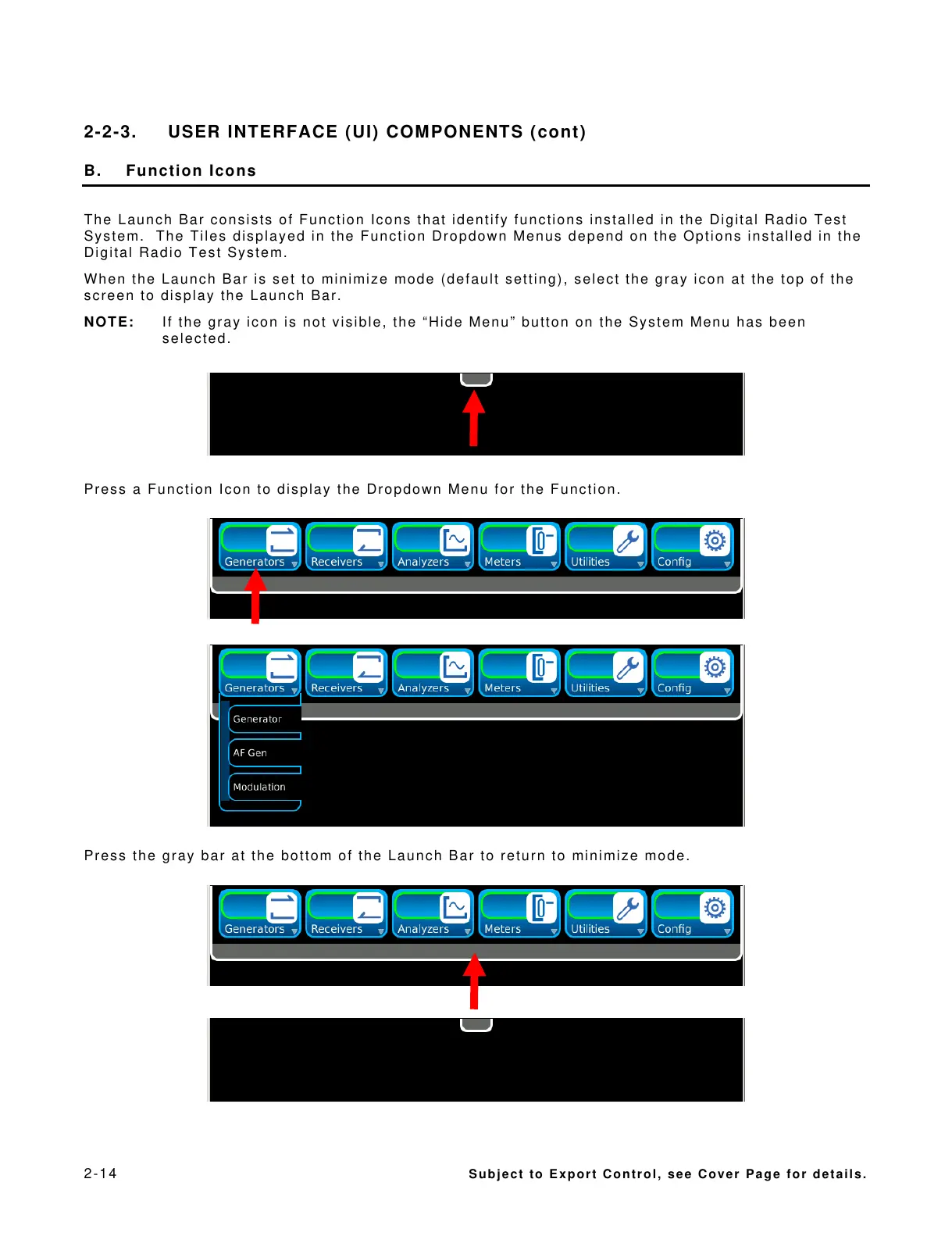
The Launch Bar consists of Function Icons that identify functions installed in the Digital Radio Test
System. The Tiles displayed in the Function Dropdown Menus depend on the Options installed in the
Digital Radio Test System.
When the Launch Bar is set to minimize mode (default setting), select the gray icon at the top of the
screen to display the Launch Bar.
NOTE: If the gray icon is not visible, the “Hide Menu” button on the System Menu has been
selected.
Press a Function Icon to display the Dropdown Menu for the Function.
Press the gray bar at the bottom of the Launch Bar to return to minimize mode.













 To Next Page