Subject to Export Control, see Cover Page for details. 2-43
2-4-7. DIGITAL MULTIMETER (DMM)
The DMM (Digital Multimeter) displays the results of resistance, AC current, DC current and voltage
measurements. Additional parameters are available on the Configuration Window.
DMM Measurement Modes
AC/DC Volts When Volts AC or Volts DC Mode is selected the DMM Meter functions as a
Voltage Meter and displays the measurement of the voltage in the circuit being
tested.
AC/DC AMPs When AMPS AC or AMPS DC Mode is selected the DMM Meter functions as an
Ampere (AMP) Meter and displays measurement of elect ric current in the
circuit being tested.
Ohms When Ohms Mode is selected the DMM functions as a Resistance (Ohm) Meter
and displays the measurement of resistance found in the circuit being tested.
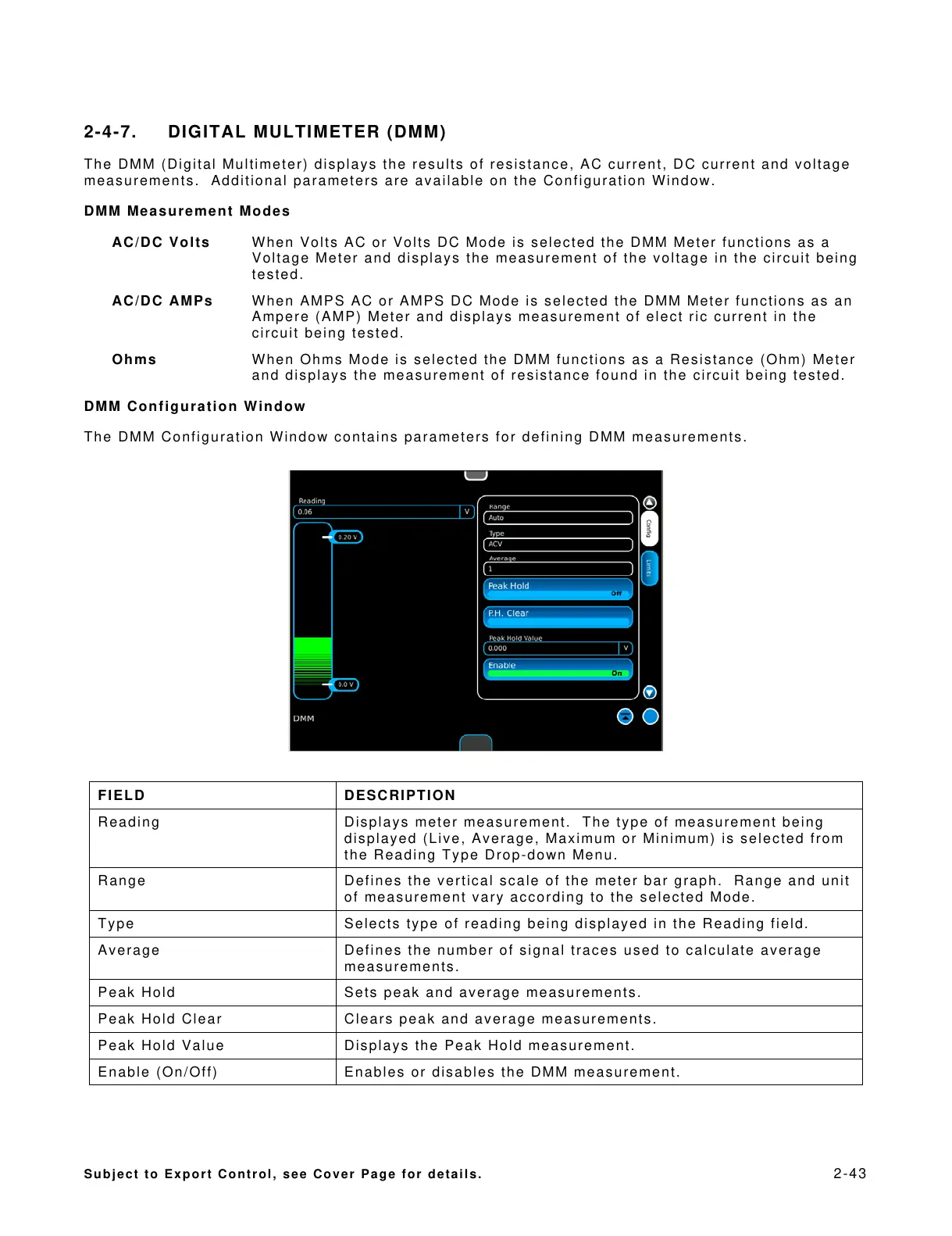
DMM Configuration Window
The DMM Configuration Window contains parameters for defining DMM measurements.
FIELD DESCRIPTION
Reading Displays meter measurement. The type of measurement being
displayed (Live, Average, Maximum or Minimum) is selected from
the Reading Type Drop-down Menu.
Range Defines the vertical scale of the meter bar graph. Range and unit
of measurement vary according to the selected Mode.
Type Selects type of reading being displayed in the Reading field.
Average Defines the number of signal traces used to calculate average
measurements.
Peak Hold Sets peak and average measurements.
Peak Hold Clear Clears peak and average measurements.
Peak Hold Value Displays the Peak Hold measurement.
Enable (On/Off) Enables or disables the DMM measurement.













 To Next Page