Maintenance
DD+DIS014.02E
Section 12 / 8 ADC Compact Edition 2, Revision 8
(Type 5145 / 100/101/140/200/201/240)
3.6 Scan Unit
· Soft cloth
· ADC Cleaner
(if not available, use water)
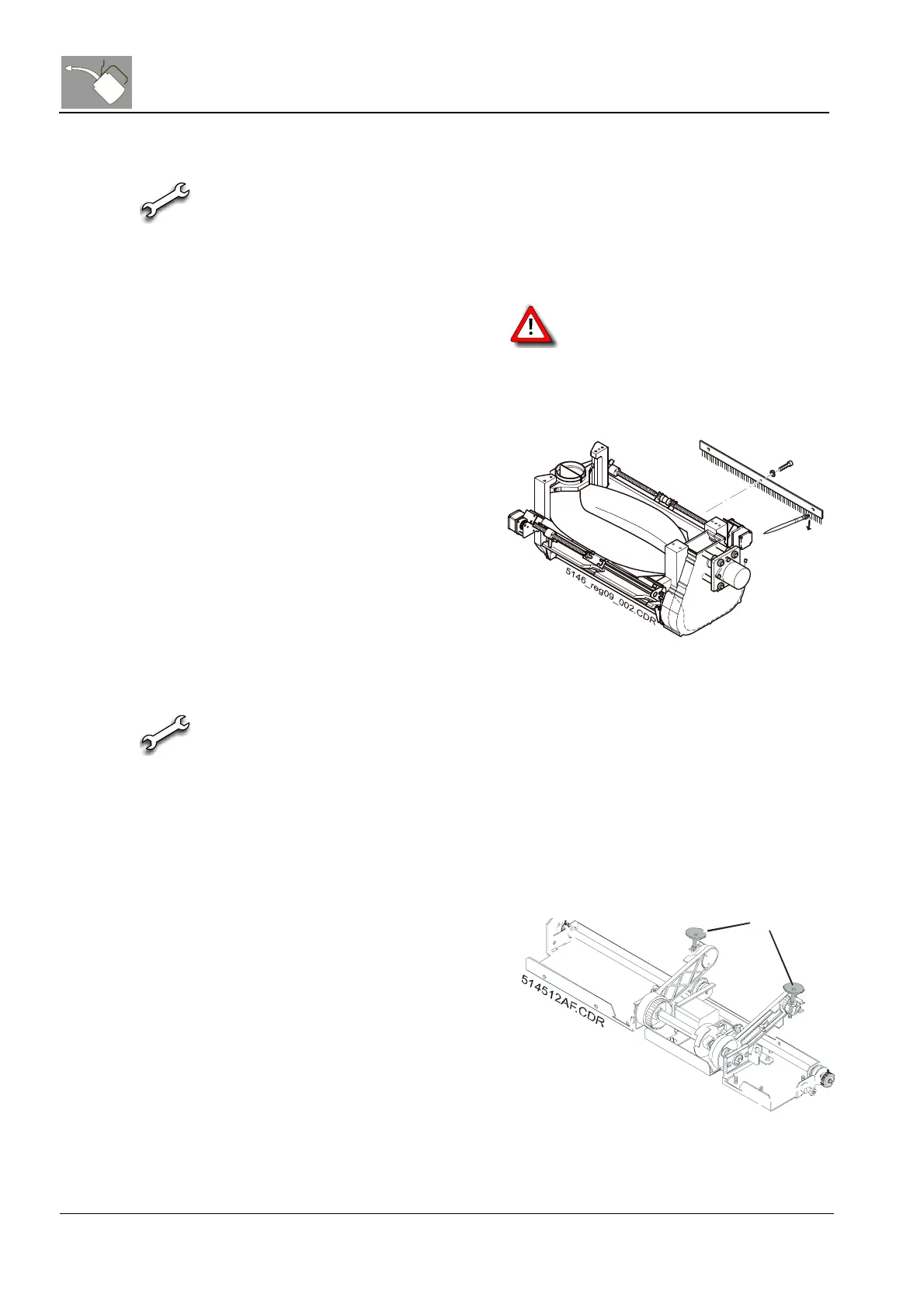
· Discharge brush
(CM+9.5145.2442.1)
Scan rollers
(1) Slide out the scan unit
(2) Clean the scan rollers on
prescan and postscan side
with ADC Cleaner.
The scan rollers have to be cleaned
in place and must not be removed. To
move the scan rollers just turn the drive of
the slow scan motor manually.
Discharge
brush
(3) Check the discharge brush
for visible wear and dirt. If it is
very dirty, remove it and
clean the brushes 1 in the
direction of the bristle - do not
bend.
Figure 7
3.7 Transport Units
· ADC Cleaner
(if not available, use water)
· Suction cups
(CM+9.5145.6550.0)
· Toothed belt
(CM+9.0389.6097.0)
· Toothed belt pulley
(CM+9.5145.6519.1)
Suction cups (1) Check the suction cups 1
position.
(2) Clean the suction cups with
ADC Cleaner.
(3) Exchange suction cups once a
year.
(4) In case of vacuum problems,
check the suction cups by
bending up the edges (check
for tears) and replace if
necessary.
1
Figure 8



 To Next Page