DD+DIS014.02E
Maintenance
Edition 2, Revision 8 ADC Compact Section 12 / 13
(Type 5145 / 100/101/140/200/201/240)
(2) Expose a new image plate:
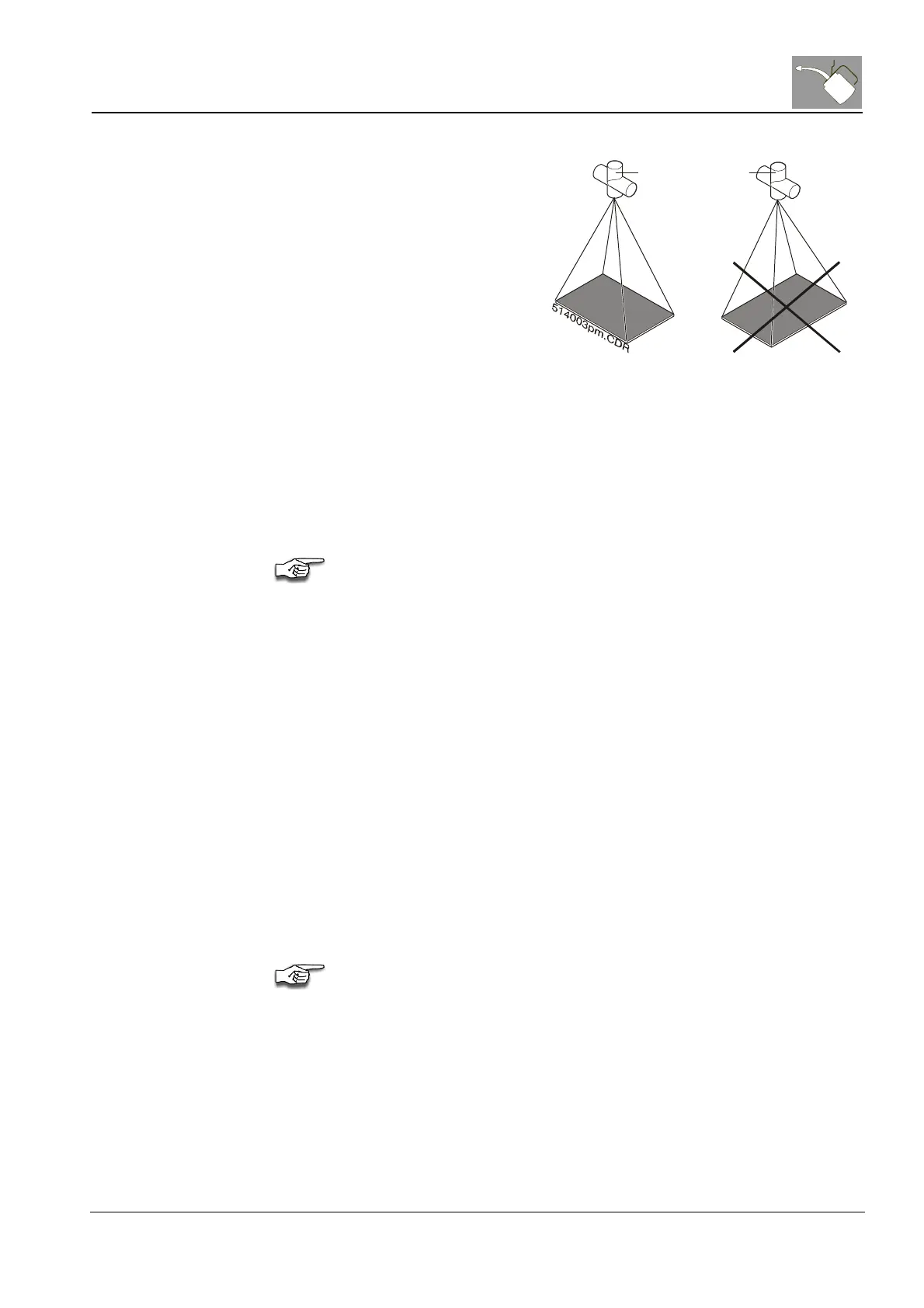
· Place the cassette in length
direction to the X-ray tube,
see figure below.
· Set the following exposure
parameters:
- 7.5 mAs, 77 kVp, 1.3 m
distance
- Doses 10 mGy (result of
setting: 7.5 mAs, 77 kVp, 1.3
m distance)
- 1.5 mm Cu-filter with small
focus
· Turn cassette by 180°.
· Expose plate a second time
by using the same
parameters.
Notice, that all exposure
parameters are approximate
values.
Rotating
Anode
Cathode
-ray tube
Figure 13
(3) Identify the cassette on the ID Station:
· In the <Patient name> field, type a name and a cassette format,
e.g. Flatfield 18 x 24.
· In the <First name> field, type the serial number of the digitizer,
e.g. SN1356.
· In the <Birth date> field, type the current date,
e.g. 20012001 (use date format xxyyzzzz for day/month/year).
· In the <Radiologist> list, click <SERVICE>.
· In the <Examination> list, click <system diagnosis>.
· In the <Sub-examination> list, click <Flat field>.
· Confirm the Exposure class <200>.
Make sure that the outlined areas are filled in as shown in the example.



 To Next Page