DR Detector Calibration|Calibrating the DR Detector|16
DR 10s and DR 14s Exposure Sequence
Modality Settings
The indicative exposure levels for each exposure are specified by the DR Calibration Tool.
Table 4: Modality settings
Focus large focus
SID Use the (average) SID for normal operation.
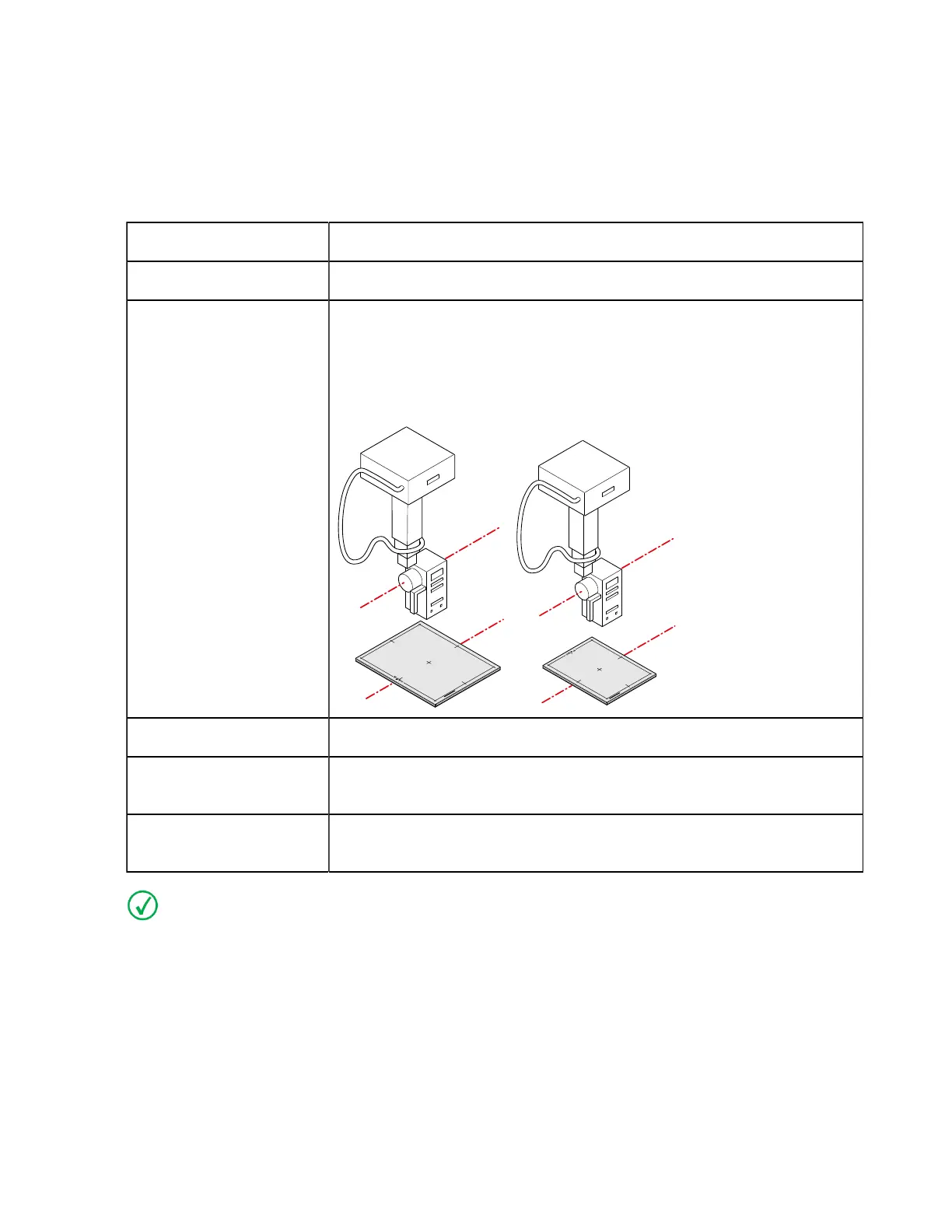
Position If the DR Detector is used in a fixed position, use the same position for
calibration.
If the DR Detector is used in different positions, perform the calibra-
tion with the short side of the DR Detector parallel to the axis of the X-
ray tube.
Grid Remove the grid.
Filtration Mount the Agfa calibration filter (Cu 1.5 mm). Check that there is no
additional filtration.
Collimation The collimation area should extend at least 1.5 cm on each side of the
DR Detector.
Note If the exposure settings used for a previous calibration are known, use these settings.
On modalities that support automatic collimation, the collimation settings are applied automatical-
ly and must be checked by the user.
Ralco collimators may limit the X-ray field. To overrule the limitation, the collimator must be un-
locked using a key and the collimation must be applied manually.
Exposure Sequence
Procedure:
0134KEN20240524 1323



 To Next Page