DR Detector Calibration|Calibrating the DR Detector|18
DR 10e C, DR 14e C and DR 17e C Exposure Sequence
Using DR 10e C, DR 14e C and DR 17e C on multiple NX workstations
If the DR Detector is used on multiple NX workstations, choose one NX workstation that will be
used for calibration and perform the regular calibration each time on the same NX workstation. Do
not calibrate the DR Detector on another NX workstation.
Performing the calibration on multiple NX workstations leads to an inconsistent situation, because
the DR Detector is not able to store calibration data for multiple NX workstations and each calibra-
tion completely discards the calibration data of any previous calibration. Nevertheless each NX
workstation will independently request recalibration of the DR Detector every 12 months.
Modality Settings
Note To calibrate DR 10e C, DR 14e C or DR 17e C, you have to log in to a user account with
administrator rights.
The indicative exposure levels for each exposure are specified by the DR Calibration Tool.
Table 5: Modality settings
Focus large focus
SID Use the (average) SID for normal operation.
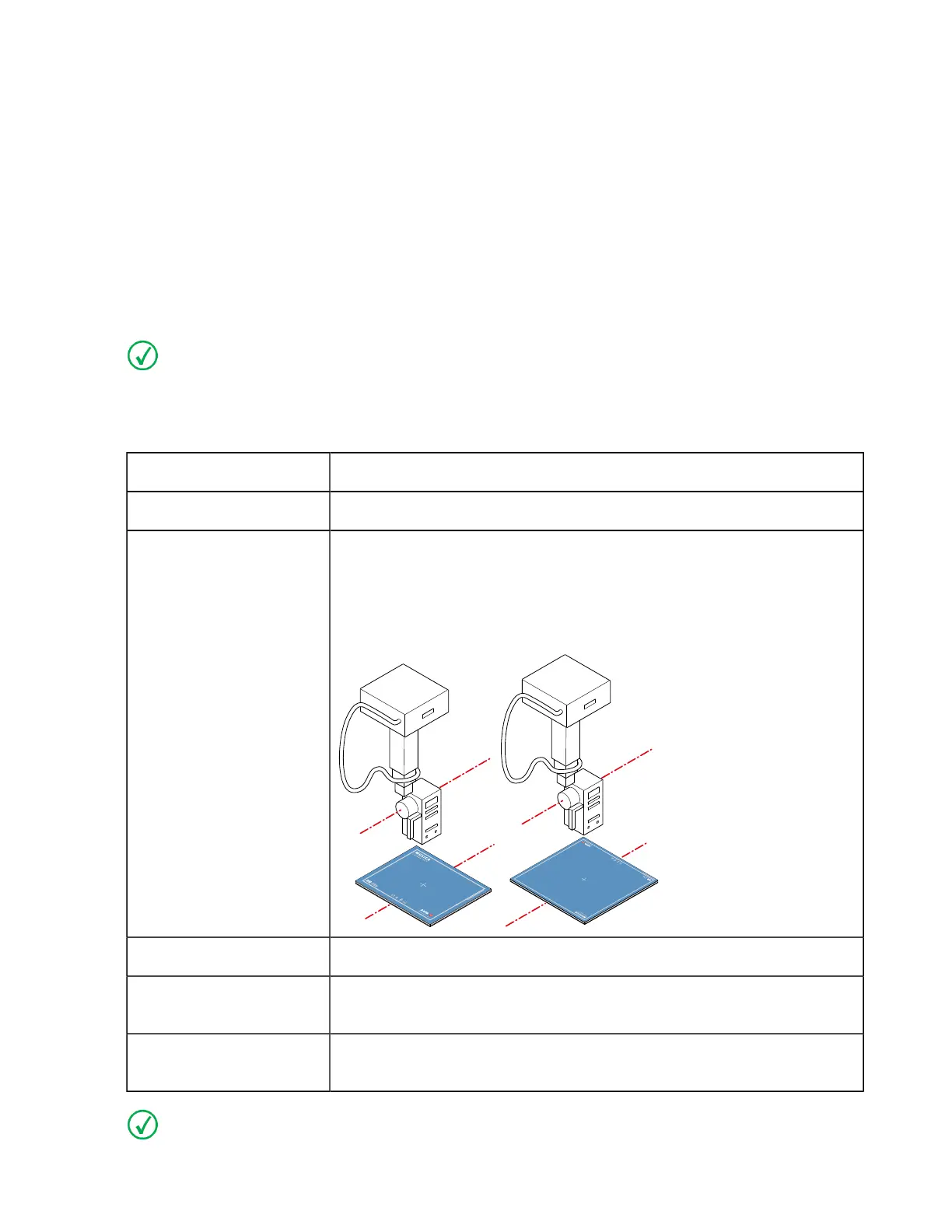
Position If the DR Detector is used in a fixed position, use the same position for
calibration.
If the DR Detector is used in different positions, perform the calibra-
tion with the short side of the DR Detector parallel to the axis of the X-
ray tube.
Grid Remove the grid.
Filtration Mount the Agfa calibration filter (Cu 1.5 mm). Check that there is no
additional filtration.
Collimation The collimation area should extend at least 1.5 cm on each side of the
DR Detector.
Note If the exposure settings used for a previous calibration are known, use these settings.
0134KEN20240524 1323



 To Next Page