:ANAPURNA L/XL OPERATOR MANUAL
AB]]]]]]]]]]]]]]]]]]]]]]]]]]]]]]]]]]]]]]]]]]]]]]]]]]]]]]]]]]]]]]]]]]]]]]]]]]]]]]]]]]]]]]]]]]]]]]]]]]]]]]]]]]]]]]]]]]]]]]]]]]]]]]]]]]]]]]]]]]]]]]]]]]]]]]]]]]]]]]]]]]]]]]]]]]]]]]]]]]]]]]]]]]]]]]]]]]]]]]]]]]]]]]]]]]]]]]]]]]]]]]]]]]]]21] 8/09/2006]
(*)Clean the heads with a fiber-free cloth,
by wiping from back to front on each head separately.
(Use backside of cloth, or a new cloth for every next head)
(**) Hold a white A4-paper underneath the base plate to check the nozzles.
The intention is to capture the ink when the heads are weeping. (± 10sec)
You will see vertical lines appearing on the sheet, check them on interruption.
- In case of nozzle failure:
Move carriage to PURGE position
Push the underneath GRID backwards
Little purge:
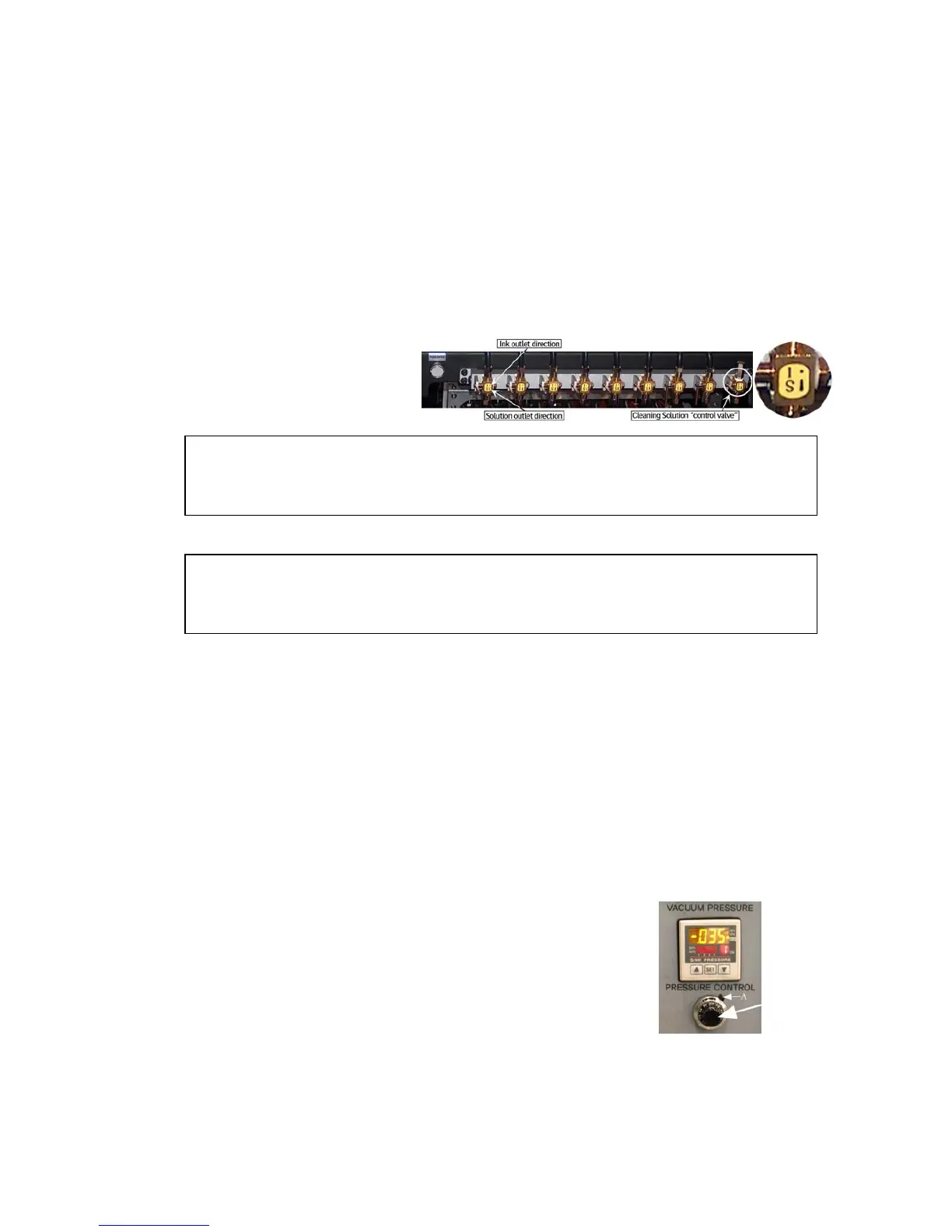
- Close all heads that are OK (switch them to the “S” position)
- Push the “Purge” button frequent, at very short intervals.
- Open all heads again (switch them back to the “I” position)
- Clean the heads with a fiber-free cloth. (*)
- Check on “weeping” (**)
Large purge:
- With all the heads open….. (switch them all to the “I” position)
- Push and hold the “Purge” button for a longer time (2 sec.), end the procedure by
pushing the “Purge” button again, but now frequent, at very short intervals.
- Clean the heads with a fiber-free cloth. (*)
- Check on “weeping” (**)
IF NOZZLE FAILLURE STILL PERSISTS…. Proceed with following steps:
- Set the Neg. Pressure to “0”, leave the system for 1-2 minutes
(Ink will now start dripping out the heads)
- Restore the Neg. Pressure back to “-.034”
- Clean the heads with a fiber-free cloth.
- Check on “weeping” (**)













 To Next Page