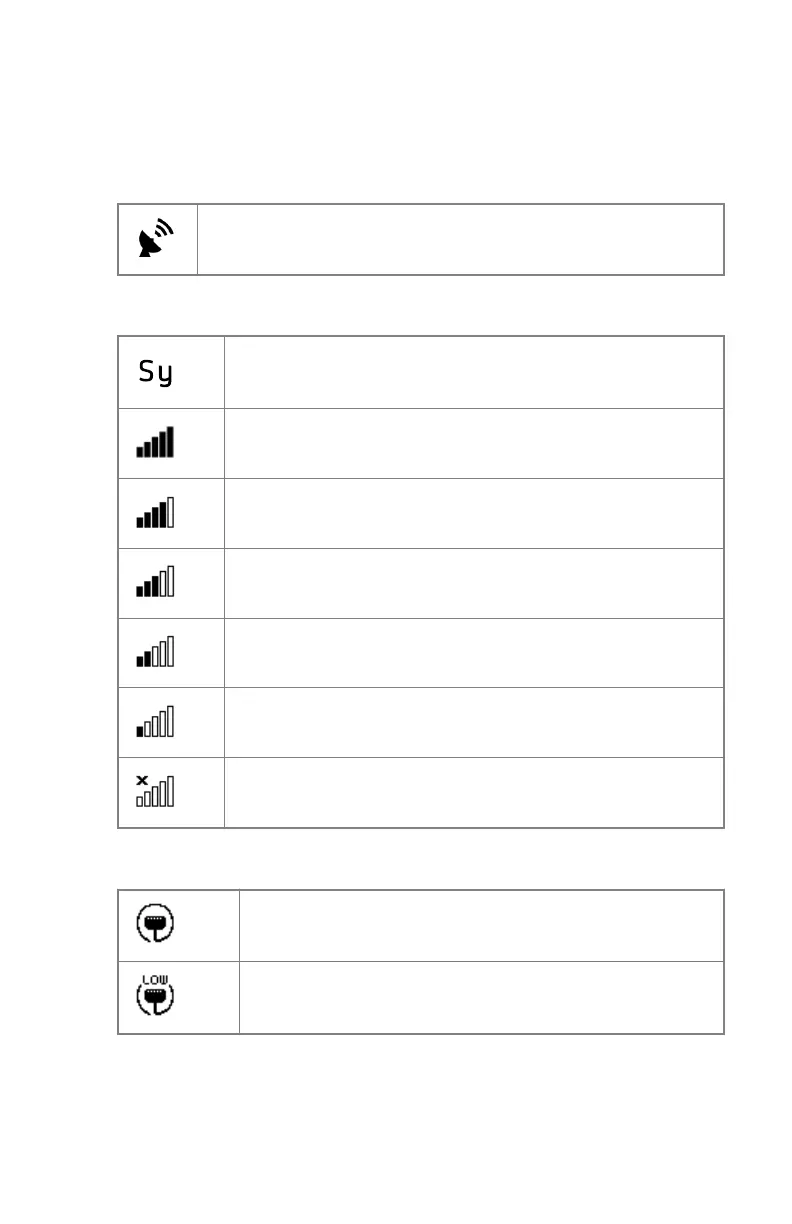
Connection status
Table 6: Access point mode: the DR detector is acting as access point for
wireless network
The DR detector is acting as access point for wireless network
Table 7: Client mode: the DR detector is connected to a wireless network
Preset Identifier
(Default "Sy" if not using Preset switching)
Wifi connection status is very good
Wifi connection status is good
Wifi connection status is normal
Wifi connection status is bad
Wifi connection status is very bad
DR detector is disconnected
Table 8: The DR detector is connected via the DR detector cable
Wired DR detector
(connection speed 1 Gbps)
Wired DR detector
(connection speed below 100 Mbps)
100 | XD 14, XD⁺14 | Advanced Operating
0430A EN 20210426 1355



 To Next Page