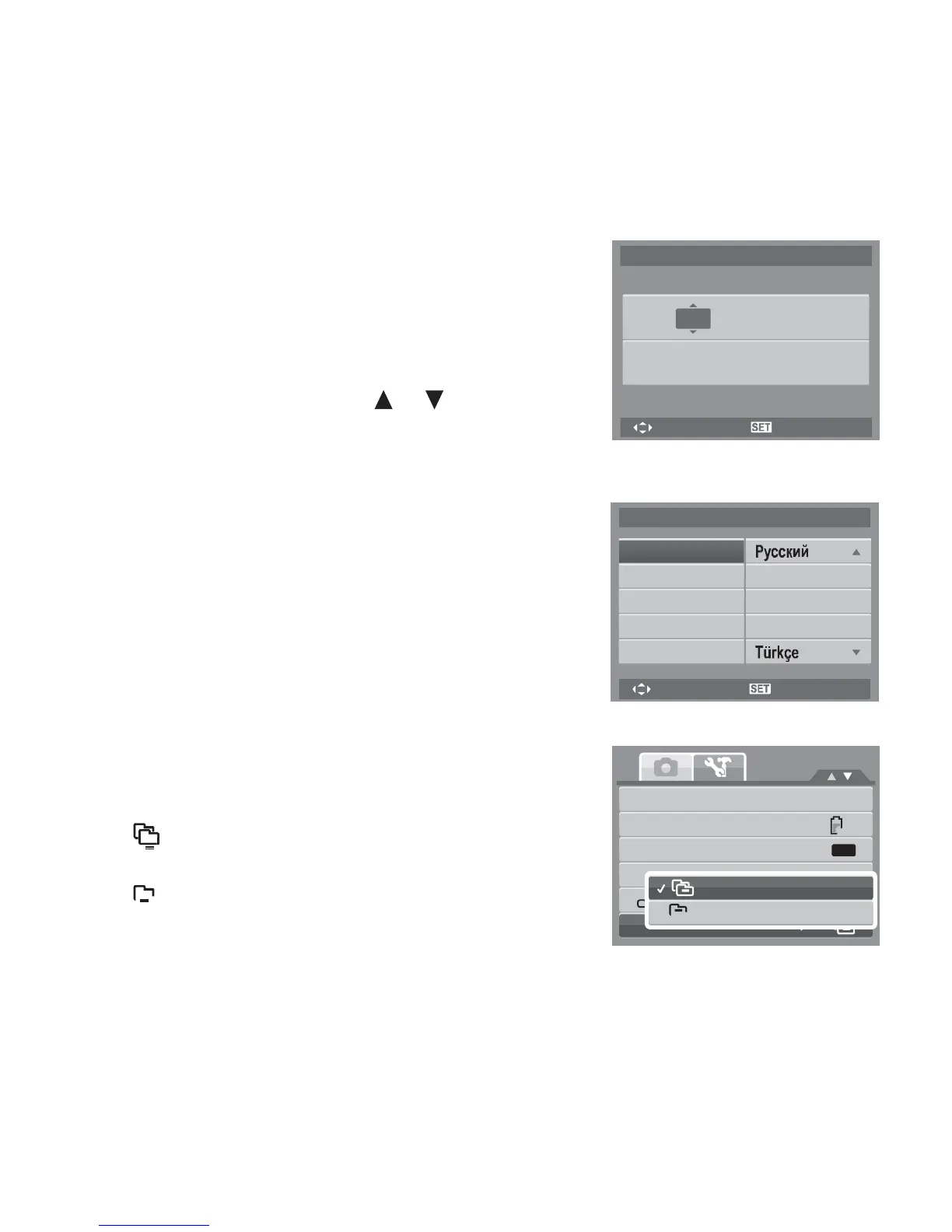
Setting Date & Time
Use the Date & Time function to set the date and time of
your camera. This function is useful in attaching date
stamps on captured images. Your camera uses a 24-hour
time format.
1. Press the navigation controls to adjust date and time
value. By holding down the or keys, the
numeric values changes continuously.
2. Press the SET button to apply changes.
Setting Language
The Language menu allows you to choose the language of
the on screen display (OSD) menu.
Date & Time
2009
/
01
/
01
08
:
05
YY/MM/DD
Select
OK
Language
English
• Use the navigation control to scroll through the list
and select the desired language.
• Press the SET button to confirm and apply settings.
Français
Español
Deutsch
Italiano
Português
Português
BR
Nederlands
Setting File Numbering
This function allows you to select the method in which to
assign file numbers to images.
Available settings are:
Select
OK
Sounds
• Series. Assigns number to files in sequence even
if the folder is changed.
Power
Save
LCD
Save
Date
&
Time
Series
1min
OFF
•
0001
Reset. Starts from 0001 each time the folder is
changed.
Language
0001
Reset
File
Numbering
To understand folder and file structure of your camera, see
“About Folder and File Names” on page 82.














 To Next Page