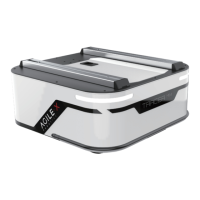
Put the HD display into the display holder horizontally, as shown in the figure below. Then settle the display holder with
screws and nylon posts to the holes on both sides..
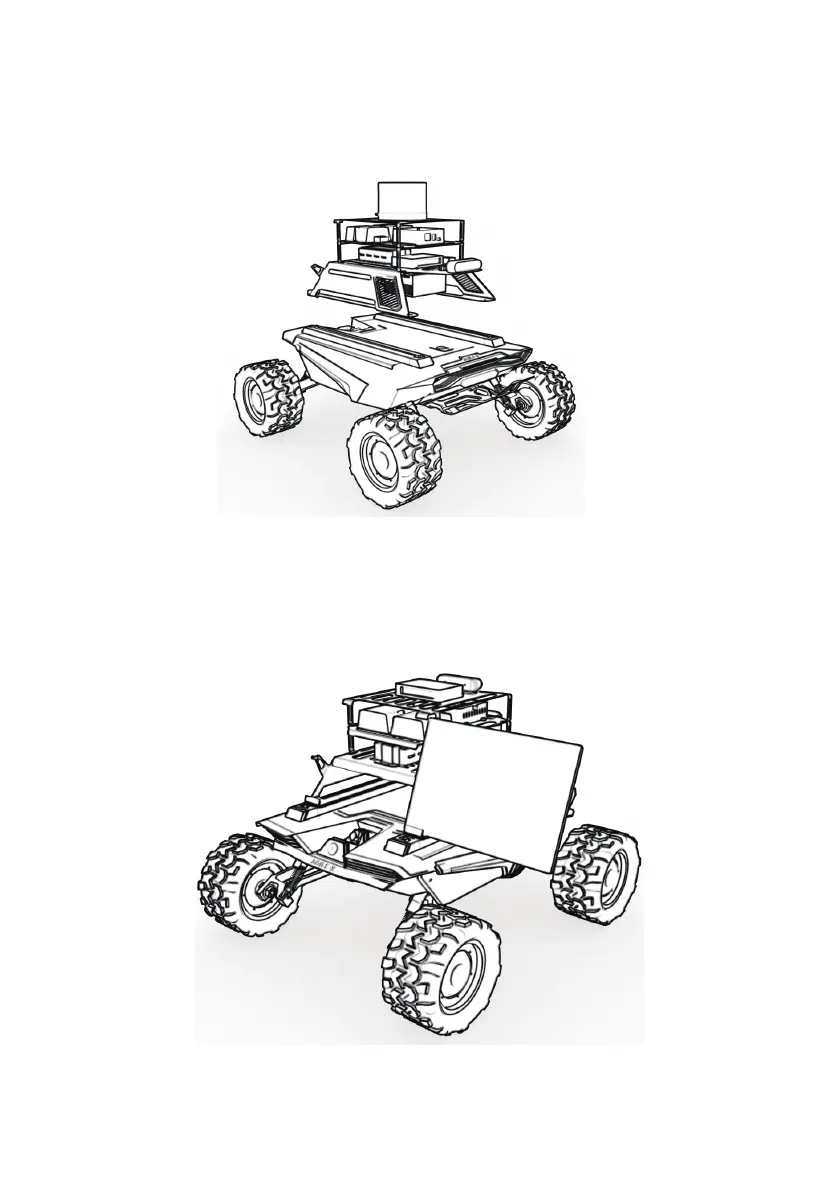
When the product is ready for shipping, the sensor holder is separated from the Scout MINI. User need to use tool to set the
sensor holder on the Scout MINI. Firstly, put the four slider nuts into the slide way each side on the Scout MINI , and then use
the hexagonal tool to screw corresponding four screws on the holder to the platform. Please refer to the figure shown below.
3.1.1.3 HD Display Installation
SCOUT MINI R&D Kit Pro
SCOUT MINI R&D Kit
13


 To Next Page