Need help?
Do you have a question about the AgileX SCOUT MINI and is the answer not in the manual?
Ensuring robot system effectiveness and user responsibility in operation and compliance.
Guidelines for operating the robot in specific environmental conditions and temperature ranges.
Essential checks before operating the robot to ensure safety and functionality.
Safe operating procedures for remote control, external extensions, and defect handling.
Instructions for tire replacement and battery charging for long-term storage.
Detailed comparison of features and specifications between SCOUT MINI R&D Kit and Pro versions.
List of components included in the SCOUT MINI R&D Kit.
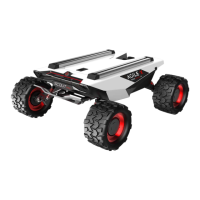
Overview of the SCOUT MINI mobile chassis, its features, performance, and capabilities.
Instructions for checking, operating, preparing, and shutting down the SCOUT MINI.
Steps for installing the SCOUT MINI R&D Kit and Pro Kit, including component placement.
Introduction to ROS, its history, concepts, nodes, and message passing mechanisms.
Explanation of ROS levels: Filesystem, Computation Graph, and Community.
Definition of a ROS node as a process in the ROS graph and its naming conventions.
How ROS processes communicate via messages through topics, services, and parameter server.
How nodes advertise and call services for specific actions with a single result.
Organization of ROS files into packages and manifest files.
Details on necessary tools like hexagon keys for installation.
Procedure for attaching the sensor holder to the Scout MINI using provided tools.
Pre-operation checks: wiring, environment, and component integrity.
Information on connecting external mouse and keyboard via USB.
Procedure for powering on the SCOUT MINI R&D Kit.
Procedure for powering on the SCOUT MINI R&D Kit Pro.
Details on logging into the computing unit with default credentials.
Procedure for safely shutting down the system via terminal or menu.
Instructions to download and install remote desktop software on the host computer.
Steps for connecting to Xavier or Nano computing units, including choosing connection object.
Procedure for verifying host authenticity during remote connection setup.
Entering username and password for remote connection and saving credentials.
Steps to confirm and proceed with the remote connection after setup.
Entering the default password 'agx' to complete the connection.
Confirmation of a successful remote connection to the computing unit.
Configuring the router to function as a LAN port.
Connecting the robot kit to the host computer using a network cable after router setup.
Adding ROS repository source to apt sources list.
Alternative method to add ROS repository source from a China mirror.
Adding the ROS GPG key for package verification.
Updating the apt package list after adding new sources.
Command to install the full ROS desktop environment for Ubuntu 16.04.
Command to install the full ROS desktop environment for Ubuntu 18.04.
Installing ROS dependencies and updating rosdep.
Configuring ROS environment variables in bashrc for Ubuntu 16.04 and 18.04.
Installing rosinstall and related tools for ROS package management.
Steps for installing and testing the USB to CAN drive.
Enabling the gs_usb module for CAN communication.
Setting up the CAN port and baud rate for communication.
Verifying the CAN interface status using ifconfig.
Testing hardware functionality using the can-utils package.
Performing tests for receiving and sending data via CAN.
Overview of essential ROS packages for SCOUT MINI operation and simulation.
Setting up RealSense D435 ROS package and RViz visualization.
Launching the realsense2_camera package to obtain RGB images.
Setting the 'camera_link' as the fixed frame in RViz for visualization.
Configuring the image component in RViz to display the robot's RGB feed.
Adding the DepthCloud component to RViz for point cloud visualization.
Setting the fixed frame and depth map topic for point cloud display in RViz.
Viewing the generated depth map visualization in RViz.
Starting the EAI-G4 lidar package and viewing scan results.
Overview of VLP-16 lidar ROS packages for data processing.
Publishing coordinate transformations for lidar data.
Overview of move_base and its global/local path planning plugins.
Using gmapping algorithm with lidar data for SLAM map creation.
Steps for SLAM mapping and autonomous navigation with 2D lidar.
Adjusting robot position on the map using remote control for precise alignment.
Setting multiple target points for navigation and initiating the navigation process.
Initiating navigation and observing the generated path on the map.
Building maps using 3D lidar data and point cloud compression.
Steps for SLAM mapping with 3D lidar.
Steps for autonomous navigation using 3D lidar data.
Adjusting robot position on the 3D map for accurate alignment.
Setting multiple navigation goals for the robot using a 3D map.
Initiating navigation and observing the generated path on the 3D map.
 General
| Type | Mobile Robot |
|---|---|
| Battery Life/Endurance | 4 hours |
| Navigation | SLAM |
| Communication | Wi-Fi, Ethernet |
| Drive Mode | Four-wheel drive |
| Turning Radius | 0 |
| Charging Time | 2-3 hours |
| Sensors | IMU |
| Control Interface | ROS, SDK |

 To Next Page