29
3.7.1.3 2D Autonomous Navigation
SLAM Mapping:
(1)Start the lidar and publish the coordinate transformation of base_link-><laser_link>
(2)Start gmapping mapping node
(3)Use the remote control to control the Kit to move around the scene. After building the map,
save the map to the specified directory (usually /description)
(1)Start the lidar and publish the coordinate transformation of base_link-><laser_link>
(2)Start move_base navigation
Autonomous Navigation:
roslaunch scout_bringup open_rslidar.launch
roslaunch scout_bringup gmapping.launch
roslaunch scout_bringup open_rslidar.launch
roslaunch scout_bringup navigation.launch
rosrun map_server map_saver ‒f ~/catkin_ws/scout _base/scout_description/maps/map
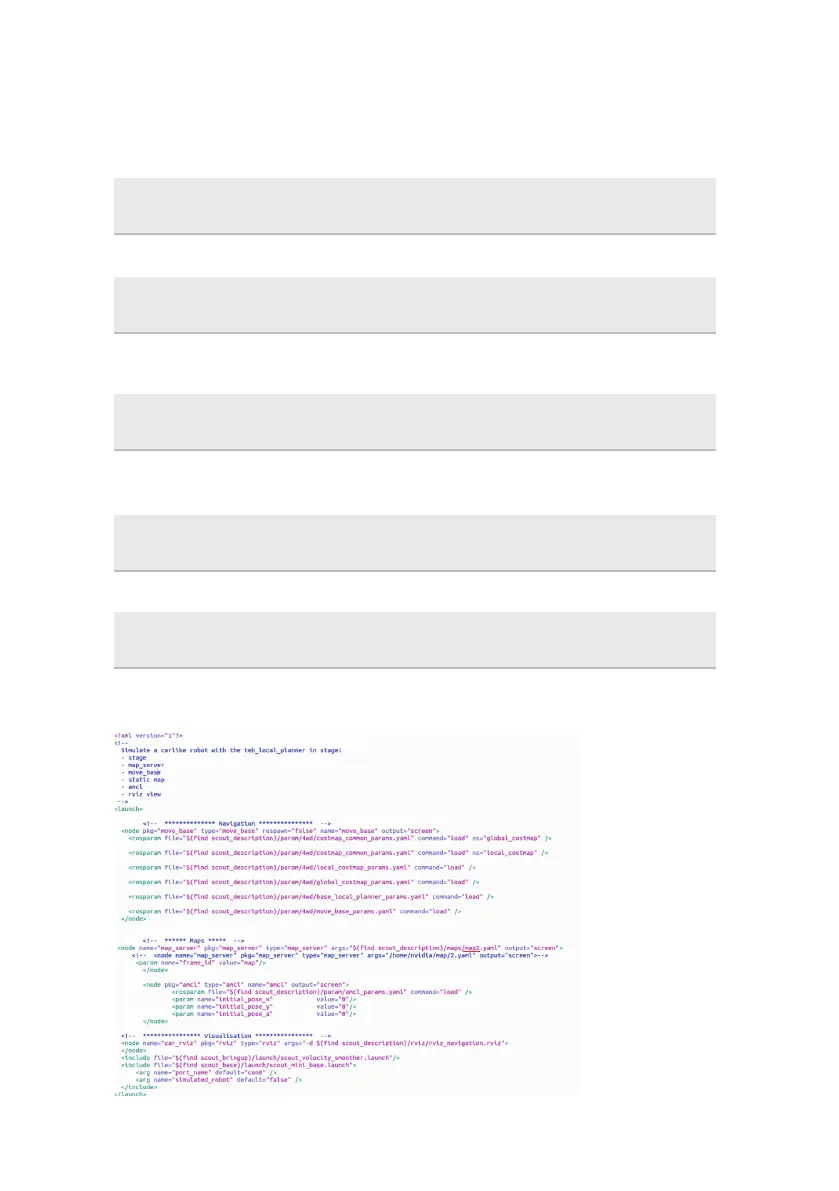
Note: If you need to choose different map, please open the navigation.launch file to modify the
parameters which is marked with red line as shown in the figure below.


 To Next Page