3.5 ROS Installation
21
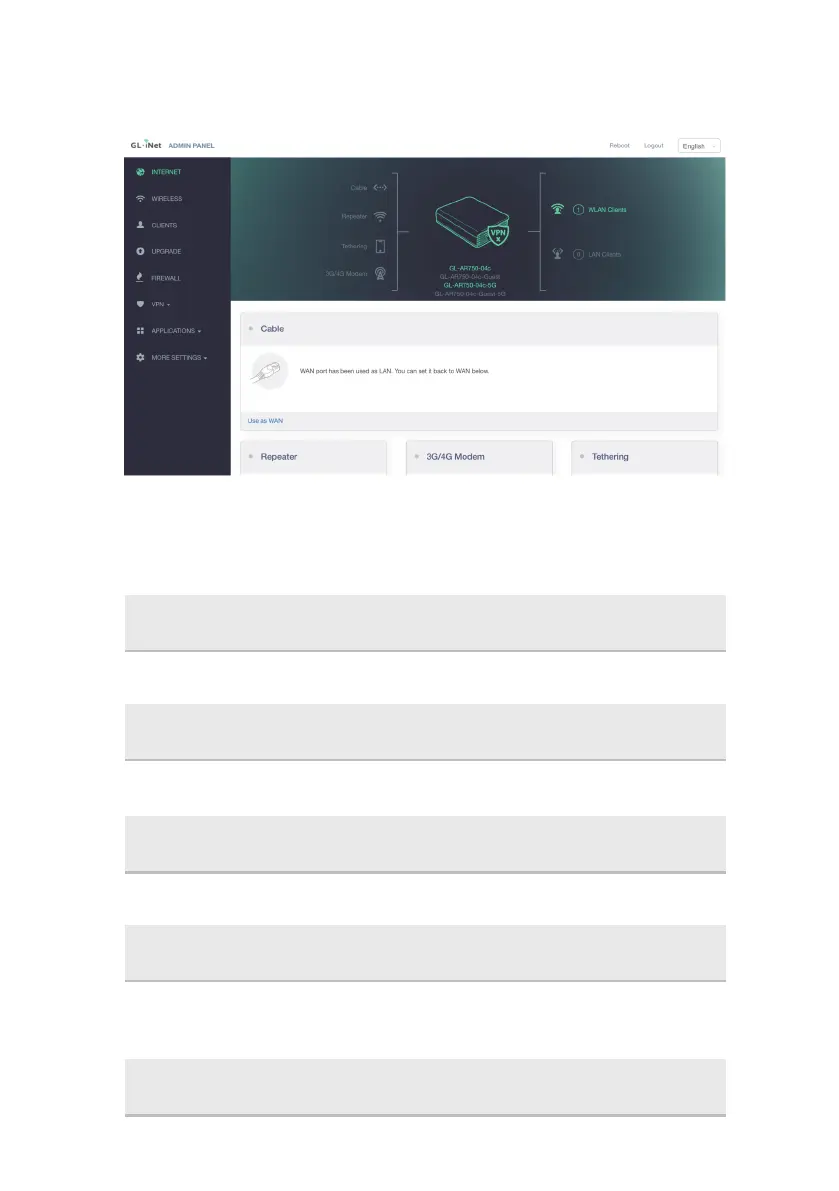
3.4.3.3 Successfully set to LAN port mode, now you can connect the
Kit with the host computer through a network cable for access
Install Source
Or the source from China
sudo sh -c 'echo "deb http://packages.ros.org/ros/ubuntu $(lsb_release -sc) main" >
/etc/apt/sources.list.d/ros-latest.list'
sudo sh -c '. /etc/lsb-release && echo "deb http://mirrors.ustc.edu.cn/ros/ubuntu/
$DISTRIB_CODENAME main" > /etc/apt/sources.list.d/ros-latest.list'
Set key
sudo apt-key adv --keyserver 'hkp://keyserver.ubuntu.com:80' --recv-key
C1CF6E31E6BADE8868B172B4F42ED6FBAB17C654
Update
ROS Desktop-Full
Ubuntu16.04
sudo apt-get update
sudo apt-get install ros-kinetic-desktop-full



 To Next Page