Check whether any wiring harness connections are disconnected;
Please make sure to operate in a relatively open area without large area of water . The environment is relatively open and
stable, there are no flammable, explosive and other dangerous goods around;
The whole machine is complete, the wiring harness is intact and there is no break, and the sensors are not damaged.
This Kit is not provided with mouse and keyboard, users can purchase it based on requirement, and can be connected with the
USB interface of the computing unit or the USB HUB.
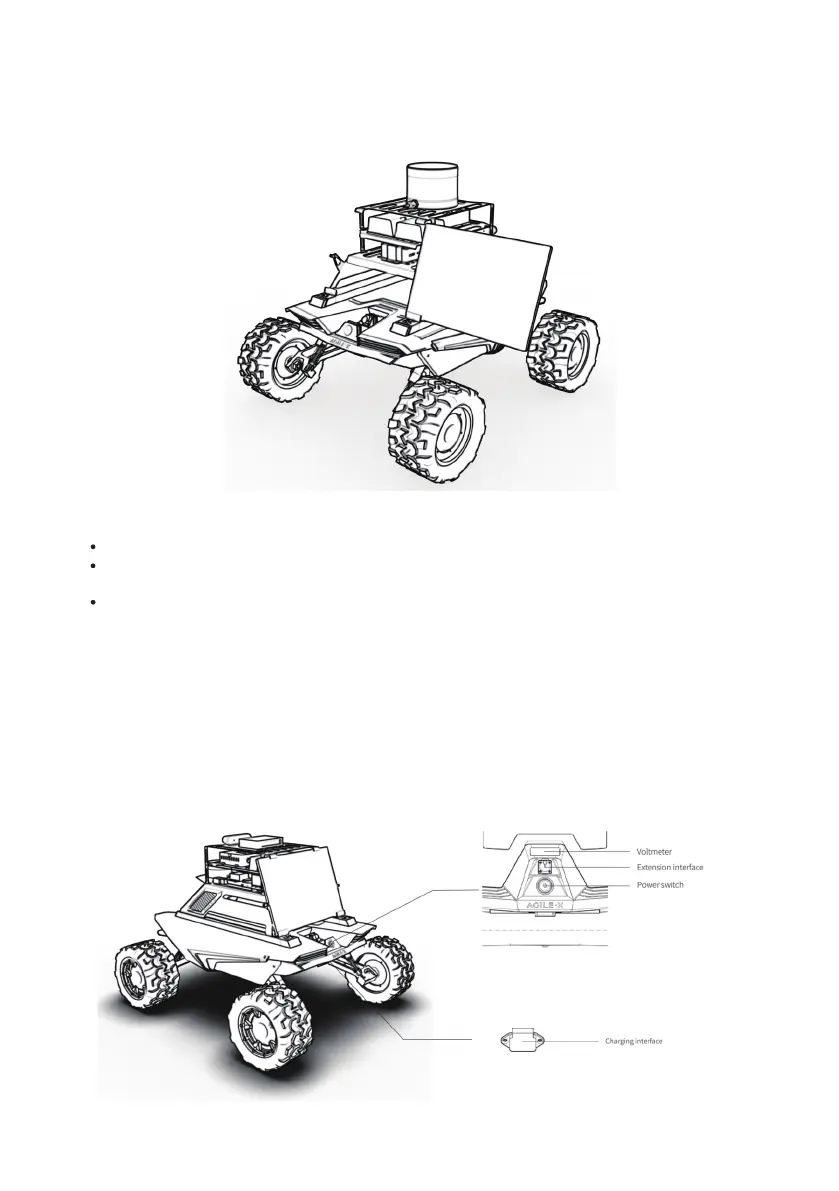
Press the power button on the Scout MINI, as shown in the figure below.
Put the HD display into the display holder horizontally, as shown in the figure below. Then settle the display holder with
screws and nylon posts to the holes on both sides.
3.2.2 Before start up
3.2.3 Mouse and keyboard
3.2.4 Power on
3.2.4.1 SCOUT MINI R&D Kit
SCOUT MINI R&D Kit Pro
14


 To Next Page