DocNo.FM5505issueDPage12
8.SYSTEMCONFIGURATION
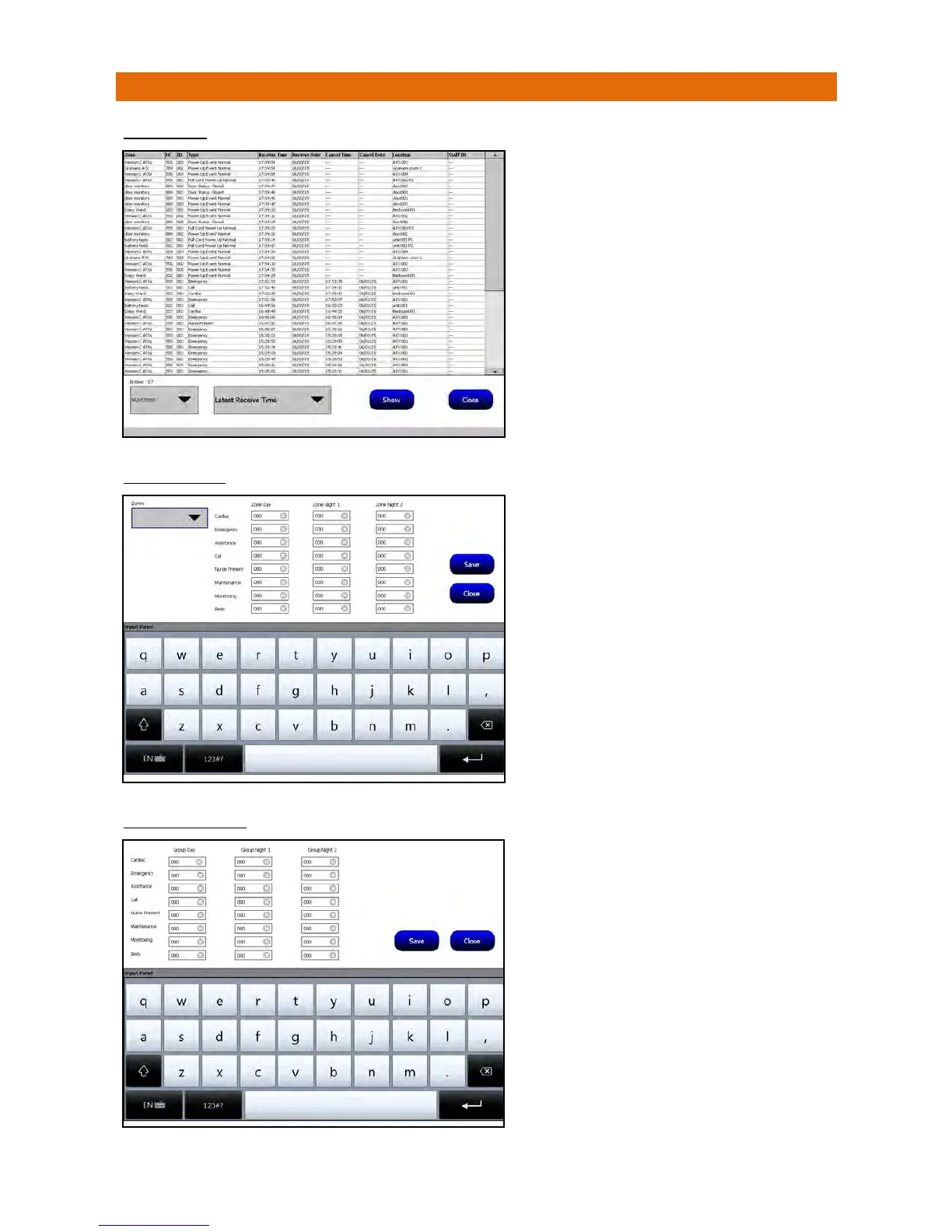
SYSTEMLOG
ZONEDPAGERS
COMMONPAGERS
Selectadatefromthepull‐downboxandchooseafilter
optiontonarrowthesearchandthenpressShow.
Thiswilldisplayalleventsonthepanelfortheselected
date/filter.
PresstheClosebuttontoexit.
Theschememusthavearadiopagingsysteminstalled.
SelectaZonefromthepull‐downboxthenenterthe
pagerID’syouwanttobenotifiedduringtheDayand2
NightModesintheboxesalongsideeachcalltype.
Thekeypadwillbedisplayedwhenyouclickonaboxto
enterapagerID.Note:J24pagershave6digitID’s
whereasBluebellpagershave5digitID’s.
PresstheSavebuttonthenClosetoexit.
Theschememusthavearadiopagingsysteminstalled.
Foreachcalltypegroup(Cardiac,Emergency,etc.)
enterthepagerIDsintheboxesalongsideforwhich
onesyouwanttobenotifiedduringtheDayand2Night
Modesintheboxesalongsideeachcalltype.
Thekeypadwillbedisplayedwhenyouclickonaboxto
enterapagerID.Note:J24pagershave6digitID’s
whereasBluebellpagershave5digitID’s.
PresstheSavebuttonthenClosetoexit.



 To Next Page