EasyManua.ls Logo

Ailunce HS2 - Band Selection and Frequency Operations

Ailunce HS2
50 pages
Print Icon
To Next Page IconTo Next Page
To Previous Page IconTo Previous Page
Loading...
Ailunce HS2 HF/VHF/UHF Full Mode SDR Transceiver
Back Homepage
12
Band Selection Operation
Different Frequency
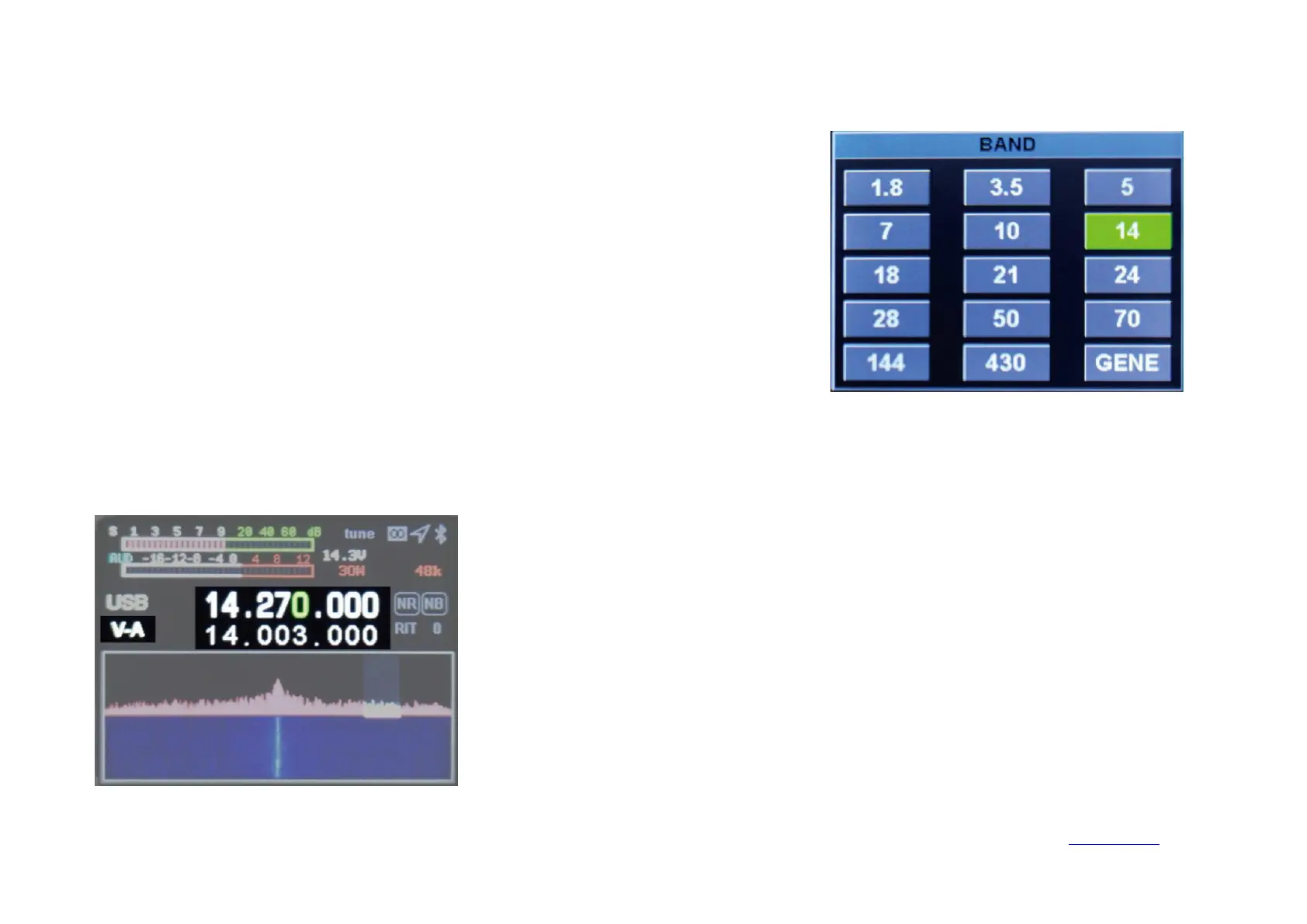
Short press the BAND button to pop up the frequency band selection interface, press the
direction key to select the frequency band, and press the MENU key to confirm.
PressSPLITto display the different frequency, then press again to turn off the different
frequency. Press the left and right direction keys to select the frequency, and press the up and
down direction keys to increase or decrease the frequency. The upper row of frequencies is
the receiving frequency and the lower row is the transmitting frequency. Press A/B to
switch.