The HS2 supports full-band FM mode transmission and reception. It is usually used for FM communication above 28MHz in short-wave communication.
29.6MHz is called the magic band by the HAM community. It will be opened in a short time in the summer of the year, which is very challenging.
1. Short press
【
Mode
】
key to find FM mode, long press
【
Mode
】
key to switch between WFM mode and NFM mode.
2. HS2 includes FM section FM, you can communicate with ordinary walkie-talkies, or you can go to a local relay station.
3. Short press
【
RF
】
key, left and right direction keys are to select SQL, squelch option, up and down direction keys are to set squelch level.
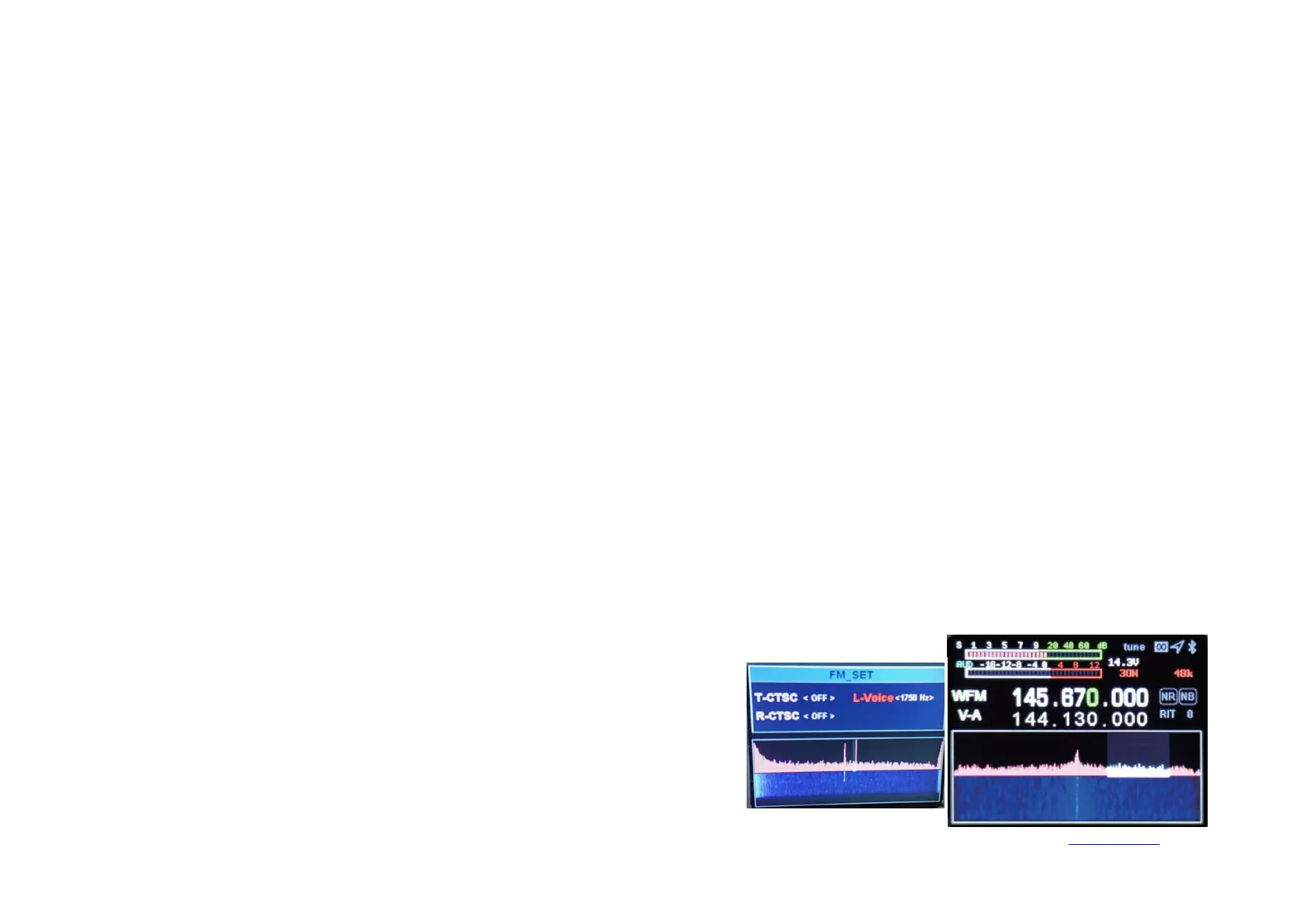
1. Set the required frequency, for example, repeater parameters (downlink 145.670MHz, uplink 144.130MHz, uplink and downlink analog mute 88.5) are
set as follows:
1-1. we press SPLIT to display the different frequency, and then press to turn off the different frequency. The upper row of frequencies is the receiving
frequency, that is, the relay downlink, press the left and right direction keys to select the frequency, press the up and down direction keys to increase or
decrease the frequency, or directly enter the numeric keyboard: 14567000, the lower row of frequencies is displayed as the transmission frequency, that is,
the relay upstream frequency, you need to press the A/B key to switch to the upper row, directly enter 14413000 on the keyboard, and then press the A/B
key to switch to the lower row.
1-2. The tone set, long press【SPLIT】,up and down key s to choose R_CTSC(receive),
T_CTSC(transmit), buttons to set the tone frequency, long press【SPLIT】to exit the
sound settings. And you also can set 1750Hz here.


 To Next Page