operating at 14MHz or above, please select USB mode.
2. Short press【Power】key, the screen switches between ALC, SWR, AUD meter display.
3. Press the PTT button on the microphone and speak into the microphone in a normal voice, while observing the AUD meter display. When the
microphone enters the actual voice level, there will be a corresponding amplitude display on the AUD meter. Release the PPT button to return to the
receive mode.
4. If the AUD meter shows too high or too low, you can reset the microphone gain value as follows: Long press the【AF】key for one second to enter the
selection mode, select the MIC item in the left and right direction, and set up direction key Set value, long press【AF】key again to exit. Speak into the
microphone until AUD appears at the peak of your voice.
When using hand keys, automatic keys, semi-automatic keys, an external electronic key control or a computer-generated keyboard device, please follow
the steps below:
1. Insert your 3.5mm (three-phase or two-phase) plug into the KEY jack on the rear panel.
2. Short press【Mode】to select a CW mode (CW or CWR), "CW" mode uses the carrier input on the USB side, and CWR (reverse) mode uses the input on
the LSB side.
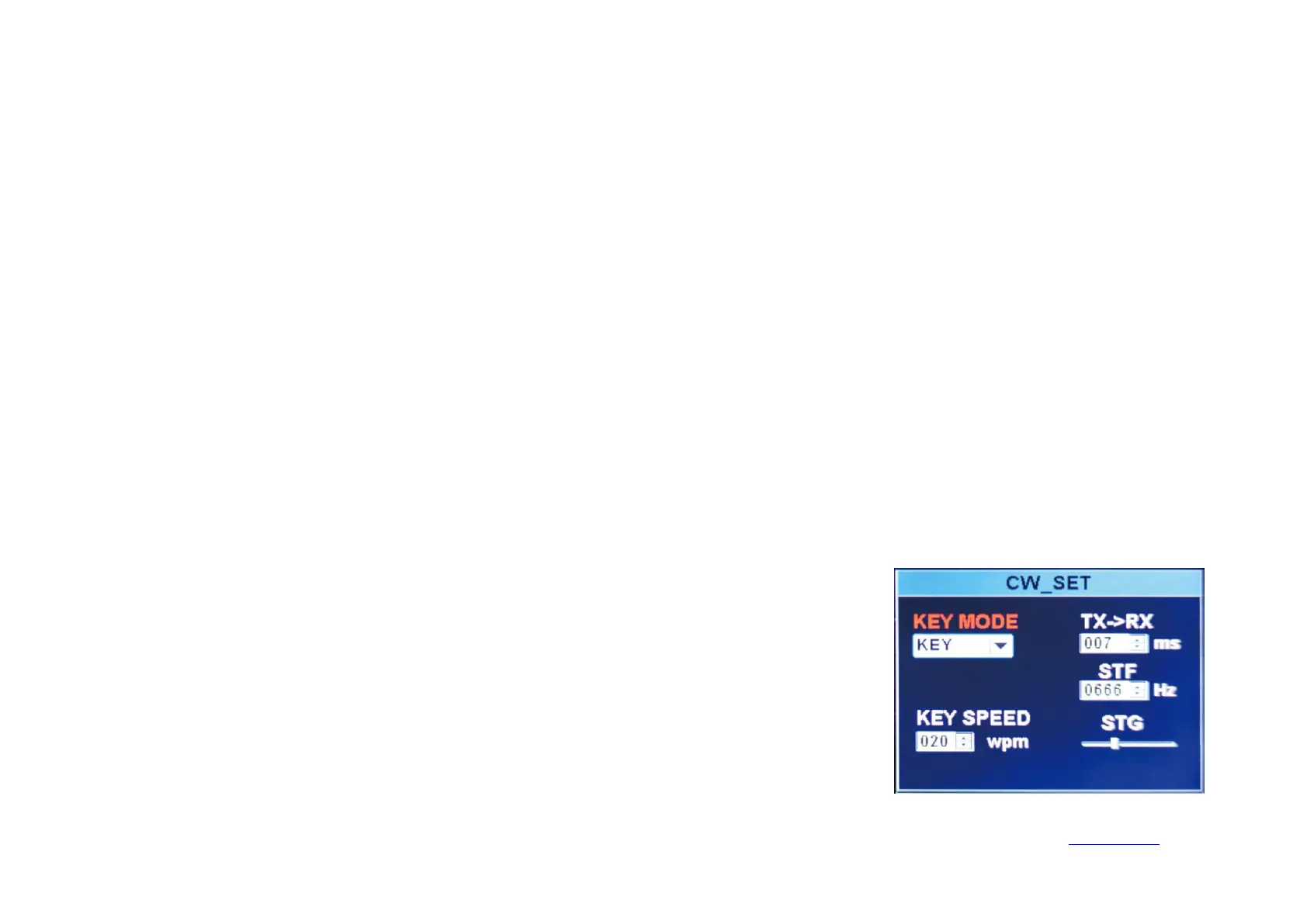
3. Long press【BAND】key to enter CW set. Up and down arrow keys on the keyboard
Select an option and use the left and right arrow keys to adjust the settings within the option.
3-1, KEY MODE left and right direction key selection content: manual electric key automatic electric key.
3-2. KEY SPEED automatic key code rate, the greater is the value, the faster is the speed.
3-3. TX-RX CW transmission and reception switching time, the greater is the value, the greater is the delay.
3-4. STF CW sidetone audio.
3-5. STG CW sidetone volume.


 To Next Page