Ailunce HS2 HF/VHF/UHF Full Mode SDR Transceiver
Back Homepage
3, N1mm setting
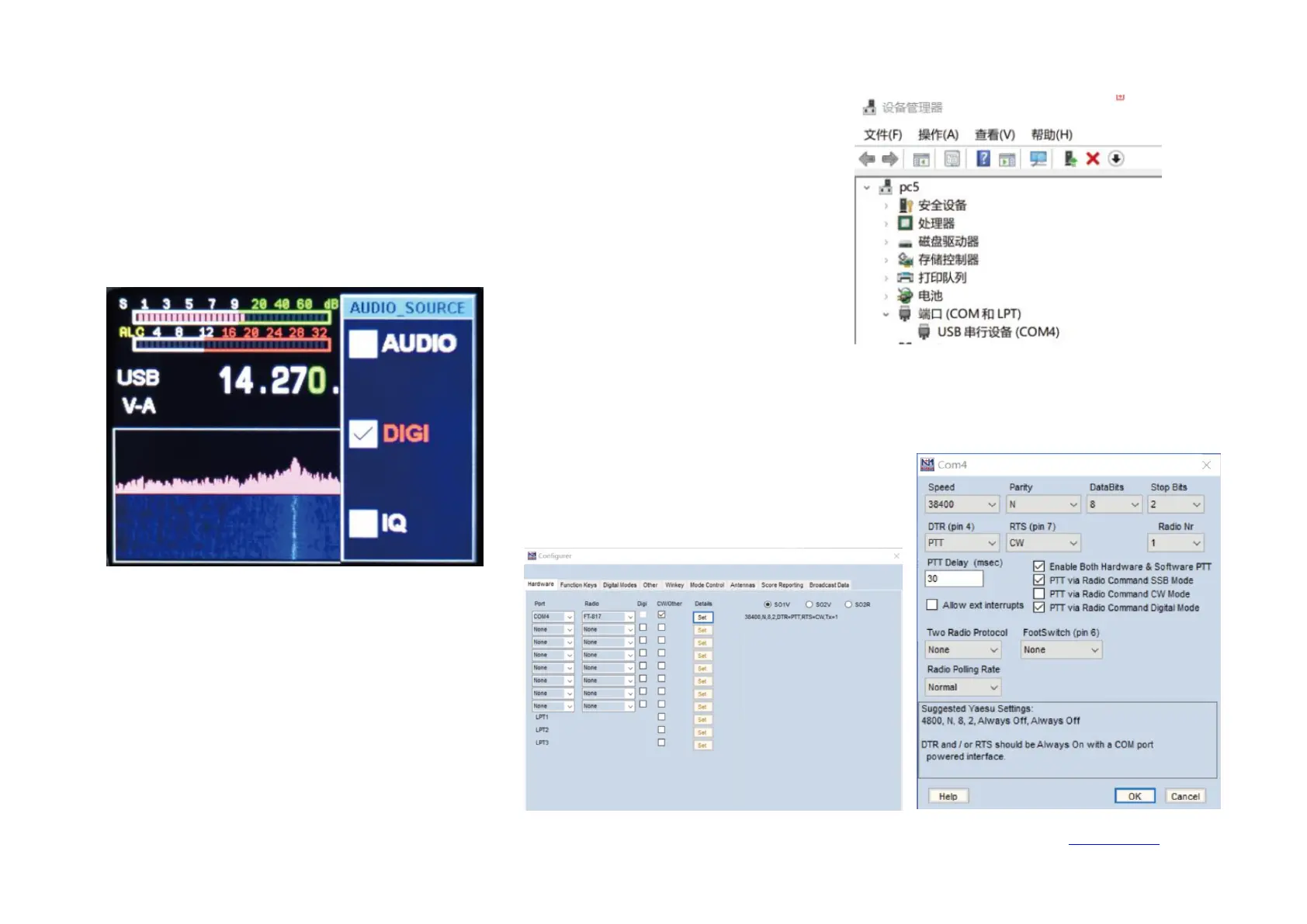
3-1. the computer operating system only supports WIN10. Please use the TYPE-C USB cable to
connect to the computer radio. After the connection is successful, enter the computer device
manager. You can view the port (USB serial device COM*). Here I display COM4.
3-2. Set the USB mode on the radio station, long-press the
【
RF
】
key to enter the USB sound
card data output format selection interface, use the up and down keys to select the output mode
【
DIGI
】
, and then long press to exit.
3-3. Open the N1MM setting menu and set the
parameters as shown below.
Click SET to enter the further setting menu.


 To Next Page