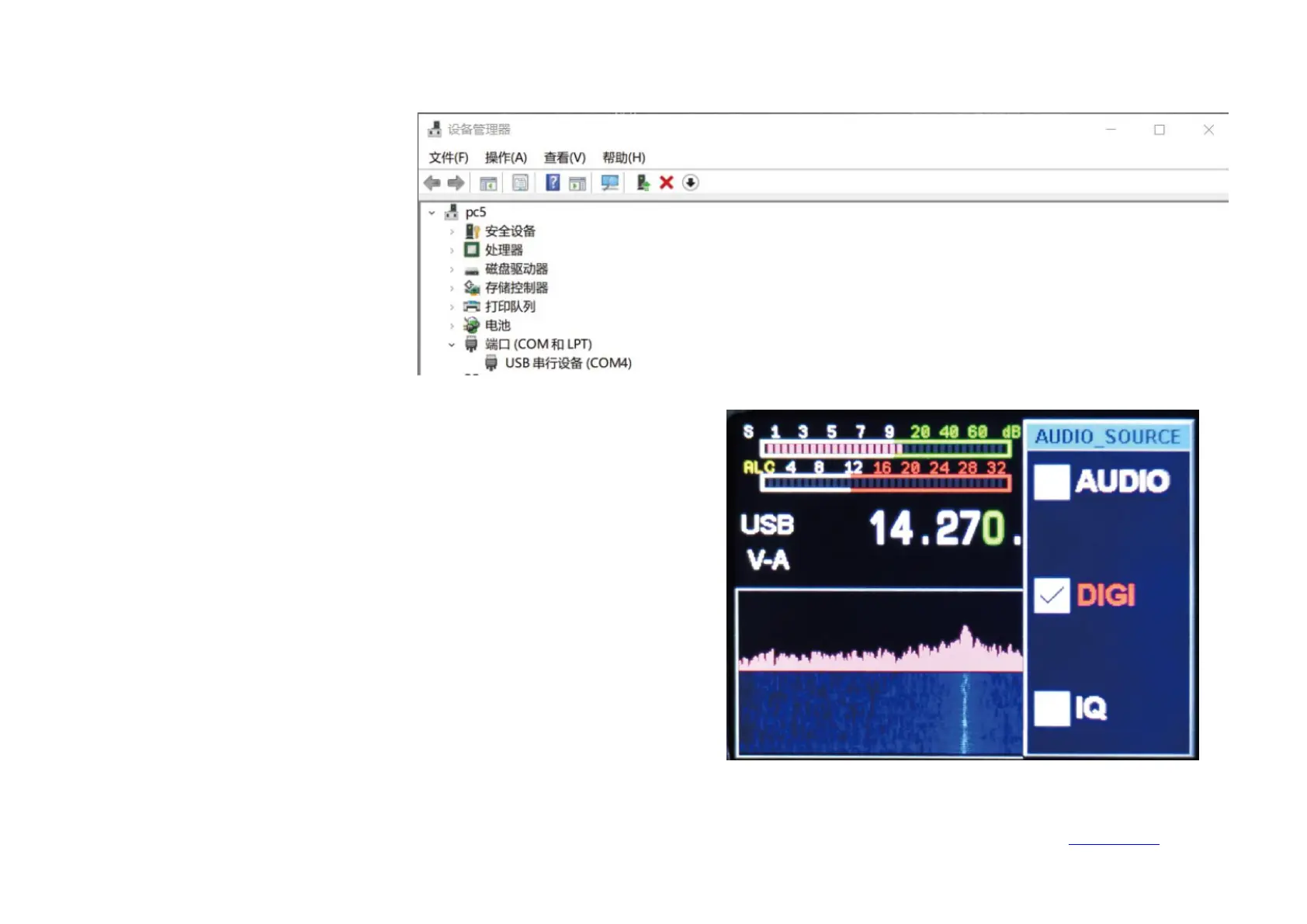
2-1. The computer operating system
only supports WIN10. Please use the
TYPE-C USB cable to connect to the
computer radio. After the connection
is successful, enter the computer
device manager to view the port (USB
serial device COM*). I display COM4
here.
2-2. Set the USB mode on the radio terminal, long-press the【RF】key to enter
the USB sound card data output format selection interface, use the up and
down keys to select the output mode【DIGI】, and then long press to exit.


 To Next Page