20
5.2.2 – Alarms
Here you can set the alarms threshold values; when the alarm is active the corresponding icon switches on.. Available alarms are:
Water Temperature: it turns on when water temperature gets over a customized value (default value 105°C)
Battery: it turns on when battery voltage gets under a customized value (default value 10V) and the corresponding digital value is
displayed red.
5.2.3 – Lap switch
As said this option is only available if riding mode is “Track” while if riding mode is “Road” the pushbutton is always enabled.
To avoid undesired lap signals a 5 seconds time period is needed between one push and the following of “Lap” pushbutton.
To use it in “Track” riding mode “Lap switch” needs to be set “Enabled”. Please note: also with GPS Module connected and enabled there
is no override between the two signals.
5.2.4 – Brightness
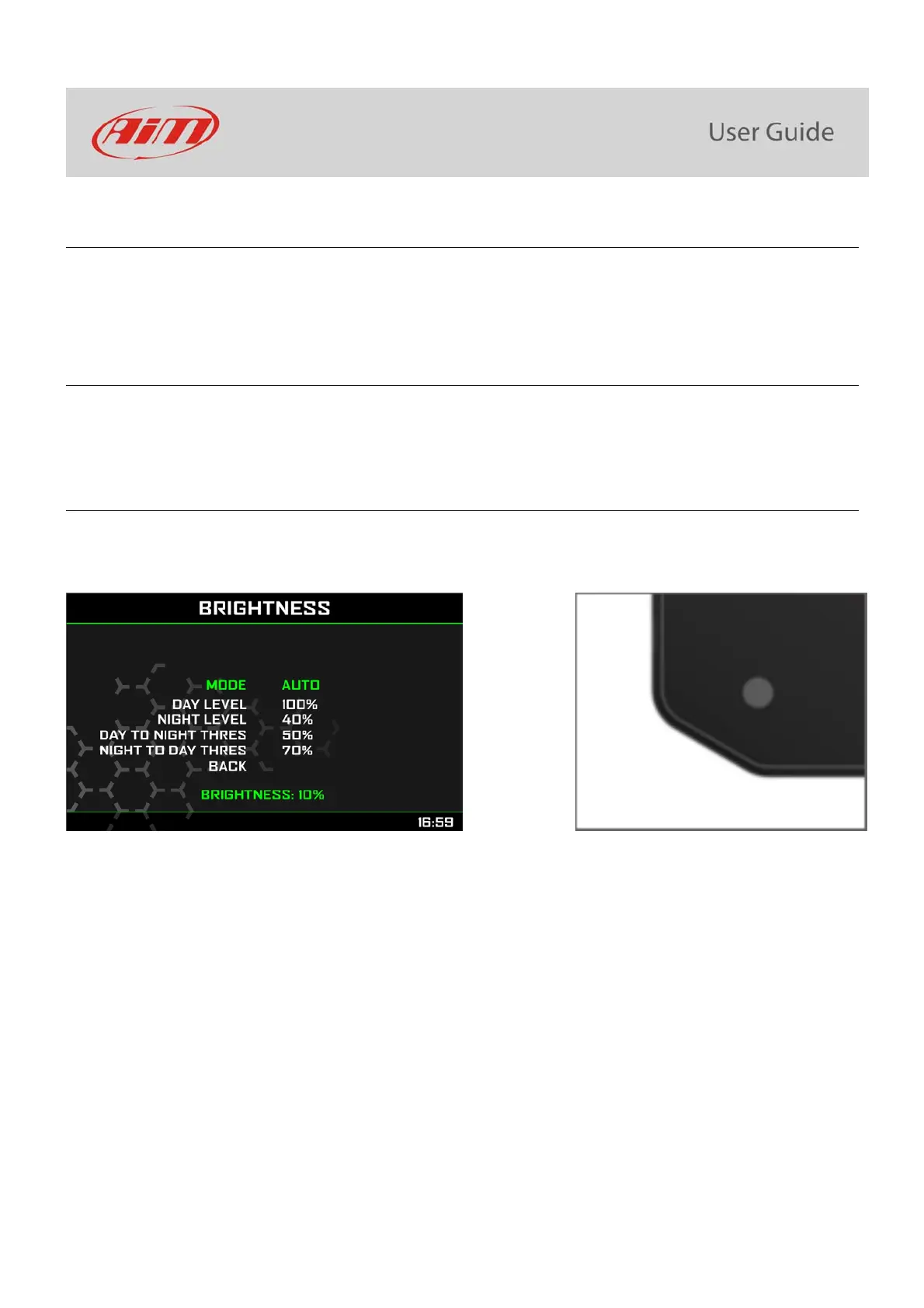
MXK10 has two levels of brightness for day and night usage. A light sensor (shown below on the right) in the lower left side of the dash
logger may help setting the desired brightness and the current display brightness is shown bottom of the page.
Available options are: Auto and Manual.
In Auto Mode you may:
set the Day Level; at the desired threshold the dash logger commutes the display brightness and the display background colour
set the Night Level: when the Light Sensor reads a brightness level higher than the threshold, the display is enlightened at the level
defined in this parameter and the display background colour switches to white.
set the Day to night threshold: at the desired threshold the dash logger commutes the display brightness and the display
background colour switches to black;
set the Night to day threshold: at the desired threshold the dash logger commutes the display brightness and the display
background colour switches to white
“Night to day threshold” is to be always higher than “Day to Night threshold”.
In Manual Mode you simply set one level of brightness and this level is maintained independently from the external light conditions. This
mode allows to set night/day display colour too.



 To Next Page