34
8 – Data download and analysis
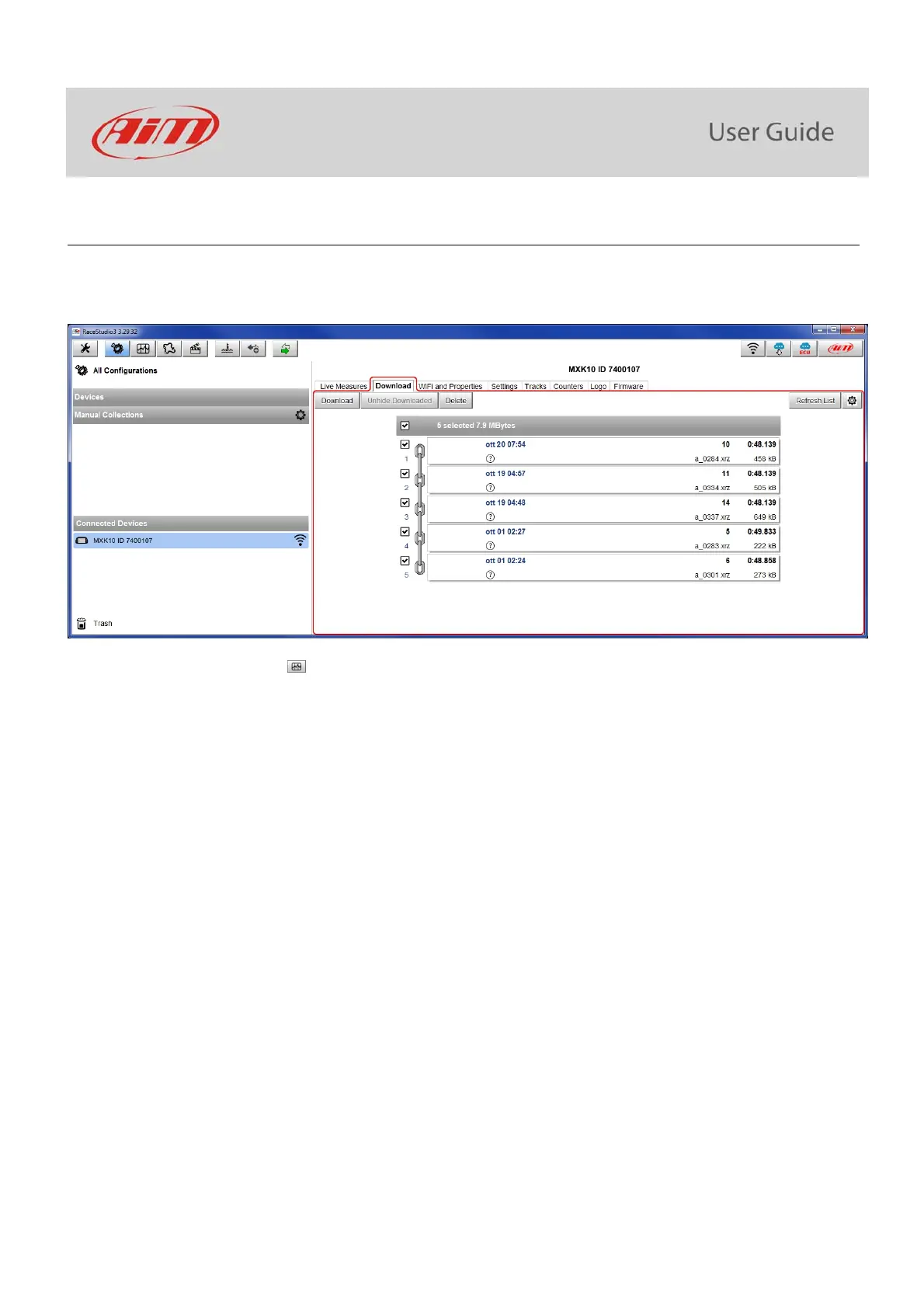
Once the test session is over it is possible to download data sampled on a PC. Connect MXK10 dash logger to a PC and click on it bottom
left of the software page. Once reached the device page activate “Download”. layer It shows all the information concerning the file stored
in the logger: number of laps, best lap, date/time, file dimensions. Select the file(s) to download and press “Download” button.
After download press Analysis Icon ( ) and Race Studio Analysis software starts showing all the files available for analysis. Double
clicking on the desired one it is possible to start analysing your performance.



 To Next Page