22
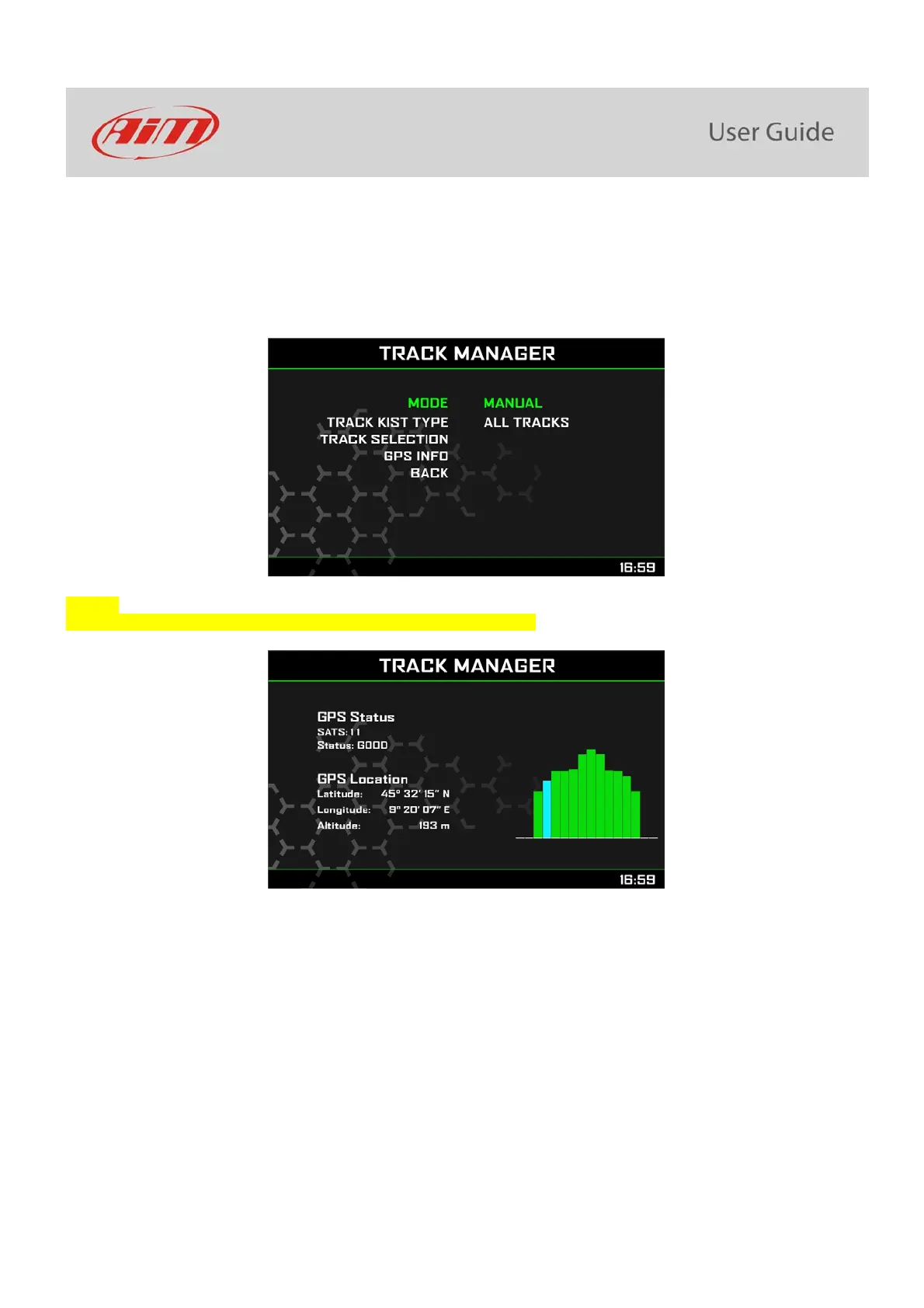
Manual:
In this mode you may select the track from the internal database. This mode is to prefer when multiple track configurations are available
nearby. In this case MXK10 would anyway recognize the track but would need at least one complete track lap.
You can scroll the list of available tracks choosing among these options:
nearest: shows only tracks in a 10 km distance
all: shows all tracks stored in the system in alphabetical order
custom: shows only the tracks you have previously created (learning mode)
GPS Info
Selecting this page MXK10 shows the satellites signal status and current position.



 To Next Page