27
Setting LCU-One CAN
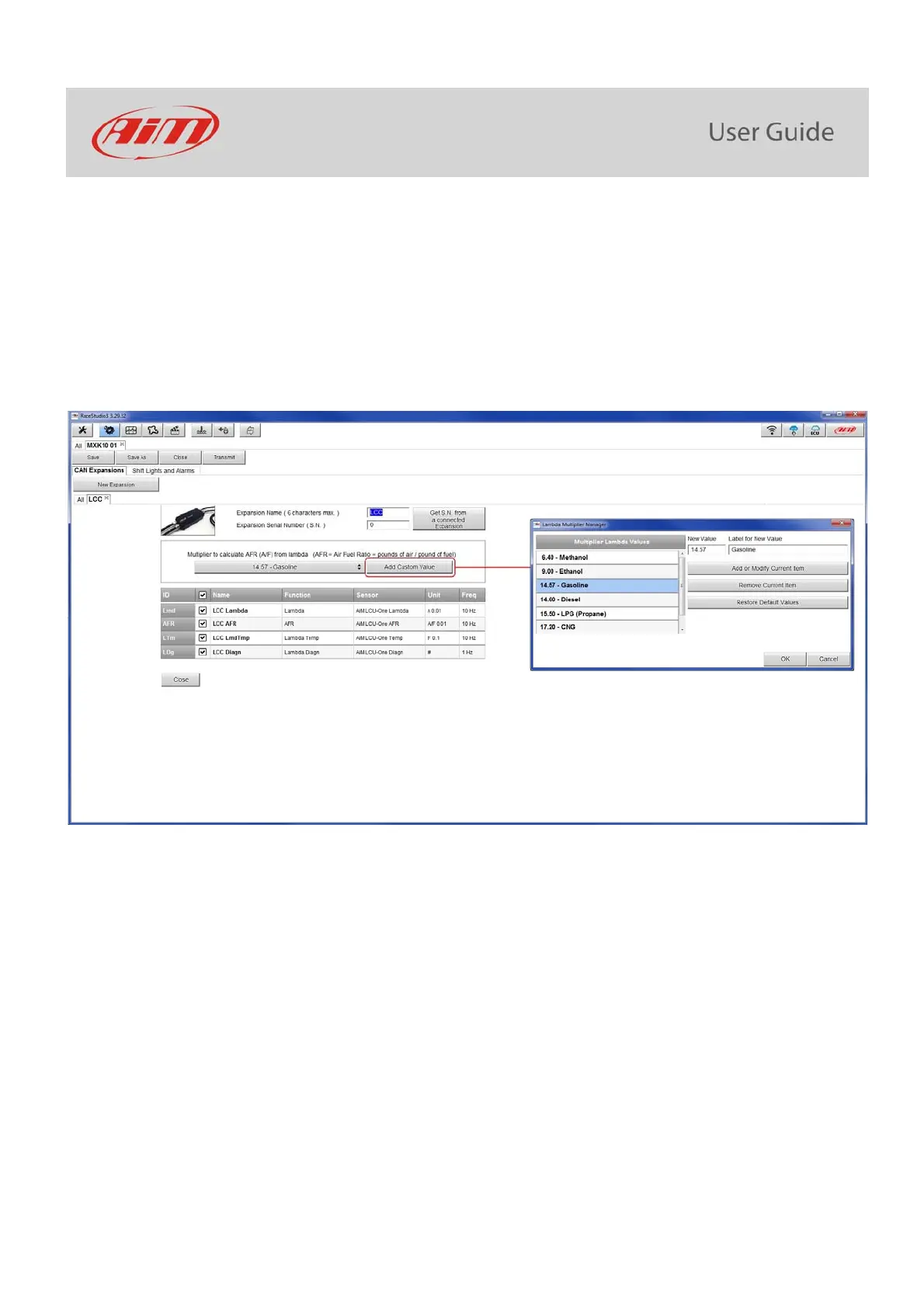
To set an LCU-One CAN:
press “New Expansion” button;
select “LCU-One CAN” and press OK
name the LCU One and fill in its serial number or press “Get SN from a connected expansion” to receive the serial number from the
connected LCU-One
select the multiplier to calculate AFR from lambda (in the example “14.57 Gasoline”) or add a custom value pressing “Add Custom
Value” (the related panel shows up)
set the LCU One channels double clicking on each channel and setting the panel that shows up
press “Close” to save and exit



 To Next Page