HD Audio PCI-e V2.0
11
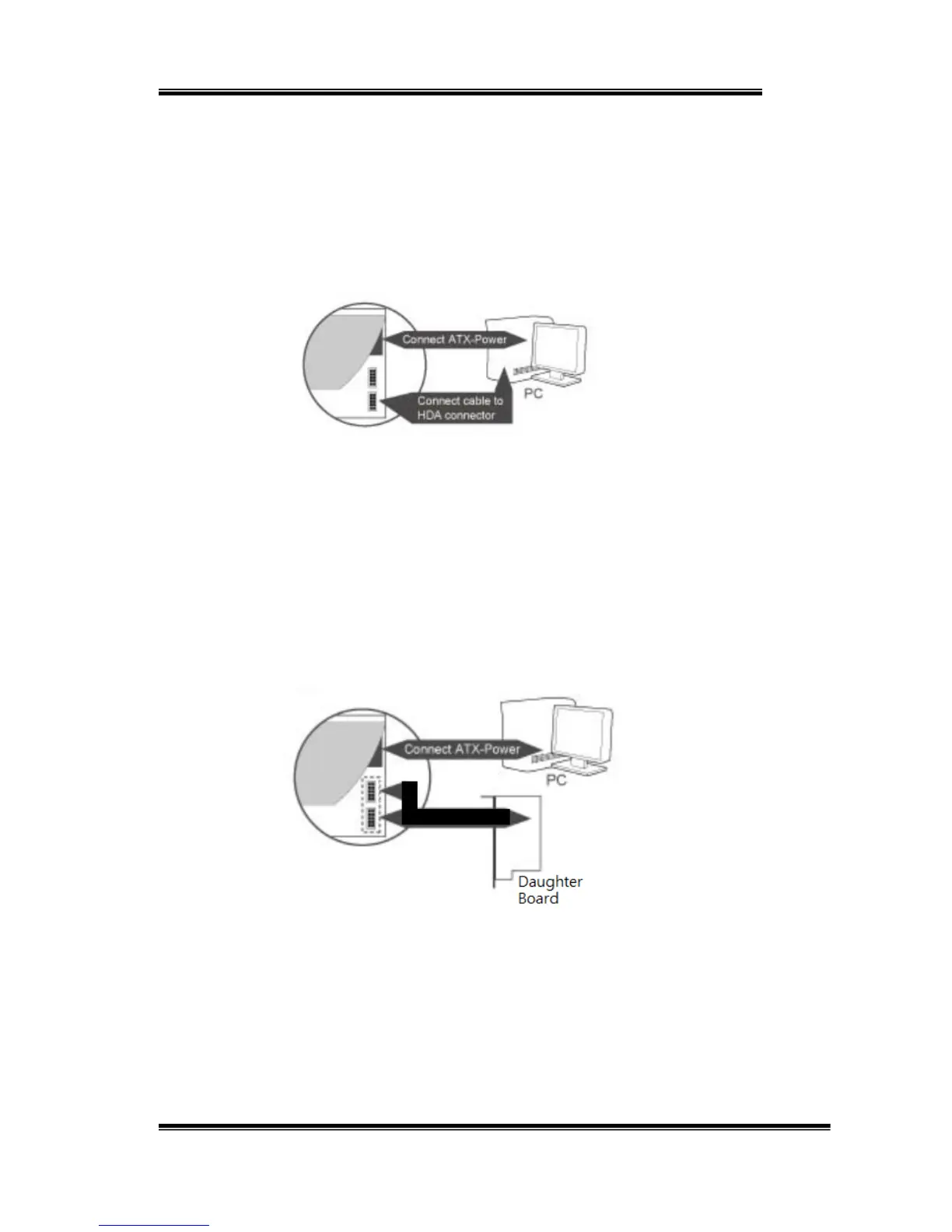
Stereo Music with Microphone Input: for VoIP or Gaming usage.
In this mode, SC808 must connect to external headset port of system
case. If the system does not provide this feature, please use the
microphone input of daughter board.
1. Connect ATX-Power (Necessary Step)
2. Connect cable (bundled from Case with external Headset port) to
HDA connector.
3. Close Case and reboot the system.
Stereo Music with Multi-Channel output and Microphone Input: to enjoy
the high definition stereo audio and multi-channel home theater
experience.
1. Install SC808 main board and daughter board
2. Connect ATX-Power (Necessary Step)
3. Connect cables from SC808 Main Board to Daughter Board with
multi-channel and HDA connectors
4. Close Case and reboot the system.


 To Next Page