HD Audio PCI-e V2.0
14
Un‐Installation
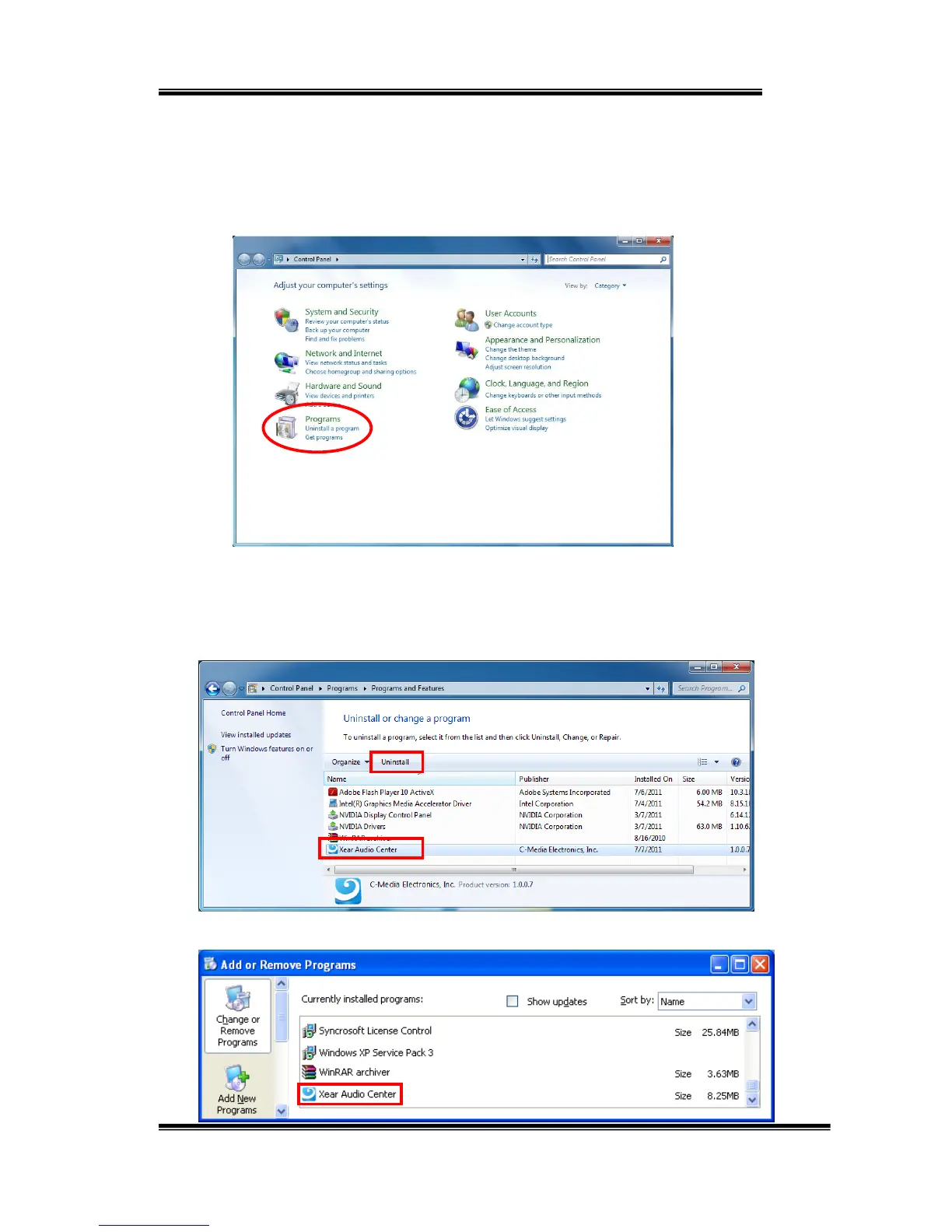
Closeallaudioprograms.Doubleclickthe“Programs/Uninstallaprogram”
itemfromWindowsControlPanel.
Select“XearAudioCenter”item,thenclickthe“Uninstall”button.
ForWindows10/8/7.Followtheinstructionsofthepoppedwindows
untiltheun‐installationfinishes.Restartyourcomputertocompletely
removedriver.
ForWindowsXP
Windows10/8/7


 To Next Page