HD Audio PCI-e V2.0
20
XearAudioCenterFunctionIntroduction
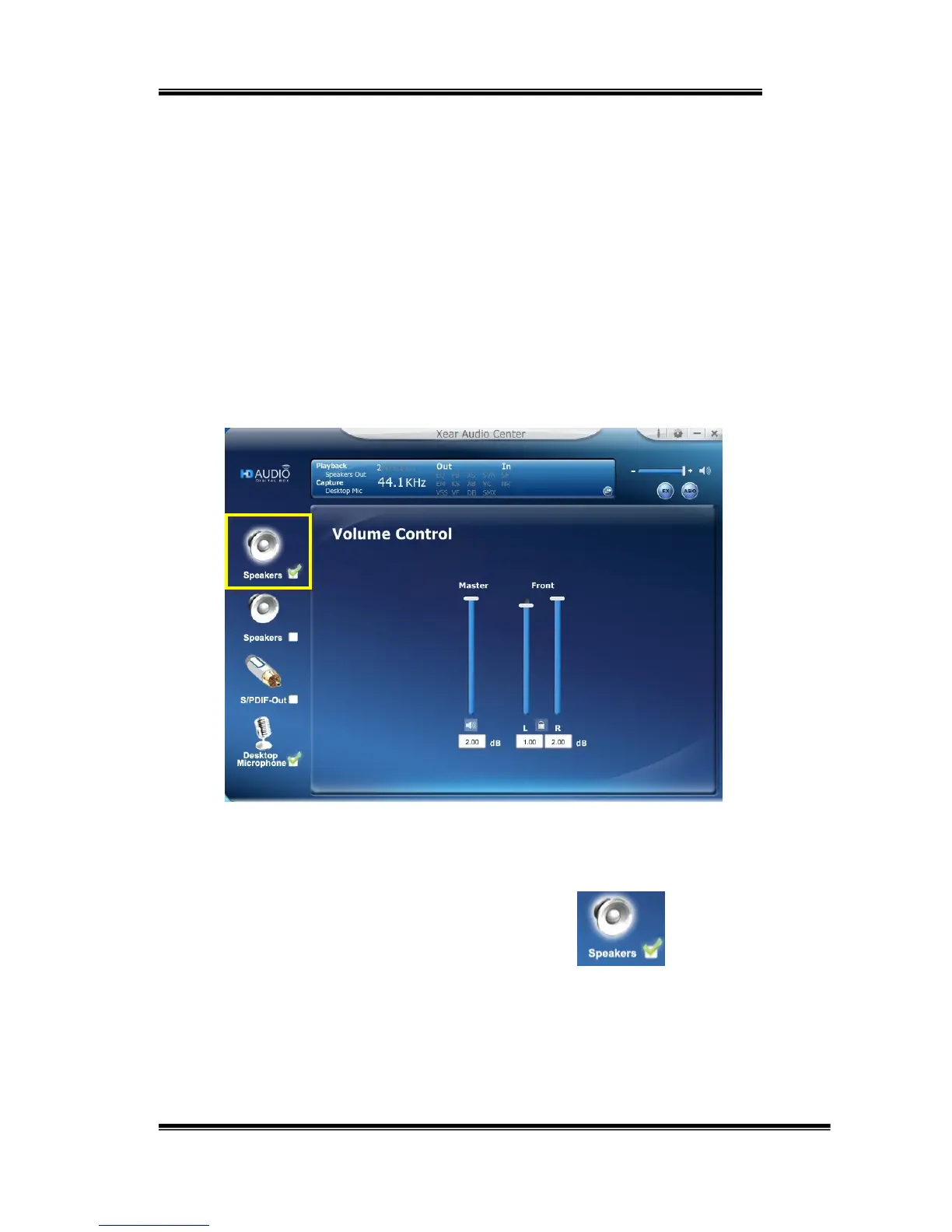
YoucancontrolthePCI‐esoundcardconfigurationasshowninthe
diagrambelow.
SelectaDefaultDevice
BeforetheAudiodeviceplaybackorrecordingoperationstarting,it
needstoselectadeviceasthedefaultdevice.WindowsOSwillassign
thesystemresourcetothedefaultdevice.
SetDefaultOutputDevice(Speaker)
Clickmouseleftbuttononthecheckbox( )ofthe
speakerdeviceicontosetthedefaultdeviceis“Speakers”.
SetDefaultInputDevice(DesktopMicrophone)


 To Next Page