HD Audio PCI-e V2.0
70
TrayIconFunctionIntroduction
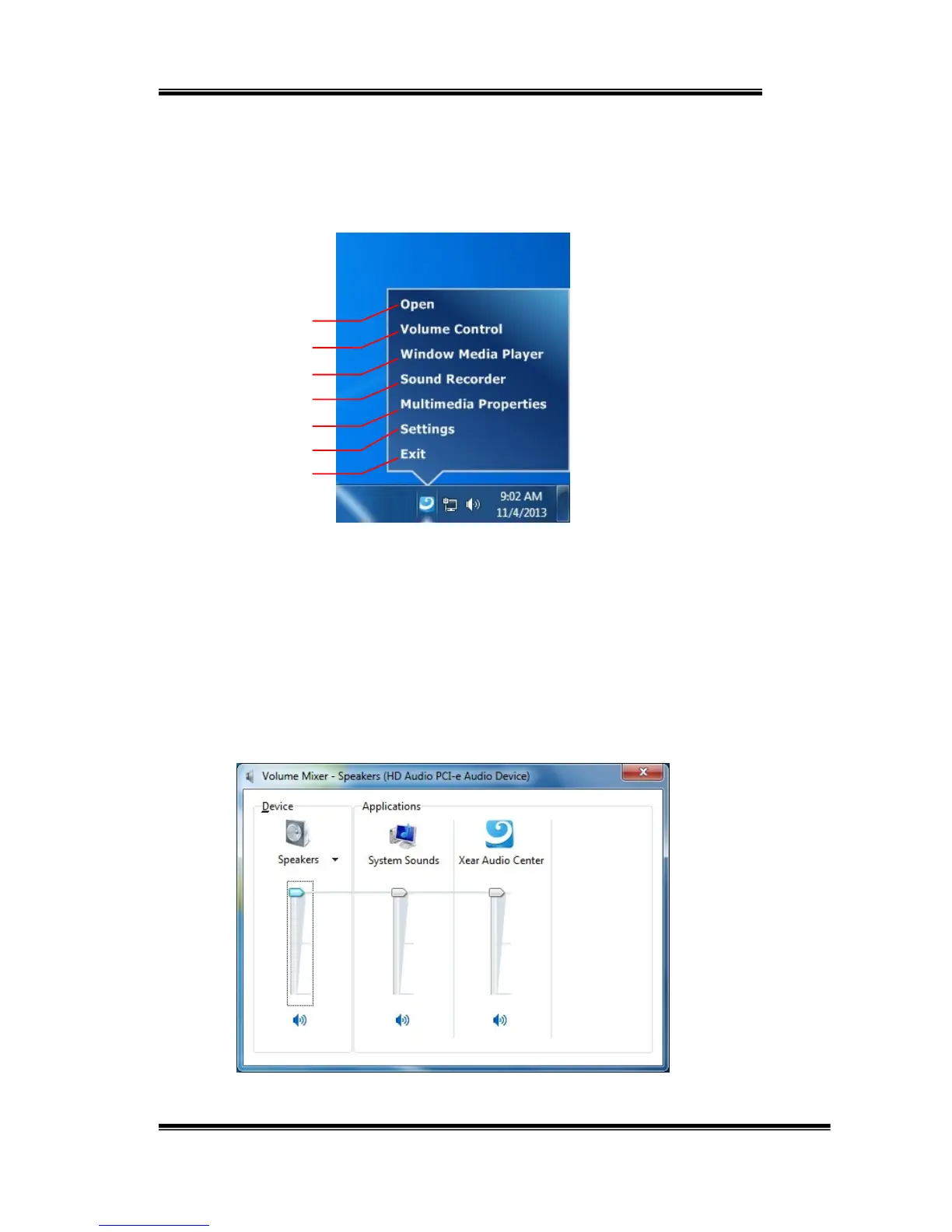
Openthe“CPLTrayIconFunctionList”byright‐clickingthetrayIcononsystem
tray.
1. Open:
Clickingthe“Open”itemwillrestoretheXearAudioCenter.
2. VolumeControl:
Clickingthe“VolumeControl”itemwillopentheVolumeMixerof
WindowsOS.Ifyouwanttoseparatelycontrolthevolumeofyour
speakersandothersounddevicesorprograms,usethisVolume
Mixer.
1
2
3
4
5
6
7


 To Next Page