HD Audio PCI-e V2.0
15
XearAudioCenterIntroduction
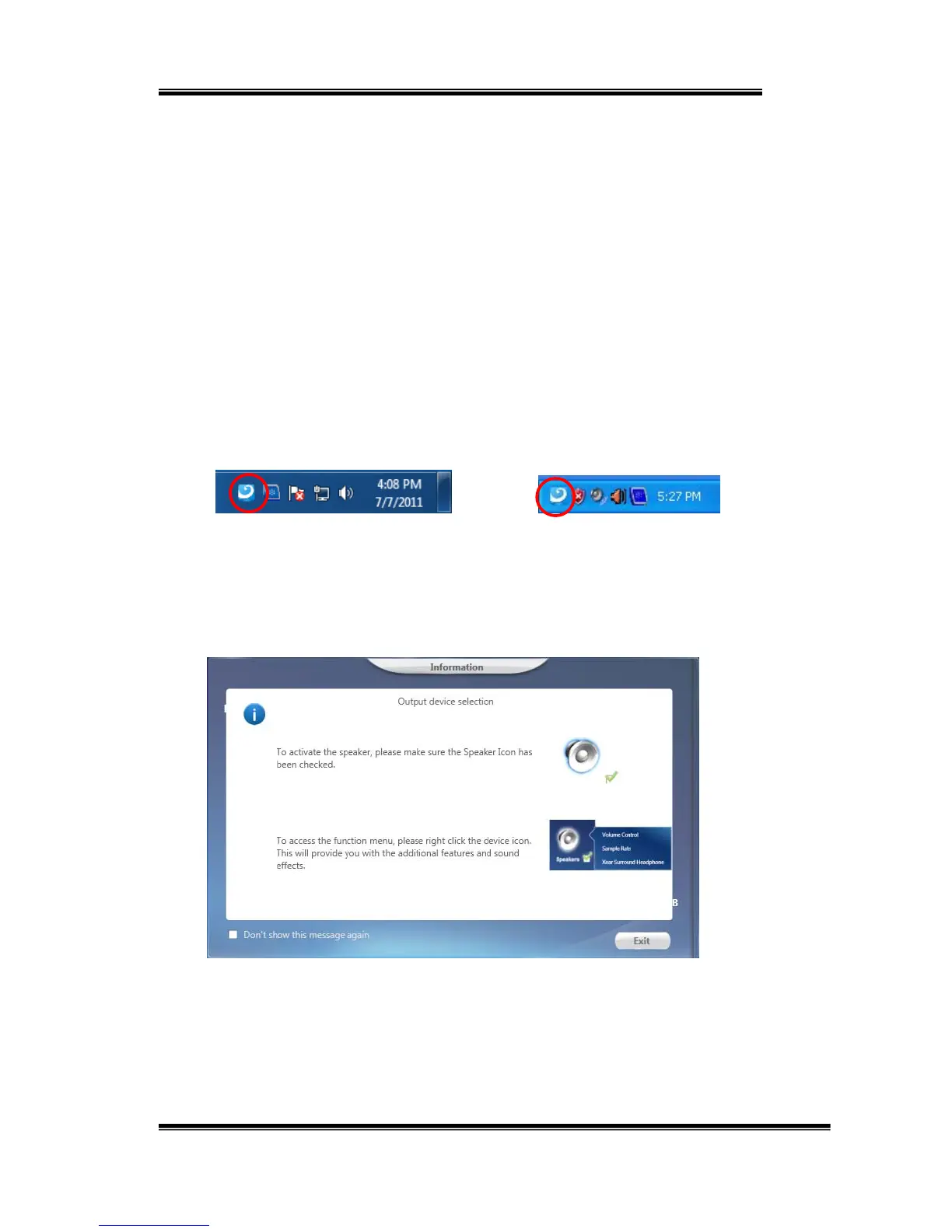
OpenSC808HDAudioPCI‐eAudioDeviceSoftwareCPL
Afterthedriverisinstalledandthesystemisrebooted,youwillfindthePCI‐e
AdvancedAudioDeviceCPL(XearAudioCenter)icononthesystemtraybar.
Double‐clickingontheicontoopenCPLsoftware.
Windows10/8/7TrayIconXPTrayIcon
ThefirsttimeXearAudioCenterisopened,youcanseeamessageas
shownbelow.YoucangettheinformationabouthowtouseXearAudio
Center.
Ifyoudon’twanttoseethiswindownexttime,checkthe“Don’tshow
thismessageagain”option.


 To Next Page